
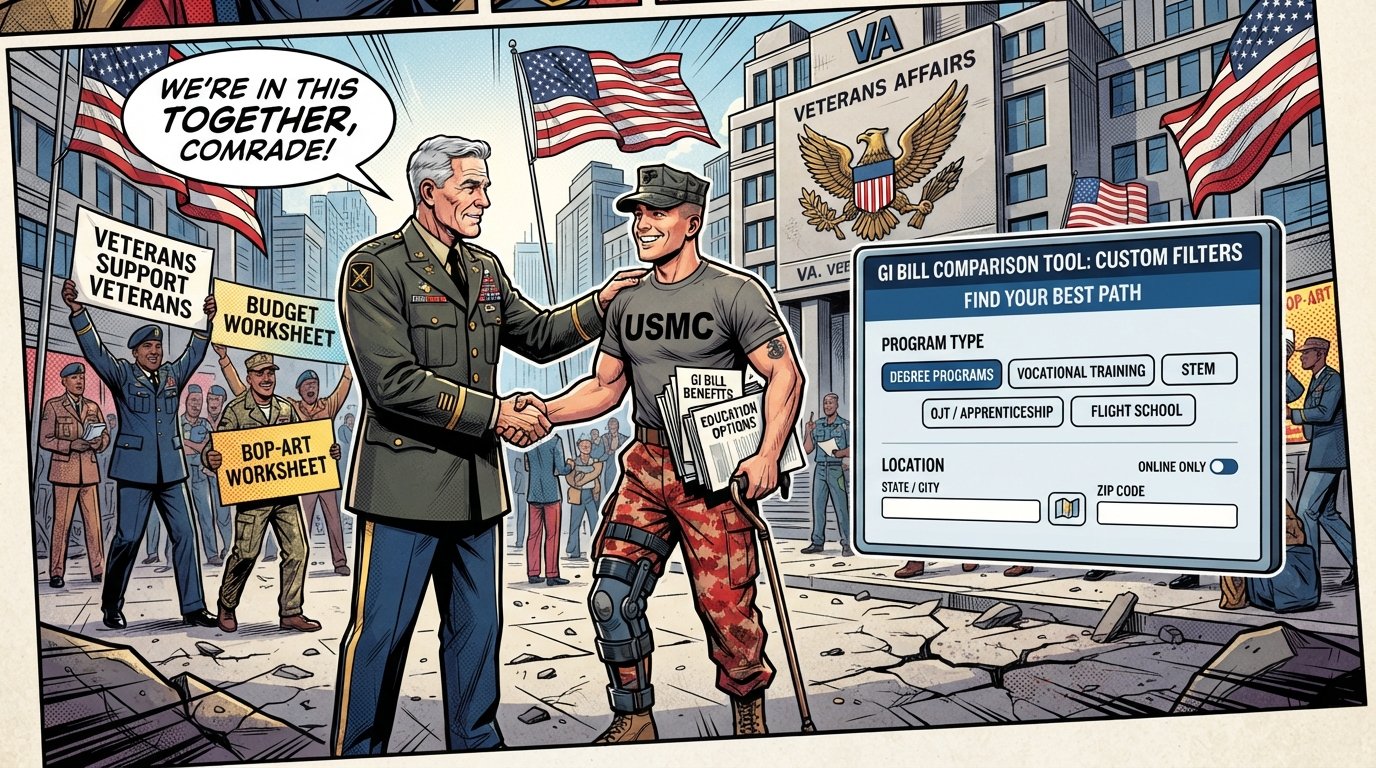
VA GI Bill Comparison Tool: How to Compare Schools and Benefits
The GI Bill Comparison Tool is a free, web-based application on VA.gov that lets you search GI Bill–approved schools, employers, and VET TEC providers, then compare estimated tuition, housing allowance, and book stipends side by side. You can compare up to three institutions at once and view them on a map from any device.
Quick Facts
| Item | Details |
|---|---|
| Benefit | Estimate and compare GI Bill benefits at approved schools and training programs |
| Eligibility | Veterans, active duty, National Guard, Reservists, spouses, and dependents using transferred benefits |
| Application | Access directly at va.gov/education/gi-bill-comparison-tool — no login required |
| Processing Time | Instant estimates; official COE processing takes 30–45 days after VA Form 22-1990 |
| Official Agency | U.S. Department of Veterans Affairs (VA) |
| Required Forms | VA Form 22-1990 (Veterans), 22-1990e (dependents), 22-1990t (apprenticeships) |
| Updated For | 2026–2027 academic year (effective August 1, 2026) |
What Is the VA GI Bill Comparison Tool?
The GI Bill Comparison Tool is a web-based calculator and school search engine designed to make it easier to estimate Post-9/11 GI Bill benefits and learn about VA-approved colleges, employers, and training providers. It pulls data from the VA’s approved facilities database (WEAMS) and updates that information quarterly.

The tool matters because not all schools are approved for GI Bill use. Before you enroll, you need to confirm that the specific campus and program you plan to attend are VA-approved. Otherwise, you could end up paying out of pocket for courses your benefit will not cover.

What you should do next: Go to the GI Bill Comparison Tool and run a search for every school on your short list before you apply for admission or pay any deposit.
How to Use the GI Bill Comparison Tool: Step by Step
Using the tool takes about five minutes. Here is the exact process:
Go to the tool. Navigate to va.gov/education/gi-bill-comparison-tool. No login is required.
Select your military status. Choose from Veteran, active duty, National Guard, Reserve, spouse, or dependent.
Choose your GI Bill benefit. Select the program you plan to use (for example, Post-9/11 GI Bill — Chapter 33, Montgomery GI Bill, or VET TEC).
Answer enrollment questions. The tool asks about your training type (college, apprenticeship, on-the-job training, flight school) and enrollment status (full-time, part-time, online).
Search for schools. Search by school name, city, or ZIP code. Filter by program type, Yellow Ribbon participation, and other criteria.
Compare up to three options. Select up to three schools or training institutions to compare side by side. You must remove one selection before adding another.
Review your estimates. The tool displays estimated tuition payments, monthly housing allowance, book stipend, and out-of-pocket costs for each institution.
Common mistake to avoid: Do not assume that a school approved at its main campus is also approved at every satellite location. You must confirm the specific campus you will attend is listed in the tool.
What Benefits Does the Comparison Tool Estimate?
The tool estimates four main categories of GI Bill benefits:
Tuition and fees. For public schools, the Post-9/11 GI Bill covers full in-state tuition and fees. For private or foreign schools, it pays up to the national cap — $30,908.34 for the 2026–2027 academic year.
Monthly housing allowance (MHA). Based on the DoD Basic Allowance for Housing (BAH) for an E-5 with dependents, using the ZIP code of the school (not your home address). The national average for 2026–2027 is $2,522 per month for campus-based students.
Online-only housing allowance. Students who take all classes online receive a fixed rate of $1,261 per month for 2026–2027, regardless of location.
Books and supplies stipend. Up to $1,000 per academic year, paid proportionally based on enrollment.
Veterans May Qualify for Extra Benefits
Check available financial assistance, healthcare programs and other opportunities that may apply to you.
Check EligibilityThe tool also shows whether a school participates in the Yellow Ribbon Program, which can cover tuition costs above the private-school cap through a dollar-for-dollar match between the school and the VA.
Post-9/11 GI Bill Benefit Tiers (2026–2027 Rates)
Your benefit percentage depends on your length of active-duty service after September 10, 2001. The VA multiplies every payment — tuition, housing, and books — by your tier percentage.
| Active-Duty Service | Benefit Level |
|---|---|
| 1,095 days (36 months) or more, or Purple Heart, or disability discharge after 30 days | 100% |
| 910–1,094 days (30–35 months) | 90% |
| 730–909 days (24–29 months) | 80% |
| 545–729 days (18–23 months) | 70% |
| 180–544 days (6–17 months) | 60% |
| 90–179 days (90 days to 5 months) | 50% |
Source: VA.gov, 2026–2027 rates
Important: You need an honorable discharge to qualify for the Post-9/11 GI Bill. A general discharge under honorable conditions does not meet the Chapter 33 rule.
Eligibility: Who Qualifies for GI Bill Benefits?
You may qualify for the Post-9/11 GI Bill if at least one of the following is true:
You served at least 90 days of aggregate active duty on or after September 11, 2001.
You received a Purple Heart on or after September 11, 2001, and were honorably discharged.
You served at least 30 continuous days on or after September 11, 2001, and were honorably discharged with a service-connected disability.
The Post-9/11 GI Bill is the most commonly used education benefit, but other programs exist:
| Program | Eligible Veterans | Key Feature |
|---|---|---|
| Post-9/11 GI Bill (Ch. 33) | 90+ days active duty after 9/10/2001 | Most comprehensive; tuition, MHA, books |
| Montgomery GI Bill – Active Duty (Ch. 30) | 2+ years active duty | Fixed monthly payment to you |
| Montgomery GI Bill – Selected Reserve (Ch. 1606) | 6-year reserve obligation | For Guard and Reserve members |
| VET TEC 2.0 | Veterans with at least one day of active duty | High-tech training programs |
| Survivors’ and Dependents’ Educational Assistance (Ch. 35) | Spouses and children of permanently disabled or deceased Veterans | For family members |
Forever GI Bill Changes That Affect Comparison
The Harry W. Colmery Veterans Educational Assistance Act of 2017 — known as the Forever GI Bill — made several changes that affect how you compare and use benefits:
No expiration date. The 15-year time limit to use GI Bill benefits was removed for those who left active duty on or after January 1, 2013.
Purple Heart recipients qualify for full benefits regardless of length of service.
Reservists who lost REAP eligibility can elect to have that service credited toward the Post-9/11 GI Bill.
Work-study programs are permanently authorized.
Independent study and online learning programs at career and technical schools can now be approved for benefits.
These changes mean you have more flexibility in when and where you use your benefits — but they also mean you should verify that your specific program is approved before enrolling.
How to Apply for GI Bill Benefits
Applying is a separate step from using the Comparison Tool. Here is the process:
Determine your eligibility using the Comparison Tool.
Gather required documents. You will need your DD-214 (Certificate of Release or Discharge from Active Duty) and Social Security number.
Complete VA Form 22-1990 (Application for VA Education Benefits) online at va.gov. Veterans who have never used benefits should use this form.
Dependents using transferred benefits should complete VA Form 22-1990e.
Submit and wait for your Certificate of Eligibility (COE). Processing typically takes 30–45 days.
Provide your COE to your school’s certifying official. The school then certifies your enrollment to the VA.
Processing times: The VA education call center is available at 1-888-442-4551, Monday through Friday, 7 a.m. to 6 p.m. Central Time.
Common Mistakes Veterans Make with GI Bill Benefits
Avoiding these errors can save you thousands of dollars and months of frustration:
Not confirming campus-level approval. A school’s main campus may be approved while satellite locations are not. Always verify the specific campus in the Comparison Tool.
Taking fully online classes without understanding MHA rules. Online-only students receive $1,261 per month (2026–2027) instead of the campus-based rate, which averages $2,522.
Skipping the FAFSA. Even with GI Bill benefits, you may qualify for Pell Grants or other financial aid. Never assume you are ineligible.
Choosing an expensive school without Yellow Ribbon support. If tuition exceeds the private-school cap and the school does not participate in Yellow Ribbon, you pay the difference.
Failing to certify each semester. Enrollment certification is not automatic. Your school must certify your enrollment every term.
Reporting GI Bill funding as taxable income on the FAFSA. GI Bill benefits are not taxable income and should not be reported as such.
Enrolling before benefits are verified. Some schools pressure Veterans to start classes before GI Bill eligibility is confirmed, leading to unexpected costs.
Yellow Ribbon Program: How It Works with the Comparison Tool
The Yellow Ribbon Program is a voluntary agreement between participating schools and the VA to cover tuition and fees that exceed the Post-9/11 GI Bill’s private-school cap. The school contributes a dollar amount, and the VA matches it dollar for dollar.
To qualify for Yellow Ribbon, you must:
Be eligible for the Post-9/11 GI Bill at the 100% benefit tier.
Be enrolled at a participating school.
Have the school certify your Yellow Ribbon eligibility.
The Comparison Tool displays whether each school participates in Yellow Ribbon and how many students they can fund. Always check this before applying to an expensive private school.
Appeals Process for GI Bill Decisions
If you disagree with a VA decision about your education benefits, you have three review options:
Supplemental Claim — Submit VA Form 20-0995 with new evidence.
Higher-Level Review — Submit VA Form 20-0996 for a senior reviewer to examine the same evidence.
Board of Veterans’ Appeals Review — Submit VA Form 10182 to have a Veterans Law Judge review your case.
You must file your appeal within one year of the decision letter for most review options.
State Differences and Additional Benefits
Some states offer additional education benefits for Veterans and family members. These vary widely:
Texas offers the Hazlewood Act, which provides up to 150 credit hours of tuition exemption at public colleges for qualified Veterans.
California has the Cal Vet College Fee Waiver for dependents of disabled or deceased Veterans.
New York offers the Veterans Tuition Award for SUNY and CUNY schools.
The GI Bill Comparison Tool does not show state benefits. Check your state’s Department of Veterans Affairs website for additional programs.
Common Questions
How do I access the GI Bill Comparison Tool?
Go to va.gov/education/gi-bill-comparison-tool. No login or account is required. You can use it on a desktop, tablet, or mobile device.
Can I compare more than three schools at once?
No. The tool allows side-by-side comparison of up to three schools or training institutions. You must remove one selection before adding another.
Does the Comparison Tool show Yellow Ribbon amounts?
Yes. The tool displays whether a school participates in Yellow Ribbon and how many students it can fund. It also shows estimated out-of-pocket costs after Yellow Ribbon.
How often is the Comparison Tool updated?
The VA updates the information in the Comparison Tool quarterly.
What if my school is not listed in the Comparison Tool?
If your school is not listed, it is not currently approved for GI Bill benefits. Contact the school’s certifying official or your State Approving Agency to inquire about approval.
Does the Comparison Tool tell me how much entitlement I have left?
No. The Comparison Tool estimates benefits at specific schools. To check your remaining entitlement, log into your VA.gov account or call the GI Bill hotline at 1-888-442-4551.
Can active-duty service members use the Comparison Tool?
Yes. Active-duty members can use the tool to compare schools and estimate benefits. Note that active-duty members are not eligible for the monthly housing allowance while serving.
What is the difference between the GI Bill Comparison Tool and the GI Bill Feedback Tool?
The Comparison Tool helps you research and compare schools. The Feedback Tool allows you to report negative experiences with a school or training provider to the VA.
Does the Comparison Tool cover apprenticeships and on-the-job training?
Yes. You can filter by OJT/Apprenticeship in the tool. Post-9/11 GI Bill housing allowance for apprenticeships starts at 100% of the applicable MHA for the first six months, then decreases to 80%, 60%, 40%, and 20% in subsequent six-month periods.
What is VET TEC 2.0, and is it in the Comparison Tool?
VET TEC 2.0 is a high-tech training pilot program that matches Veterans with accelerated training providers. It is available in the Comparison Tool under training providers.
Key Takeaways
The GI Bill Comparison Tool is a free VA.gov calculator that estimates tuition, housing, and book benefits at approved schools.
You can compare up to three schools side by side and filter by Yellow Ribbon participation, program type, and location.
The Post-9/11 GI Bill pays full in-state tuition at public schools and up to $30,908.34 per year at private or foreign schools for 2026–2027.
Housing allowance averages $2,522 per month for campus-based students but drops to $1,261 for online-only students.
The Forever GI Bill removed the 15-year expiration for Veterans who separated on or after January 1, 2013.
Yellow Ribbon can cover tuition above the cap, but you must be at the 100% benefit tier to qualify.
Always confirm the specific campus — not just the school system — is VA-approved.
Apply for benefits using VA Form 22-1990 after comparing schools.
Common mistakes include skipping the FAFSA, taking online-only classes without understanding MHA rules, and enrolling before benefits are verified.
The tool is updated quarterly and does not replace official VA eligibility determinations.
Official Resources
VA GI Bill Comparison Tool — Official VA tool for comparing schools and benefits.
VA Education Benefit Rates — Current rates for all GI Bill programs.
Choosing a GI Bill-Approved School — VA guidance on selecting a school.
Yellow Ribbon Program — Official program page.
Apply for Education Benefits — Online application portal.
College Scorecard — U.S. Department of Education school comparison data.
Consumer Financial Protection Bureau — Paying for College — Financial planning tools.
Federal Trade Commission — Consumer Information — Tips on avoiding education scams.
VA Education Call Center — 1-888-442-4551, Mon–Fri, 7 a.m.–6 p.m. CT.
Ask VA — Online inquiry portal for VA benefits questions.





🇺🇸 IMPORTANT DISCLAIMER – Veterans Benefits Information
This site provides general information about U.S. Department of Veterans Affairs (VA) benefits for educational and informational purposes only.
- Not Official: We are NOT affiliated with, endorsed by, or connected to the U.S. Department of Veterans Affairs (VA), the Veterans Benefits Administration (VBA), the Veterans Health Administration (VHA), or any other government agency.
- No Legal/Financial Advice: The content on this website is for informational purposes only and does not constitute legal, financial, or medical advice. VA benefits rules change frequently – always consult with an accredited Veterans Service Officer (VSO) or a qualified professional for your specific situation.
- Official Sources: For official, binding information and to apply for benefits, always visit official .gov websites: VA.gov, Benefits.VA.gov, or SSA.gov.
- No Data Collection: This site does not collect, store, or process any personal information. It does not have login forms, contact forms, or any system to capture user data. We never ask for your Social Security Number, bank details, or any personal information.
- 🚨 Scam Alert: The VA and other government agencies never charge fees for benefit applications. If anyone asks for money to "process" your VA claim, it is a scam. Report it to the VA Office of Inspector General at VA.gov/OIG.
- Advertising: This site uses third-party advertising (Adsterra) to cover operational costs. We do not endorse or guarantee any products or services advertised.
📌 Information provided as of June 2026. Always verify current eligibility and rules with official .gov sources.
This site is not affiliated with the U.S. Department of Veterans Affairs or any government agency. All information is for educational purposes only. Please visit VA.gov for official information.
