
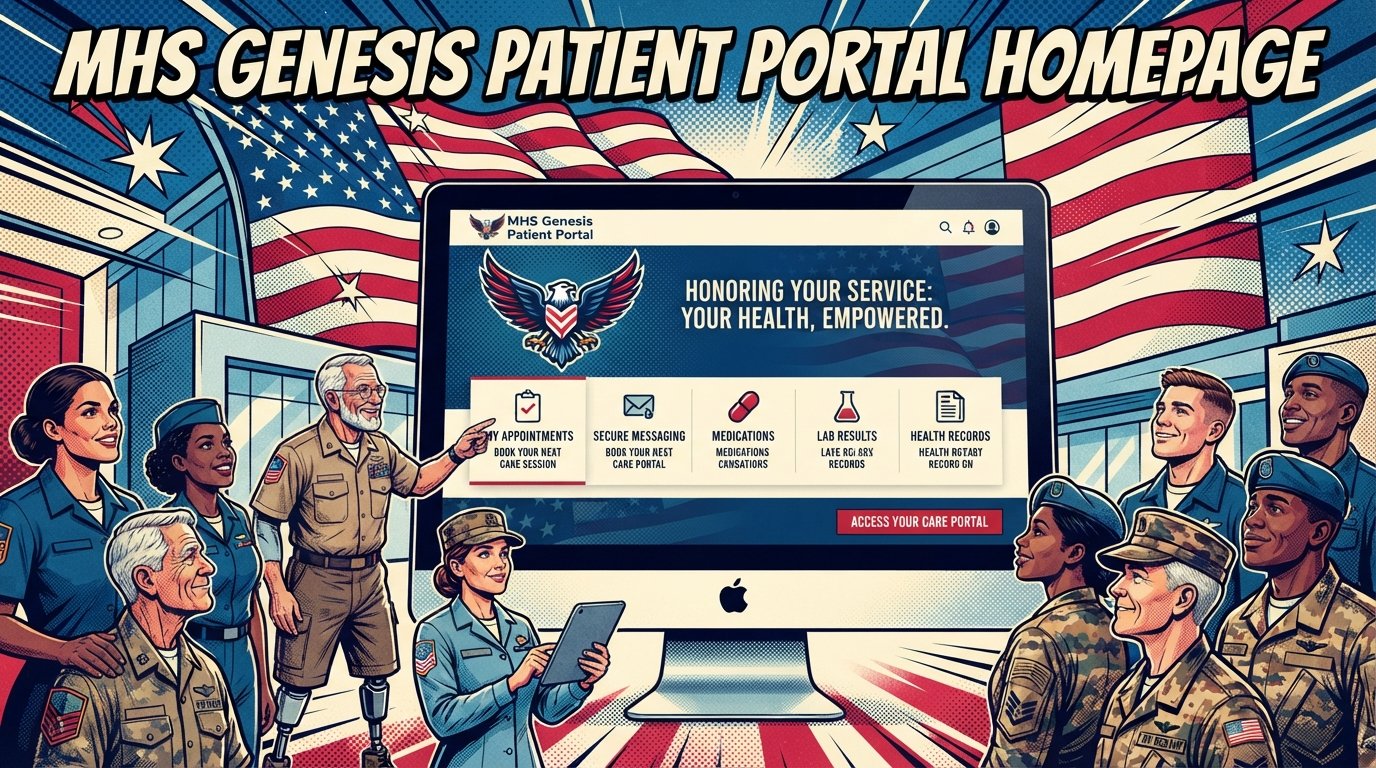
MHS Genesis Patient Portal: Complete 2026 Guide for Service Members and Families
The MHS Genesis Patient Portal is the Department of Defense’s secure online platform for accessing military health records, scheduling appointments, requesting prescription refills, and exchanging messages with your care team. In 2026, it is transitioning from DS Logon to myAuth for login authentication. Access it at patientportal.mhsgenesis.health.mil.
Quick Facts
| Item | Details |
|---|---|
| Benefit | 24/7 secure access to military health records and care management |
| Eligibility | Active duty, retirees, National Guard, Reservists, and TRICARE-enrolled family members |
| Application | Self-registration online with DS Logon, CAC, or myAuth account |
| Processing Time | Immediate for existing DS Logon users; new accounts may take up to 10 minutes for identity verification |
| Official Agency | Defense Health Agency (DHA); managed by Defense Manpower Data Center (DMDC) |
| Required Forms | DD Form 2870 (for records requests); DD Form 3005 (surrogate access) |
| Updated For | 2026 (myAuth transition completed September 2026) |
What Is the MHS Genesis Patient Portal?
The MHS Genesis Patient Portal is the patient-facing component of MHS Genesis, the Military Health System’s modern electronic health record. It is a secure website that provides 24/7 access to your health information, including managing appointments and exchanging messages with your care team. MHS Genesis supports more than 9.5 million beneficiaries at home and abroad, with approximately 194,000 provisioned users globally.

The portal replaced the TRICARE Online (TOL) Patient Portal, which was decommissioned on April 1, 2025. It also replaced the legacy Secure Messaging system. If your military hospital or clinic uses MHS Genesis, you now use the MHS Genesis Patient Portal for all your online health management needs.

For service members, retirees, and military families, the portal matters because it centralizes your entire military health history in one place. You can view lab results, read clinical notes, schedule appointments, request prescription refills, and communicate with your care team without calling the clinic. Beginning January 20, 2026, the Defense Health Agency made immediate availability of electronic health information — lab results, radiology reports, pathology reports, and clinical notes — available through the portal the moment they enter the system.
What you should do next: If you have not yet created your patient portal account, do so now. If you already have an account, confirm your myAuth login is active.
myAuth: The New Login System for 2026
The MHS Genesis Patient Portal transitioned from DS Logon to myAuth on September 23, 2026. The MHS Genesis Patient Portal is now fully accessible via myAuth, DS Logon, or Common Access Card during the transition period.
myAuth is a simpler, more streamlined login authentication application managed by the Defense Manpower Data Center (DMDC). Many platforms, including milConnect, ID Card Office Online, and contractor portals, have already made this switch.
myAuth login options
Veterans May Qualify for Extra Benefits
Check available financial assistance, healthcare programs and other opportunities that may apply to you.
Check EligibilityWith myAuth, you can log in using one of three methods:
Common Access Card (CAC) — For service members and DoD personnel with a CAC and reader
Username/password plus secure multi-factor authentication — Generally a one-time passcode received via email
Okta Verify — An app for personal or government mobile devices that enables secure access without a CAC
What changed with the myAuth transition
When you log in to the patient portal after the transition, you will see a new login page. This page helps you create a myAuth account if you do not already have one. Although you create a new login for myAuth, your health data, appointments, and records are not affected.
The switch to myAuth means:
Enhanced security — More options to protect against unauthorized access
A modernized authentication platform — More ways to log in
A more user-friendly experience — A simpler interface
Important: Neither TRICARE nor its contractors will contact you asking for private information like your date of birth, Social Security number, or your username and password. If you receive such a request, it is a scam. Read messages carefully and check the source email or web address for legitimacy.
What you should do next: Visit myAuth at myaccess.dmdc.osd.mil/identitymanagement/app/login/myauth to create your account if you have not already done so. If you need help, contact DMDC at 800-368-3665.
How to Create Your MHS Genesis Patient Portal Account
Creating your MHS Genesis Patient Portal account requires either a DS Logon (Premium Access Level 2) or a CAC. The registration process takes approximately 10 minutes for identity verification.
Step 1: Verify your DEERS information
Before you begin, confirm that your contact information in the Defense Enrollment Eligibility Reporting System (DEERS) is correct. Your email address must match the one you use for the patient portal login. You can update your information through milConnect, your regional TRICARE contractor, an ID card office, or the DEERS Support Office at 1-800-538-9552.
Step 2: Create or upgrade your DS Logon
A free Premium Access (Level 2) DS Logon account is required to view your health record. If you do not have one, visit milConnect and select “Create New Account.” The registration is a multi-step process to verify your identity. You will need your driver’s license or other government-issued ID.
Step 3: Set up two-factor authentication
DS Logon now requires two-factor authentication (2FA) at every login. You will receive a text or vocal call with a PIN to enter. The phone number must already exist in DEERS. Ensure you have the phone with the correct number in your possession at the time of login.
Step 4: Access the patient portal
Go to patientportal.mhsgenesis.health.mil. Log in using your DS Logon credentials or CAC. If you are transitioning to myAuth, you will be prompted to create your myAuth account.
Step 5: Set up your profile
Once logged in, update your personal profile, verify your contact information, and set up your communication preferences.
Registration comparison table
| Login Method | Best For | Requirements |
|---|---|---|
| DS Logon | Most beneficiaries | Premium Access (Level 2) DS Logon |
| CAC | Active duty, DoD personnel | Common Access Card + reader |
| myAuth (username/password) | All beneficiaries | myAuth account + MFA |
| myAuth (Okta Verify) | Mobile users | Okta Verify app on smartphone |
MHS Genesis Patient Portal Features
The MHS Genesis Patient Portal provides a comprehensive set of features for managing your military health care. These features are available 24/7 from any internet-connected device.
Core features
| Feature | What You Can Do |
|---|---|
| View Health Record | Access your medical history, diagnoses, medications, allergies, and immunizations |
| Lab and Test Results | View lab results, radiology reports, pathology reports, and clinical notes immediately |
| Appointment Management | Schedule, cancel, and reschedule medical and active duty dental appointments |
| Secure Messaging | Exchange messages and documents with your health care team |
| Prescription Refills | Request refills and renewals for most prescriptions from your military pharmacy |
| Pre-Visit Questionnaires | Complete intake and screening forms before your appointment |
| Health Library | Access educational content about health conditions and medications |
| Profile Management | Update your personal information and communication preferences |
How to schedule an appointment
Log in to the MHS Genesis Patient Portal
Navigate to the “Appointments” tab
Click “Schedule Appointment”
Select the appointment by Provider or Appointment Type
Choose a date and time
Add details about your visit
Confirm the appointment
How to request prescription refills
Log in to the MHS Genesis Patient Portal
Click on the “Rx Refills” tab at the top menu bar (or select “More” and then “Rx Refills”)
Review all prescriptions ready for refill in one place
Choose which prescriptions you want to refill
Pick where you want to get your refills
See when your refills will be ready
How to use secure messaging
Log in to the MHS Genesis Patient Portal
Click the “Messaging” button on the menu across the top of the page
Select “Compose Message”
Choose your recipient (provider, nurse, or care team)
Type your message and attach any relevant documents
Send your message
Secure messaging is not for emergencies. For urgent medical issues, call your clinic or go to the emergency room.
Proxy Access: Managing Health Care for Family Members
Proxy access allows you to manage health care for family members through the MHS Genesis Patient Portal. The Defense Department allows proxy access for situations where the beneficiary cannot access or provide consent for access.
Types of proxy access
| Proxy Type | Who Qualifies | Requirements |
|---|---|---|
| Parent/Guardian | Parents of children ages 0–12 | Legal documentation; automatic for sponsors |
| Teen Access | Parents of teens ages 13–17 | Limited access; appointments and secure messaging only |
| Health Care Agent | Designated health care agents | Legal documentation; DD Form 3005 |
| Legal Guardian | Court-appointed legal guardians | Court documentation |
| Special Guardian | Special guardians | Legal documentation |
Important limitation for parents
Parents cannot access their children’s full medical records via the MHS Genesis Patient Portal once the child turns 13. Parents can only view appointments and use secure messaging for teens ages 13–17. This is a legal privacy protection under laws governing adolescent health care confidentiality. Family members who were granted proxy access will still have access to the portal for other functions.
How to become a proxy
Go to “Managing Relationships” in DS Logon via dmdc.osd.mil/identitymanagement/app/login
Complete the application process
Submit DD Form 3005, “Application for Surrogate Association for DoD Self-Service (DS) Logon”
Provide applicable legal documentation (state law will determine surrogacy)
Wait for certification through DEERS
How to access the portal as a surrogate
Visit my.mhsgenesis.health.mil
Set up a new account or log into an existing account
Log in using CAC, username/password, or PIV card
Each time you log in, choose to log in as yourself or as a surrogate for someone else
Troubleshooting Common Login and Access Issues
Login problems with the MHS Genesis Patient Portal are common during the myAuth transition. Most issues can be resolved quickly with the right steps.
Common issues and solutions
| Issue | Solution |
|---|---|
| Cannot log in with DS Logon | Contact DMDC Customer Contact Center at 800-368-3665 |
| Account locked | DMDC can unlock accounts at 800-368-3665; locks occur from unusual activity, incorrect password attempts, or inactivity |
| 2FA not working | Ensure your phone number is correct in DEERS; update via milConnect, TRICARE contractor, or ID card office |
| myAuth account creation issues | Visit myAuth Help at myaccess.dmdc.osd.mil/identitymanagement/help/myauth.htm |
| Email address mismatch | Your portal login email must match your email in DEERS; update through milConnect or DMDC |
| Cannot access as surrogate | Visit gsc.health.mil/portal to submit a case, chat with an agent, or call the Global Service Center at 800-600-9332 |
| Technical portal issues | Contact the MHS Genesis Help Desk at 800-600-9332 (available 24/7) |
Key contact numbers
| Contact | Phone | Hours |
|---|---|---|
| MHS Genesis Patient Portal Support | 800-600-9332 | 24/7 |
| DMDC Customer Contact Center (DS Logon/myAuth) | 800-368-3665 | Monday–Friday, 5 a.m.–5 p.m. PT |
| DS Logon Support | 800-538-9552 | — |
| Global Service Center | gsc.health.mil/portal | Online portal |
International support numbers
Belgium: 0800-72115
Germany: 0800-1011129
Greece: 00800-12-5629
Italy: 800-782407
Japan: 00531-1-20743
Korea: 00798-14-800-5242
Netherlands: 0800-0228847
Spain: 900-951895
United Kingdom: 08-005871786
MHS Genesis Patient Portal vs. TRICARE Online
The MHS Genesis Patient Portal replaced the TRICARE Online Patient Portal, which was decommissioned on April 1, 2025. The TOL Patient Portal is no longer available.
Key differences
| Feature | MHS Genesis Patient Portal | TRICARE Online (Decommissioned) |
|---|---|---|
| Status | Active | Decommissioned April 1, 2025 |
| Health Records | Integrated electronic health record | Legacy records |
| Secure Messaging | Built-in | Separate system |
| Lab Results | Immediate access | Delayed access |
| Login | DS Logon, CAC, myAuth | DS Logon only |
| Appointment Scheduling | Available | Available |
Important: Your records from the TOL Patient Portal did not transfer to MHS Genesis once TOL decommissioned. If you moved from one duty station to another and one military hospital used TOL while another used MHS Genesis, your records in MHS Genesis may have gaps. To request historical medical records, submit DD Form 2870 to your current military hospital or clinic.
MHS Genesis Patient Portal for Reservists and National Guard
Reservists and National Guard members must establish an MHS Genesis account for enhanced healthcare access. The Department of Defense has replaced the Tricare Online Patient Portal with MHS Genesis for all service components.
What Reservists and Guard members can do
Look at aspects of their medical records
Upload medical documents directly to their records
Securely communicate with their healthcare team
Track updates to their medical records
View clinical notes and test results
The portal is accessible 24/7 from any internet-connected device. Members can log in using their existing DS Logon or Common Access Card. Those without a DS Logon must create one by selecting “Create New Account” and following the instructions.
Members who need access to historical medical records but did not download them before the TOL transition can submit a DD Form 2870 to their medical squadron for assistance.
Latest Updates for 2026
The MHS Genesis Patient Portal has undergone several significant changes in 2026. These updates improve access, security, and usability for all beneficiaries.
Timeline of 2026 updates
| Date | Update |
|---|---|
| January 20, 2026 | Immediate access to lab results, radiology reports, pathology reports, and clinical notes through the portal |
| September 23, 2026 | Portal transitioned from DS Logon to myAuth login |
| 2026 (ongoing) | Many TRICARE online platforms switching from DS Logon to myAuth |
Immediate lab results access
Starting January 20, 2026, MHS Genesis releases electronic health information the moment it enters the system. Patients accessing their information through the portal will see a banner notification informing them that their ordering clinician may not have had the opportunity to review the results first. This is an important consideration when interpreting results — do not panic if you see an abnormal value before your provider has reviewed it.
myAuth transition completed
The portal’s transition to myAuth on September 23, 2026, is the most significant change of the year. myAuth offers enhanced security, multiple login options, and a more user-friendly experience. The MHS Genesis Patient Portal is fully accessible via DS Logon or Common Access Card during the transition period.
Common Questions
What is the MHS Genesis Patient Portal?
The MHS Genesis Patient Portal is a secure website that allows you to access your health information, schedule appointments, and exchange messages with your care team anytime and anywhere. It replaces the TRICARE Online Patient Portal and Secure Messaging system for sites using MHS Genesis.
How do I log in to the MHS Genesis Patient Portal?
Log in at patientportal.mhsgenesis.health.mil. You can use a DS Logon account, Common Access Card (CAC), or myAuth account. If you do not have a DS Logon, you can create one on the portal site by clicking “Create New Account.”
What is myAuth and how does it affect me?
myAuth is a simpler, more streamlined login authentication application managed by DMDC. The MHS Genesis Patient Portal transitioned from DS Logon to myAuth on September 23, 2026. With myAuth, you can log in using a CAC, username/password plus multi-factor authentication, or Okta Verify.
Who is eligible for the MHS Genesis Patient Portal?
Active duty service members, retirees, National Guard members, Reservists, and TRICARE-enrolled family members who receive care at a military hospital or clinic using MHS Genesis. Beneficiaries must have a DS Logon or CAC to access the portal.
Can parents access their child’s health records?
Parents can access their children’s full medical records until the child turns 13. After age 13, parents can only view appointments and use secure messaging for teens ages 13–17. This is a legal privacy protection for adolescent health care.
How do I schedule an appointment through the portal?
Log in to the portal, navigate to the “Appointments” tab, click “Schedule Appointment,” select the appointment by Provider or Appointment Type, choose a date and time, add details about your visit, and confirm.
How do I request a prescription refill?
Log in to the portal and click the “Rx Refills” tab at the top menu bar (or select “More” then “Rx Refills”). You can see all prescriptions ready for refill, choose which ones to refill, pick where to get them, and see when they will be ready.
What if I cannot access the portal?
If you cannot log in with DS Logon, contact DMDC Customer Contact Center at 800-368-3665. For technical portal issues, contact the MHS Genesis Help Desk at 800-600-9332 (available 24/7). For surrogate access issues, visit gsc.health.mil/portal.
What happened to TRICARE Online?
TRICARE Online Patient Portal was decommissioned on April 1, 2025. MHS Genesis Patient Portal replaced it. Your records from TOL did not transfer to MHS Genesis, so you may need to request historical records using DD Form 2870.
How do I become a proxy for a family member?
Go to “Managing Relationships” in DS Logon via dmdc.osd.mil/identitymanagement/app/login. Complete DD Form 3005 and provide legal documentation. Certification is done through DEERS.
Can I use the portal on my phone?
Yes. You can access the MHS Genesis Patient Portal through a web browser on your mobile device. myAuth also supports Okta Verify, an app for personal or government mobile devices that enables secure access without a CAC.
What should I do if I think someone accessed my account fraudulently?
Change your password immediately and file a report through the TRICARE fraud and abuse reporting system. Neither TRICARE nor its contractors will contact you asking for private information like your date of birth, Social Security number, or username and password. Read messages carefully and check the source.
Key Takeaways
The MHS Genesis Patient Portal is the DoD’s secure platform for managing military health care online.
The portal transitioned from DS Logon to myAuth on September 23, 2026, offering enhanced security and multiple login options.
Access the portal at patientportal.mhsgenesis.health.mil using DS Logon, CAC, or myAuth.
Features include viewing health records, scheduling appointments, requesting prescription refills, and secure messaging.
Immediate lab results access began January 20, 2026 — results are available the moment they enter the system.
The portal replaced TRICARE Online, which was decommissioned on April 1, 2025.
Parents can access children’s full records until age 13; after 13, access is limited for privacy.
Proxy access allows managing health care for family members with proper legal documentation.
Reservists and National Guard members must establish MHS Genesis accounts for enhanced healthcare access.
MHS Genesis Help Desk is available 24/7 at 800-600-9332; DMDC support for login issues is at 800-368-3665.
Official Resources
MHS Genesis Patient Portal: https://patientportal.mhsgenesis.health.mil/
MHS Genesis Information (Health.mil): https://health.mil/Military-Health-Topics/Technology/MHS-GENESIS
myAuth Login: https://myaccess.dmdc.osd.mil/identitymanagement/app/login/myauth
myAuth Help: https://myaccess.dmdc.osd.mil/identitymanagement/help/myauth.htm
milConnect: https://milconnect.dmdc.osd.mil/milconnect/
ID Card Office Online: https://idco.dmdc.osd.mil/idco/
TRICARE Newsroom: https://newsroom.tricare.mil/
DMDC Customer Connect: https://www.mybenefits.mil/customerconnect
Global Service Center: https://gsc.health.mil/portal
VA EHR Modernization: https://www.va.gov/health-care/electronic-health-record-modernization/



🇺🇸 IMPORTANT DISCLAIMER – Veterans Benefits Information
This site provides general information about U.S. Department of Veterans Affairs (VA) benefits for educational and informational purposes only.
- Not Official: We are NOT affiliated with, endorsed by, or connected to the U.S. Department of Veterans Affairs (VA), the Veterans Benefits Administration (VBA), the Veterans Health Administration (VHA), or any other government agency.
- No Legal/Financial Advice: The content on this website is for informational purposes only and does not constitute legal, financial, or medical advice. VA benefits rules change frequently – always consult with an accredited Veterans Service Officer (VSO) or a qualified professional for your specific situation.
- Official Sources: For official, binding information and to apply for benefits, always visit official .gov websites: VA.gov, Benefits.VA.gov, or SSA.gov.
- No Data Collection: This site does not collect, store, or process any personal information. It does not have login forms, contact forms, or any system to capture user data. We never ask for your Social Security Number, bank details, or any personal information.
- 🚨 Scam Alert: The VA and other government agencies never charge fees for benefit applications. If anyone asks for money to "process" your VA claim, it is a scam. Report it to the VA Office of Inspector General at VA.gov/OIG.
- Advertising: This site uses third-party advertising (Adsterra) to cover operational costs. We do not endorse or guarantee any products or services advertised.
📌 Information provided as of June 2026. Always verify current eligibility and rules with official .gov sources.
This site is not affiliated with the U.S. Department of Veterans Affairs or any government agency. All information is for educational purposes only. Please visit VA.gov for official information.
