
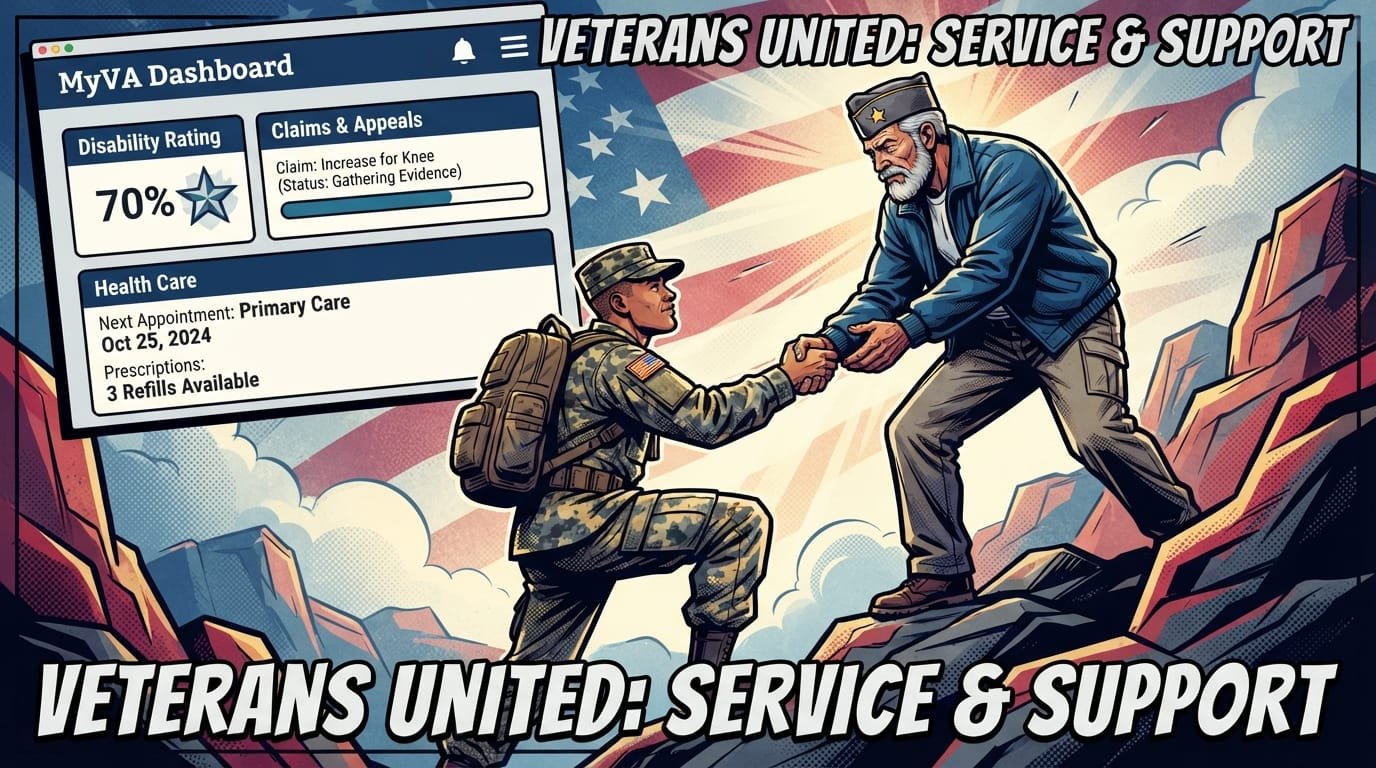
MyVA: How to Log In and Use Your Veterans Account
MyVA is the personalized dashboard on VA.gov that gives you one place to manage your VA benefits, health care, claims, payments, and personal information. To log in, go to VA.gov and select Sign in. You must use an ID.me or Login.gov account — My HealtheVet and DS Logon usernames and passwords no longer work as of 2025.
Quick Facts
| Item | Details |
|---|---|
| Benefit | Centralized online dashboard for VA benefits, health care, claims, and payments |
| Eligibility | Veterans, active duty, Guard, Reserve, family members, caregivers, and surviving spouses |
| Application | Create a free ID.me or Login.gov account at VA.gov/sign-in |
| Processing Time | Account creation: 10–20 minutes; identity verification: same day to 72 hours |
| Official Agency | U.S. Department of Veterans Affairs (VA) |
| Required Forms | No form required; identity verification needs a photo ID and Social Security number |
| Updated For | 2026 sign-in requirements and dashboard features |
What Is MyVA?
MyVA is the personalized dashboard you see when you sign in to VA.gov. It consolidates information from multiple VA systems — disability compensation, health care, education benefits, claims, payments, and personal details — into one screen so you do not have to navigate separate portals.

Before MyVA, Veterans had to log into different systems for different tasks: eBenefits for claims, My HealtheVet for prescriptions, and separate tools for education and housing benefits. MyVA brings these together under a single sign-in.

Why it matters: Without a MyVA account, you cannot apply for benefits online, check claim status, refill prescriptions, download VA letters, or update direct deposit information through VA.gov. You would have to call, mail forms, or visit a regional office in person.
What you should do next: If you do not have a Login.gov or ID.me account, create one now. The VA removed the My HealtheVet sign-in option on March 5, 2025, and the DS Logon option on November 18, 2025. Only ID.me and Login.gov work for VA.gov access.
How to Log In to MyVA: Step by Step
Logging in to MyVA requires an ID.me or Login.gov account. Here is the exact process:
Go to VA.gov. Navigate to www.va.gov in your browser.
Select “Sign in” in the top right corner of the page.
Choose your sign-in option. Select either Login.gov or ID.me.
Enter your credentials. Type the email address and password associated with your chosen account.
Complete multifactor authentication (MFA). Enter the code sent to your phone, authenticator app, or security key.
You land on MyVA. Your personalized dashboard displays your disability rating, claim status, payment information, appointment details, and more.
If you do not have an account, select “Create an account” after choosing Login.gov or ID.me and follow the prompts to verify your identity.
ID.me vs. Login.gov: Which Should You Choose?
Veterans May Qualify for Extra Benefits
Check available financial assistance, healthcare programs and other opportunities that may apply to you.
Check EligibilityBoth ID.me and Login.gov meet federal security standards and give you full access to VA.gov. The right choice depends on your preferences for identity verification, account recovery, and whether you want to use one account across multiple government agencies.
| Feature | Login.gov | ID.me |
|---|---|---|
| Provider type | U.S. government | Private company |
| Accepted at | VA, SSA, USAJOBS, and other federal agencies | VA, IRS, state agencies, and some retailers |
| Identity verification | Photo ID upload or in-person | Photo ID upload, video call, or in-person |
| Multifactor authentication | Phone, authenticator app, security key | Phone, authenticator app, security key |
| Account recovery | Email and phone | Email, phone, video call |
| Best for | Veterans who want a government-issued credential | Veterans who want one account for multiple services |
Source: VA.gov and Login.gov, 2026
What you should do next: If you already have an ID.me account for the IRS or another agency, use it for VA.gov. If you prefer a government-issued credential with no private-sector involvement, choose Login.gov.
How to Create a Login.gov Account for MyVA
Creating a Login.gov account takes about 10–20 minutes. You need a unique email address, a working phone number, and a government-issued photo ID.
Step-by-Step Instructions
Go to VA.gov/sign-in and select Login.gov.
Select “Create an account.”
Enter your email address. Use a personal email you check regularly. Do not use a work email that may expire.
Create a strong password. Use at least 12 characters with a mix of letters, numbers, and symbols.
Set up multifactor authentication. Choose from a phone number, authenticator app, security key, or backup codes.
Verify your email. Check your inbox for a confirmation email from Login.gov and click the link.
Verify your identity. Upload a photo of your driver’s license, state ID, or passport. You may also need to enter your Social Security number and answer identity-proofing questions.
Return to VA.gov and sign in. Once verified, you can access MyVA.
Common mistake: Using an email address that you do not check regularly. Login.gov sends important security notifications and account recovery links to that email. If you lose access to it, you may lose access to your account.
How to Create an ID.me Account for MyVA
Creating an ID.me account also takes 10–20 minutes. ID.me offers multiple identity verification methods, including video call with a live agent.
Step-by-Step Instructions
Go to VA.gov/sign-in and select ID.me.
Select “Create an ID.me account.”
Enter your email address and create a password.
Confirm your email. Click the verification link ID.me sends to your inbox.
Set up multifactor authentication. Choose a phone number, authenticator app, or security key.
Verify your identity. Upload a photo ID, take a selfie, and answer identity-proofing questions. ID.me may offer a video call option if automated verification fails.
Return to VA.gov and sign in.
Important: ID.me is a private company. Read its privacy policy at id.me/privacy before creating an account. ID.me shares identity verification data with the VA but does not share your VA benefits information with third parties.
What You Can Do on MyVA
MyVA gives you access to dozens of VA services from one dashboard. Here is what you can accomplish after signing in.
Health Care
Schedule, review, and cancel VA health appointments.
Refill and renew VA medications prescribed by your VA health care team.
Send secure messages to your VA health care team.
Access your current VA health records, including lab results, vitals, and clinical notes.
Complete patient questionnaires and clipboards before or between appointments.
Source: VA MyVA Health User Guide, 2025
Benefits and Claims
Check your VA claim or appeal status and see where your claim is in the review process.
Upload evidence to support a pending claim.
Download decision letters and other VA letters.
Review your disability rating.
Check your payment history and update direct deposit information.
Apply for VA health care, education benefits, and other programs.
Source: VA.gov Claims Status Tool FAQ, 2025
Profile and Personal Information
Update your address, phone number, and email address across VA systems.
Change your direct deposit information for disability compensation, pension, or education benefits.
Add or remove dependents for VA compensation purposes.
Manage notification preferences for email and text updates.
Source: VA.gov, 2026
MyVA Dashboard Sections Explained
When you sign in to MyVA, your dashboard displays several cards with summary information. Each card links to a detailed page where you can take action.
| Dashboard Section | What It Shows | Actions You Can Take |
|---|---|---|
| Disability Rating | Your current combined VA disability rating | View rating details, check for updates |
| Claims and Appeals | Status of your most recent claim or appeal | Review details, upload evidence |
| Health Care | Upcoming appointments, prescription status | Schedule, refill, message your care team |
| Payments | Recent VA payments and direct deposit info | Update banking information |
| Benefits | Education, housing, and other benefit status | Apply, check status, download letters |
| Profile | Contact information and personal details | Update address, phone, email, dependents |
Source: VA Platform documentation, 2026
Using the VA Health and Benefits Mobile App
The VA: Health and Benefits mobile app gives you access to MyVA features from your phone or tablet. The app has more than 1.4 million active users and is available for free on the Apple App Store and Google Play.
Key App Features
Biometric sign-in using fingerprint or face recognition.
Refill and track VA prescriptions.
Send and receive secure messages from your VA health care team.
Review appointments and add them to your calendar.
Check your claim or appeal status.
Review payments and update direct deposit information.
Apply for VA travel pay reimbursement for simple mileage-only claims.
Show proof of Veteran status for discounts.
Access the Veterans Crisis Line.
Source: VA.gov, 2025
How to get started: Download the app from your preferred app store. Sign in with your Login.gov or ID.me account. If you need help, call 800-698-2411 (TTY: 711), available 24/7.
Common Login Problems and How to Fix Them
Most MyVA login problems stem from expired passwords, browser issues, or verification errors. Here is how to fix the most common issues.
“We’re sorry. Something went wrong on our end.”
This error usually means your browser has stale cookies or cached data interfering with the sign-in process.
Clear your browser’s cookies and cache. Look for “Browsing Data,” “Browsing History,” or “Website Data” in your browser settings.
Make sure cookies are enabled.
Try a different browser. If you use Internet Explorer or Microsoft Edge, try Google Chrome or Mozilla Firefox.
Update your browser to the latest version.
Source: VA.gov, 2026
Password Does Not Work
VA contact center representatives cannot reset your ID.me or Login.gov password. You must reset it directly with the account provider.
Select “Forgot password.”
Follow the prompts to reset your password.
Return to VA.gov and sign in with your new password.
Identity Verification Fails
If your identity verification fails, you may need to try a different method.
Login.gov: You can verify in person at a participating U.S. Postal Service location. Bring your photo ID and a phone number.
ID.me: You can verify by video call with a live agent. Have your photo ID ready.
Multifactor Authentication Code Does Not Arrive
Check your cell signal or Wi-Fi connection.
Wait 60 seconds before requesting a new code.
Try a different MFA method if you set up more than one.
Use backup codes if you saved them during account setup.
Session Times Out During Verification
If you get an error when returning to VA.gov after creating your account, close the browser tab and open a new one. Then sign in to VA.gov with your new account. This often happens because your session timed out during the verification process.
Sign-In Changes: What Changed in 2025 and 2026
The VA consolidated its sign-in options from four to two in 2025. My HealtheVet and DS Logon usernames and passwords no longer work for VA.gov access.
| Sign-In Option | Status | Date Removed |
|---|---|---|
| My HealtheVet user ID and password | No longer works for VA.gov | March 5, 2025 |
| DS Logon username and password | No longer works for VA.gov | November 18, 2025 |
| ID.me | Active | — |
| Login.gov | Active | — |
Source: VA.gov, 2026
What this means for you: If you used My HealtheVet or DS Logon to sign in before 2025, you now need to create an ID.me or Login.gov account. Your My HealtheVet health portal still works — you just sign in to it with your new account credentials.
Common Mistakes Veterans Make with MyVA
Avoiding these errors can save you time and prevent account lockouts:
Using a work email that may expire. Use a personal email address you will keep long-term.
Not setting up multifactor authentication. MFA is required and protects your account from unauthorized access.
Sharing your login credentials. Never share your ID.me or Login.gov password with anyone, including family members. The VA will never ask for your password.
Ignoring verification emails. If you do not confirm your email address, you cannot complete account setup.
Using an outdated browser. Older browsers may not support the security features required for sign-in.
Not saving backup codes. If you lose access to your phone or authenticator app, backup codes are the only way to regain access.
Assuming VA representatives can reset your password. They cannot. Only ID.me or Login.gov can reset your password.
Accessibility Features for MyVA
MyVA and VA.gov include accessibility features for Veterans with disabilities. The VA is committed to meeting Section 508 standards for federal websites.
Available Features
Screen reader compatibility for blind and low-vision Veterans.
Keyboard navigation for Veterans who cannot use a mouse.
Text resizing and high-contrast modes.
Closed captions on VA video content.
Section 508 compliance for assistive technology.
What you should do next: If you encounter accessibility barriers, contact the VA at 800-698-2411 (TTY: 711) or file an accessibility complaint through VA.gov.
Common Questions
What is MyVA, and do I need an account?
MyVA is the personalized dashboard on VA.gov that lets you manage benefits, health care, claims, and payments in one place. You need an ID.me or Login.gov account to access it. Without one, you cannot use most VA online services.
How do I log in to MyVA?
Go to VA.gov and select “Sign in” in the top right corner. Choose either ID.me or Login.gov, enter your credentials, and complete multifactor authentication. You will land on your MyVA dashboard.
Can I use my My HealtheVet username and password to sign in?
No. The VA removed the My HealtheVet sign-in option on March 5, 2025. You must use an ID.me or Login.gov account. Your My HealtheVet health portal still works — you just sign in with your new credentials.
Can I use my DS Logon to sign in to VA.gov?
No. The VA removed the DS Logon sign-in option on November 18, 2025. You must use an ID.me or Login.gov account. If you previously used DS Logon, create a new account.
What is the difference between ID.me and Login.gov?
Login.gov is a government-issued credential used across federal agencies. ID.me is a private company that partners with government and non-government organizations. Both meet federal security standards and give you full access to VA.gov.
How long does it take to create an account?
Account creation takes about 10–20 minutes. Identity verification is usually same-day but can take up to 72 hours if additional review is needed. In-person verification at a USPS location is available for Login.gov.
What should I do if I cannot sign in?
First, try resetting your password on the ID.me or Login.gov website. If that does not work, clear your browser’s cookies and cache, try a different browser, and ensure cookies are enabled. If you still cannot sign in, call VA at 800-698-2411 (TTY: 711).
Can I use the VA Health and Benefits mobile app instead of VA.gov?
Yes. The VA: Health and Benefits app gives you access to most MyVA features from your phone or tablet, including prescriptions, appointments, secure messages, claims, and payments. Sign in with your Login.gov or ID.me account.
How do I update my address or direct deposit information?
Sign in to VA.gov, select your name in the top right corner, and choose “Profile.” From there, you can edit your contact information and direct deposit details. Changes update across VA systems.
Is MyVA available to family members and caregivers?
Yes. Family members, caregivers, and surviving spouses can create ID.me or Login.gov accounts and access VA services for which they are eligible. Some features require the Veteran to grant permission through a VA-approved delegation of authority.
What is My VA Health, and how does it relate to MyVA?
My VA Health is the patient portal for VA medical facilities that use the Federal Electronic Health Record (EHR) system. MyVA is the dashboard on VA.gov. You access both with the same ID.me or Login.gov account. Facilities that have not transitioned to the Federal EHR still use My HealtheVet for health records.
How do I check my claim status on MyVA?
Sign in to VA.gov and go to the Claims and Appeals section on your MyVA dashboard. You can also navigate directly to www.va.gov/claim-or-appeal-status. The tool shows where your claim is in the review process and lets you upload evidence for initial claims.
Key Takeaways
MyVA is the personalized dashboard on VA.gov for managing benefits, health care, claims, and payments.
You must use an ID.me or Login.gov account to sign in; My HealtheVet and DS Logon options were removed in 2025.
Create an account at VA.gov/sign-in — it takes 10–20 minutes plus identity verification.
The MyVA dashboard shows your disability rating, claim status, appointments, prescriptions, payments, and profile information.
The VA: Health and Benefits mobile app gives you MyVA features on your phone with biometric sign-in.
Multifactor authentication is required and protects your account from unauthorized access.
Common login problems include browser cache issues, password errors, and verification failures — most have simple fixes.
Never share your password with anyone; VA representatives cannot reset ID.me or Login.gov passwords for you.
My VA Health is the patient portal for facilities using the Federal EHR; MyVA is the VA.gov dashboard.
Update your address, phone, email, and direct deposit information through your VA.gov profile.
Official Resources
VA.gov Sign In — Official VA sign-in page.
Prepare for Sign-In Changes — VA guidance on ID.me and Login.gov.
Signing in to VA.gov — VA sign-in FAQ and troubleshooting.
Create an ID.me Account — Step-by-step VA guide.
Login.gov — Official government account provider.
VA: Health and Benefits App — Official app information.
My HealtheVet — VA health portal.
VA.gov Profile — Update personal information.
Ask VA — Online inquiry portal.


🇺🇸 IMPORTANT DISCLAIMER – Veterans Benefits Information
This site provides general information about U.S. Department of Veterans Affairs (VA) benefits for educational and informational purposes only.
- Not Official: We are NOT affiliated with, endorsed by, or connected to the U.S. Department of Veterans Affairs (VA), the Veterans Benefits Administration (VBA), the Veterans Health Administration (VHA), or any other government agency.
- No Legal/Financial Advice: The content on this website is for informational purposes only and does not constitute legal, financial, or medical advice. VA benefits rules change frequently – always consult with an accredited Veterans Service Officer (VSO) or a qualified professional for your specific situation.
- Official Sources: For official, binding information and to apply for benefits, always visit official .gov websites: VA.gov, Benefits.VA.gov, or SSA.gov.
- No Data Collection: This site does not collect, store, or process any personal information. It does not have login forms, contact forms, or any system to capture user data. We never ask for your Social Security Number, bank details, or any personal information.
- 🚨 Scam Alert: The VA and other government agencies never charge fees for benefit applications. If anyone asks for money to "process" your VA claim, it is a scam. Report it to the VA Office of Inspector General at VA.gov/OIG.
- Advertising: This site uses third-party advertising (Adsterra) to cover operational costs. We do not endorse or guarantee any products or services advertised.
📌 Information provided as of June 2026. Always verify current eligibility and rules with official .gov sources.
This site is not affiliated with the U.S. Department of Veterans Affairs or any government agency. All information is for educational purposes only. Please visit VA.gov for official information.
