

Introduction to VA.gov Sign In
The VA.gov sign-in process is a crucial gateway for veterans and their family members, enabling access to a range of essential services and benefits through the Department of Veterans Affairs (VA) website. As the digital landscape evolves, so too does the need for secure and efficient means of identification to protect sensitive information and ensure that only eligible individuals can access specific resources. Veterans can find support, manage their health care, apply for benefits, and stay updated on VA-related matters through their accounts.
Currently, the VA.gov platform employs two primary identification and authentication methods to facilitate a secure login experience: Login.gov and ID.me. Each method serves the same purpose but offers different features that might appeal to various users depending on their preferences. Both systems are designed to safeguard personal data while providing ease of access to the numerous services offered by the VA.

Login.gov is a secure sign-in method that allows users to access multiple government websites with a single set of login credentials. This centralized approach simplifies the verification process, reducing the need for veterans to remember multiple passwords or engage in repeated identity verification. On the other hand, ID.me is an identity verification service developed to aid organizations, including government entities, in authenticating users seamlessly. Veterans may choose ID.me for its efficiency in linking their accounts to a broad range of services, while ensuring that their identities are thoroughly verified.

In summary, understanding the VA.gov sign-in process, along with the available identification options, is essential for veterans and their family members wishing to navigate the VA services successfully. Knowledge of these systems not only enhances security but also facilitates a smoother experience when seeking the benefits and resources they rightfully deserve.
Understanding Login.gov
Login.gov serves as a secure authentication platform designed to streamline and enhance access to various federal government services. Its primary purpose is to provide users with a reliable and efficient method for managing access to multiple federal websites. By consolidating the login process, Login.gov aims to promote increased security while simplifying user experiences.
This authentication service employs two-factor authentication (2FA) which adds an extra layer of protection, thereby ensuring that only authorized individuals can access sensitive information. When users create a Login.gov account, they must provide personal information such as their name, email address, and phone number. A verification process follows, where users receive a verification code via email or SMS. This critical step reinforces the security of the platform by confirming the identity of the user beyond just the password.
The benefits of using Login.gov include not only enhanced security but also the convenience of having a single set of credentials across numerous federal services. By eliminating the need for multiple usernames and passwords, users can effectively manage their accounts more easily and securely. In addition, this centralized authentication system can reduce the risk of password fatigue, a common issue where users resort to unsafe password practices.
Veterans May Qualify for Extra Benefits
Check available financial assistance, healthcare programs and other opportunities that may apply to you.
Check EligibilityTo create a Login.gov account, individuals must navigate to the Login.gov website and click on the ‘Create Account’ button. After entering the required personal details and completing the verification process, users will have full access to federal services that utilize Login.gov for authentication. Overall, this service represents a significant advancement in secure online access, offering a robust solution that meets the evolving needs of users engaging with government services.
Exploring ID.me
ID.me is a digital identity verification platform designed to securely confirm users’ identities across various services, including those provided by VA.gov. It serves as a vital tool for individuals seeking to access government services, healthcare, and other secure platforms where identity verification is paramount. The platform operates through a process that requires users to provide personal information and documents to establish their identities. This may include uploading a driver’s license, Social Security card, or other pertinent information.
One of the core functions of ID.me is to enhance security by preventing identity theft and fraud. By verifying identities digitally, users can rest assured that their personal information remains safeguarded while accessing essential services. This feature sets ID.me apart from other identity verification methods, such as Login.gov, which may not provide the same level of extensive verification. Unlike Login.gov, which is primarily focused on federal services, ID.me has expanded its operations to various sectors, including healthcare, retail, and educational services.
The versatility of ID.me allows it to adapt to multiple industries that require trusted identity verification. For instance, healthcare providers utilize ID.me to ensure that patients accessing their systems are who they claim to be, thereby preserving patient confidentiality and security. Additionally, educational institutions benefit from ID.me’s services by verifying student identities for financial aid or enrollment purposes.
ID.me’s advanced technology not only simplifies the verification process but also enhances user experience by making it easier for individuals to maintain control over their personal data. This has positioned ID.me as a significant player in the realm of digital identity verification, particularly for services tied to governmental operations such as VA.gov.
Creating Your VA.gov Account
Creating a VA.gov account is an essential step for veterans seeking access to various services and resources. This process can be initiated via two primary platforms: Login.gov and ID.me. Below is a step-by-step guide to help users navigate through the account registration process seamlessly.
To begin, visit the VA.gov website and select the option to create an account. Upon doing so, you will be prompted to choose between Login.gov or ID.me. Both platforms offer secure sign-up procedures, but it is advisable to select one based on personal preference or existing credentials.
If you choose Login.gov, you will need to enter your email address and create a password. Make sure that your password complies with the required security criteria. Once this is done, you will receive an email confirmation to verify your account. Follow the link in the email to complete the verification process.
On the other hand, if you opt for ID.me, you will be required to provide personal information, including your name, date of birth, and Social Security number. ID.me may also ask for additional verification, such as uploading a government-issued ID or taking a selfie for identity verification purposes. Ensuring accurate information during this process will facilitate a smoother execution.
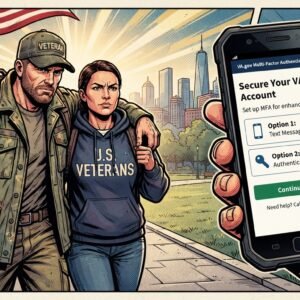
After successfully registering, users should set up two-factor authentication for enhanced security. This involves linking your account to a mobile device or email to receive verification codes. In case of issues during the setup, it’s advisable to refer to the support sections of either Login.gov or ID.me for troubleshooting guidance.
By following these steps, veterans can establish their VA.gov accounts efficiently, leading to access to the services they need comprehensively.
How to Sign In Using Login.gov
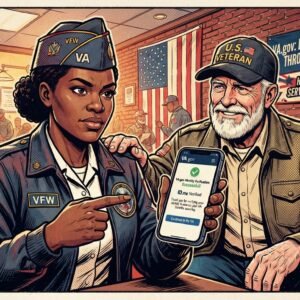
To sign in to your VA.gov account using Login.gov, begin by navigating to the official VA.gov website. Once there, you will find the option to sign in located on the homepage. Click the Sign In button, which will redirect you to the Login.gov interface.
At this point, you will be required to provide your Login.gov credentials. These include your email address or username and your password. If you do not already have an account with Login.gov, you will need to create one by following the on-screen instructions, which will require verifying your identity based on the information you provide.
Once you have entered your credentials, click the Log In button. The interface will take a moment to authenticate your information. In the event that you encounter issues, such as forgetting your password, there will be an option labeled Forgot Password? on the login page. Click this link to initiate the password recovery process, which typically involves receiving an email with a reset link.
If you are using two-factor authentication, you will be prompted to verify your identity further by entering a code sent to your registered mobile device or email address. Make sure to have access to the device you registered; otherwise, you will not be able to complete the login process.
It is important to note that, for security reasons, Login.gov may temporarily lock your account after multiple unsuccessful login attempts. Should this happen, you may need to wait a certain period or contact customer support for assistance.
How to Sign In Using ID.me
Signing in to VA.gov requires a secure authentication process through ID.me. This method not only bolsters security but also simplifies the login experience for users. To begin, ensure that you have an active ID.me account. If you do not have an account yet, you will need to create one by providing some personal information, such as your name, email address, and a phone number.
Once your account is ready, follow these steps to sign in to VA.gov using your ID.me credentials. First, navigate to the VA.gov homepage. Locate the ‘Sign In’ option, typically found in the upper right corner. Click on it, which will redirect you to the login page. Here, select the option to log in using ID.me.
Upon clicking the ID.me login, you will be directed to the ID.me sign-in page. Enter your registered email address and password associated with your ID.me account. If you have enabled multi-factor authentication, be prepared to verify your identity via a text message or email code, which adds an extra layer of security.
If you encounter any issues while signing in, common challenges may include forgotten passwords or account lockouts. In cases where you forget your password, you can select the ‘Forgot Password?’ link on the ID.me login page. This will guide you through the password reset process to regain access. Account lockouts usually happen after multiple unsuccessful login attempts; a temporary wait period or customer support assistance may be required to resolve such issues.
By following these outlined steps, you can efficiently access VA.gov through your ID.me account, ensuring your interactions with the site are secure and streamlined.
Troubleshooting Common Sign-In Issues
Many users encounter challenges while attempting to sign into their accounts on Login.gov or ID.me. This section aims to address common issues that veterans may face during the sign-in process and provide effective solutions to facilitate seamless access to benefits.
One prevalent problem is forgetting the account password. Users can resolve this by utilizing the “Forgot Password” option during the login process. Follow the prompts to receive an email with instructions to reset the password. Ensure that the provided email address is the one linked to the account, as this is crucial for recovery.
Another common issue is the inability to receive the two-factor authentication code. This can occur for various reasons, such as mobile network issues, or if the authentication method selected does not correspond with the user’s current settings. To address this, users should confirm that the mobile number linked to their account is correct and operational. If issues persist, switching to an alternate authentication method, such as email verification, may prove beneficial.
Sometimes, users may encounter a message indicating that their account is locked after multiple failed attempts to log in. In this case, patience is advisable, as accounts are typically locked for a short duration. Once this period elapses, users can attempt to log in again. If access is still denied, contact the support team for assistance in unlocking the account.
For ongoing issues, both Login.gov and ID.me provide comprehensive support systems. Users can contact ID.me support directly through their website or utilize the help feature in Login.gov for inquiries regarding sign-in difficulties. Additionally, veterans may find resources on the VA.gov portal beneficial in addressing account-related challenges.
Security Measures and Privacy Considerations
In the digital age, the protection of personal information is paramount, especially when accessing services like VA.gov through platforms such as Login.gov and ID.me. Both systems are designed with user security in mind, employing various robust security protocols to ensure that sensitive data remains confidential and secure. These measures include multi-factor authentication (MFA), which adds an additional layer of verification by requiring users to provide two or more verification factors to gain access to their accounts.
Login.gov implements government-standard security features, which include encryption methods that protect data during both transmission and storage. This means that when users enter their credentials, these details are encrypted, making it difficult for unauthorized entities to intercept or alter sensitive information. Similarly, ID.me employs advanced encryption and adheres to strict data protection regulations, fortifying user confidence in the platform.
Privacy concerns are also addressed diligently by both Login.gov and ID.me. Users are provided not only with transparency about data collection practices but also with control over their personal information. Each platform clearly outlines its privacy policy, detailing what information is collected, how it is used, and the rights users have regarding their data. Both services ensure compliance with applicable data protection regulations, thereby safeguarding user privacy against potential breaches.
Furthermore, it is notable that Login.gov and ID.me limit the collection of data to only what is necessary for authentication and account management, mitigating risks associated with excessive data retention. Users can be assured that their information is not shared without consent and is protected against unauthorized access, thereby fostering a secure digital environment for individuals utilizing VA.gov.
Future of VA.gov Sign-In Solutions
As we consider the future of VA.gov sign-in solutions, it is essential to recognize the rapid advancements in technology and user experience design that are likely to shape access to services for veterans. The increasing reliance on digital platforms necessitates ongoing improvements to the sign-in process, particularly as the VA aims to provide more efficient and secure access to essential resources.
Emerging technologies such as biometric authentication and artificial intelligence (AI) are paving the way for more streamlined processes. Biometric solutions, like fingerprint or facial recognition, promise to enhance security measures while allowing users to sign in with ease. These technologies could minimize the barriers that traditional sign-in methods present, making it simpler for veterans to access their accounts and services while maintaining a high standard of security.
Moreover, improvements in user experience (UX) are expected in the coming years, ensuring that content and services on VA.gov are tailored to the needs of veterans. This could involve a complete overhaul of the website interface, making navigation more intuitive and user-friendly. By integrating user feedback, the VA can continuously refine the online experience, ensuring that veterans can easily locate the services they need without frustration.
In addition to these technological advancements, potential collaborations with third-party service providers could bring new dimensions to the signing-in experience, allowing for cross-platform functionalities and services. Such integrations may streamline the process further, creating a more cohesive experience for users as they interact with VA services across different platforms.
In conclusion, the future of VA.gov sign-in solutions appears promising, with a focus on security, usability, and innovation. By embracing these changes, the VA aims to enhance access to vital veteran services, ultimately improving the overall experience for those who have served the nation.
🇺🇸 IMPORTANT DISCLAIMER – Veterans Benefits Information
This site provides general information about U.S. Department of Veterans Affairs (VA) benefits for educational and informational purposes only.
- Not Official: We are NOT affiliated with, endorsed by, or connected to the U.S. Department of Veterans Affairs (VA), the Veterans Benefits Administration (VBA), the Veterans Health Administration (VHA), or any other government agency.
- No Legal/Financial Advice: The content on this website is for informational purposes only and does not constitute legal, financial, or medical advice. VA benefits rules change frequently – always consult with an accredited Veterans Service Officer (VSO) or a qualified professional for your specific situation.
- Official Sources: For official, binding information and to apply for benefits, always visit official .gov websites: VA.gov, Benefits.VA.gov, or SSA.gov.
- No Data Collection: This site does not collect, store, or process any personal information. It does not have login forms, contact forms, or any system to capture user data. We never ask for your Social Security Number, bank details, or any personal information.
- 🚨 Scam Alert: The VA and other government agencies never charge fees for benefit applications. If anyone asks for money to "process" your VA claim, it is a scam. Report it to the VA Office of Inspector General at VA.gov/OIG.
- Advertising: This site uses third-party advertising (Adsterra) to cover operational costs. We do not endorse or guarantee any products or services advertised.
📌 Information provided as of June 2026. Always verify current eligibility and rules with official .gov sources.
This site is not affiliated with the U.S. Department of Veterans Affairs or any government agency. All information is for educational purposes only. Please visit VA.gov for official information.
