

Introduction to the Humana Military Provider Portal
The Humana Military Provider Portal, also known as myhmhs, serves as a vital tool for healthcare providers participating in the TRICARE program. Designed to streamline the administrative tasks associated with managing patient care, this online portal plays a crucial role in efficiently handling claims, authorizations, and eligibility checks.
Healthcare providers can access the Humana Military Provider Portal to verify patient eligibility, facilitating a seamless experience in determining coverage details. This ensures that providers have the necessary information before rendering services, ultimately enhancing patient care. The portal simplifies the authorization process, allowing providers to request and manage authorizations electronically. This not only saves time but also reduces the potential for errors that can occur with traditional paper-based methods.

Additionally, one of the key features of the Humana Military Provider Portal is its claim management system. Providers can submit and track claims in real-time, providing transparency and expediting the reimbursement process. By leveraging this technology, healthcare providers can focus more on patient care rather than being bogged down by administrative duties.

Moreover, the portal is equipped with resources and tools designed to assist providers in navigating their contractual obligations and ensuring compliance with TRICARE guidelines. This makes the Humana Military Provider Portal essential for practitioners who want to manage their practice effectively while serving military members and their families.
In essence, the Humana Military Provider Portal enhances operational efficiency for providers, reinforces accurate claims processing, and supports healthcare professionals in delivering quality care to their patients.
Understanding the Transition to MyAuth
The transition to the new login platform, MyAuth, marks a significant step forward for healthcare providers accessing the Humana Military Provider Portal. This shift is primarily designed to enhance the security and efficiency of user authentication, thereby providing a more seamless experience when managing patient services and health records.
The current DS Logon system will gradually phase out over the next few months, with the full implementation of MyAuth aimed for completion by the end of the year. This timeline allows providers to prepare for the transition, ensuring that they install necessary updates and adapt to the new system without disruption. The phased approach means that users will receive communications providing them with specific dates and crucial information about the transition process and any required actions.
Veterans May Qualify for Extra Benefits
Check available financial assistance, healthcare programs and other opportunities that may apply to you.
Check EligibilityHealthcare providers will need to create new MyAuth accounts to continue accessing the Humana Military Provider Portal following the phase-out of DS Logon. This process will involve going through a straightforward registration procedure designed to maintain security while allowing quick entry into the system. Additionally, MyAuth promises features that streamline user experience, making navigation and access to resources more intuitive.
As the deadline for the transition approaches, Humana Military is committed to supporting users throughout the changeover. Educational resources, including step-by-step guides and customer support options, will be made available to ensure healthcare providers can easily adapt to MyAuth. Overall, the transition signifies a move toward improved digital security and user experience, aligning with the growing demand for effective and safe access to health care management tools.
Preparing for Your First Login
Before healthcare providers can successfully log into the Humana Military Provider Portal for the first time, it is crucial to prepare adequately. This preparation ensures that the login process is smooth and efficient, allowing providers to access essential resources and information promptly.
The first step in this preparation is to gather essential identification details, including the National Provider Identifier (NPI) and Tax Identification Number (Tax ID). The NPI is a unique 10-digit identification number assigned to healthcare providers in the United States, which serves as a critical component of the login process. It is vital for providers to ensure that their NPI is active and correctly registered to avoid any potential complications during login.
In addition to the NPI, the Tax ID number is another fundamental piece of information required for accessing the portal. This number is crucial for tax purposes and is often used to verify the provider’s identity and affiliations with the insurance network. Healthcare providers must ensure that they have the correct Tax ID number at hand to facilitate a successful login.
Moreover, it is advisable to verify that all credentials are current and accurate, as discrepancies can lead to delays in accessing vital services. Providers may also want to review the portal’s user guidelines or FAQs to become familiar with the site’s layout and available functionalities.
In conclusion, a systematic preparation involving the collection of the NPI and Tax ID number is essential for healthcare providers intending to access the Humana Military Provider Portal for the first time. By ensuring that all necessary information is gathered ahead of time, providers can enhance their login experience and streamline their access to crucial healthcare resources.
Step-by-Step Registration Process
The registration process for the Humana Military Provider Portal is designed to be straightforward, ensuring that healthcare providers can easily access the necessary resources to better serve their patients. Follow the steps below to successfully register and gain entry to this essential portal.
Firstly, visit the official Humana Military website. Look for the ‘Provider Login’ section prominently displayed on the homepage. Click on this link to be directed to the login screen. If you are a new user and do not have an account, look for the option labeled ‘Register’ or ‘Sign Up’. This will take you to the registration page.
Next, you will be prompted to enter essential information required to create your account. Prepare to input your National Provider Identifier (NPI), Tax Identification Number (TIN), and your personal details such as your name, email address, and contact number. Be sure to double-check this information for accuracy, as it will be used to verify your identity during the registration process.
After filling out the required fields, proceed to create a username and password. It is advisable to choose a strong password that includes a mix of letters, numbers, and special characters to ensure security. Confirm your password in the designated field.
Once all fields are completed, review the terms and conditions carefully. By agreeing to these terms, you acknowledge that you understand Humana’s regulations and policies. After acceptance, click the ‘Submit’ button to complete your registration.
Finally, you will receive a confirmation email containing further instructions or links to activate your account. Follow these guidelines to finalize your registration. Once activated, you will be able to log into the Humana Military Provider Portal and access the services it offers, enhancing your ability to manage patient care efficiently.
Navigating the Login Screen Changes
The login interface for the Humana Military Provider Portal has seen various updates to improve user experience and enhance security. As a healthcare provider accessing the platform, it is crucial to be aware of these changes and how they affect the login process. The evolution of this screen is part of the ongoing efforts to meet user needs and adapt to technological advancements.
When you first visit the updated login screen, you may notice alterations in layout, color schemes, or input fields. Such refinements aim to provide a more intuitive experience. For instance, the introduction of multi-factor authentication may require additional steps during login but is an essential upgrade designed to protect sensitive patient data and provider information. Although changes can be disorienting initially, familiarity with new formats will come with practice.
Users should not panic if the login screen looks different; instead, take a moment to read any accompanying instructions or prompts, which are typically provided for easing the transition. In most cases, the core elements, such as the username and password fields, remain constant. Therefore, the fundamental process of logging in should still come naturally, even with a changed interface.
Furthermore, it is advisable to keep an eye out for notifications from Humana regarding any significant updates to the portal. These communications often include helpful tips and step-by-step guides specifically tailored to navigate the modified login process effectively. Embracing these changes will not only foster a smoother experience but also enhance your overall efficiency in utilizing the Humana Military Provider Portal.
Logging In: Simple Steps
Accessing the Humana Military Provider Portal is essential for healthcare providers looking to manage patient information efficiently. To log in using the MyAuth system, follow these simple steps to ensure a seamless entry into the platform.
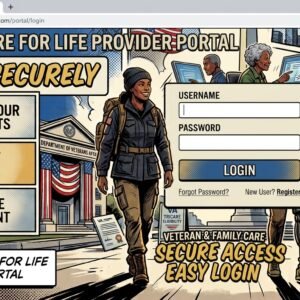
First, navigate to the Humana Military Provider Portal website. Once there, look for the login section prominently displayed on the homepage. Here, you will see fields asking for your Username and Password. If you are a first-time user, you will need to register for an account before logging in. However, if you already have credentials, input your Username and Password in the respective fields.
Ensure that the information entered is correct, as even minor typographical errors can lead to login failure. After entering your credentials, click on the “Log In” button to proceed. In case you forget your password, there is an option to reset it, which will guide you through recovering access to your account. This process typically involves verifying your identity through an email or security question.
If you find yourself locked out of the system after multiple failed login attempts, it is advisable to wait a short period before trying again, as this could temporarily disable your account for security reasons. Following the completion of these steps, you should be successfully logged into the Humana Military Provider Portal, allowing you to access a wide range of resources, including patient management tools and claims submissions.
By adhering to these straightforward instructions, healthcare providers can navigate the MyAuth login process with confidence. Ensuring accurate input of login details is vital for an uninterrupted experience on the portal.
What to Do If You’re Locked Out
Encountering a lockout from the Humana Military Provider Portal is a situation that can cause frustration for healthcare providers. However, the process of regaining access is straightforward and structured to protect user accounts from unauthorized access.
First, it is essential to identify the cause of the lockout. Typically, individuals may be locked out due to incorrectly entered passwords or excessive failed login attempts. Once you have recognized the issue, you can initiate the recovery process.
The Humana Military Provider Portal provides a ‘Forgot Password’ feature that can be accessed directly on the login page. By clicking on this link, you will be prompted to enter your registered email address associated with your account. Following this, you will receive a password reset email. It is crucial to check your spam or junk folder in case the email does not appear in your inbox.
If you do not receive the reset email or continue to experience issues, contacting Humana Military customer support is the next step. They offer assistance via telephone or online chat. When reaching out, ensure that you have your provider information on hand, as this will facilitate a quicker resolution to your issue.
In rare cases, if account access is denied repeatedly, you may need to follow additional verification steps to confirm your identity. Always ensure that your contact information is up-to-date in your provider profile to avoid any delays in the recovery process.
In conclusion, being locked out of the Humana Military Provider Portal can be inconvenient. However, with the outlined recovery options and support services available, most providers can quickly regain access to their accounts with minimal disruption to their practice.
Features Available Post-Login
Once healthcare providers log into the Humana Military Provider Portal, they gain access to a range of essential features designed to streamline administrative tasks and improve patient care. Key functionalities include the ability to check claims, manage authorizations, and verify patient eligibility. Each feature plays a significant role in enhancing the operational efficiency of providers and ensuring timely service delivery.
One of the primary capabilities offered after logging in is the claims checking feature. This tool allows providers to view the status of submitted claims, thereby enabling them to track payments and address any discrepancies that may arise. Users can navigate through detailed reports that provide insights into claim outcomes, which assists healthcare providers in maintaining a clear financial overview and helps ensure that billing processes are aligned with Humana Military’s policies.
Another notable feature of the portal is the authorization management system. This function permits healthcare providers to submit authorization requests for specified services and procedures. Providers can also check the status of pending authorizations, thus facilitating better communication between themselves and their patients. This feature contributes to timely treatment decisions and optimizes workflow by minimizing delays associated with manual authorization processing.
Eligibility verification is equally crucial within the Humana Military Provider Portal. With this feature, healthcare professionals can swiftly confirm a patient’s coverage details before service delivery. The tool helps in assessing benefits and understanding any limitations covered under the patient’s plan. This proactive approach not only enhances the patient experience but also reduces the likelihood of unexpected costs for patients due to lack of coverage awareness.
In conclusion, the Humana Military Provider Portal provides invaluable resources for healthcare providers post-login, combining functionalities such as claims checking, authorization management, and eligibility verification to foster seamless healthcare delivery and efficient practice management.
Conclusion and Next Steps
Accessing the Humana Military Provider Portal is a crucial step for healthcare providers aiming to efficiently manage their interactions with Humana Military and optimize patient care. By utilizing this online platform, providers can streamline their processes, access vital patient information, and enhance overall service delivery. The portal not only facilitates claims management but also supports providers in staying informed about policy updates and necessary compliance requirements.
It is essential for healthcare providers to remain vigilant about changes and advancements within the Humana Military Provider Portal. Regular updates to the portal may introduce new features that can be leveraged to improve operational efficiency. Engaging with available resources, such as training webinars and support documents, ensures that providers are well-equipped to navigate the portal effectively.
As a next step, providers are encouraged to frequently check official communications from Humana Military for updates and announcements regarding the portal. Attending scheduled webinars or workshops is another effective way to stay informed about best practices related to portal usage. Additionally, providers should consider joining professional forums or groups focused on Humana Military-related discussions, as these can serve as platforms for exchanging tips and gaining insights from fellow healthcare professionals.
For any queries or technical difficulties experienced while using the Humana Military Provider Portal, providers should not hesitate to reach out to customer support. Utilizing the available resources, engaging with peers, and staying proactive will ultimately enhance the experience with the Humana Military system, leading to improved service delivery and patient outcomes.

🇺🇸 IMPORTANT DISCLAIMER – Veterans Benefits Information
This site provides general information about U.S. Department of Veterans Affairs (VA) benefits for educational and informational purposes only.
- Not Official: We are NOT affiliated with, endorsed by, or connected to the U.S. Department of Veterans Affairs (VA), the Veterans Benefits Administration (VBA), the Veterans Health Administration (VHA), or any other government agency.
- No Legal/Financial Advice: The content on this website is for informational purposes only and does not constitute legal, financial, or medical advice. VA benefits rules change frequently – always consult with an accredited Veterans Service Officer (VSO) or a qualified professional for your specific situation.
- Official Sources: For official, binding information and to apply for benefits, always visit official .gov websites: VA.gov, Benefits.VA.gov, or SSA.gov.
- No Data Collection: This site does not collect, store, or process any personal information. It does not have login forms, contact forms, or any system to capture user data. We never ask for your Social Security Number, bank details, or any personal information.
- 🚨 Scam Alert: The VA and other government agencies never charge fees for benefit applications. If anyone asks for money to "process" your VA claim, it is a scam. Report it to the VA Office of Inspector General at VA.gov/OIG.
- Advertising: This site uses third-party advertising (Adsterra) to cover operational costs. We do not endorse or guarantee any products or services advertised.
📌 Information provided as of June 2026. Always verify current eligibility and rules with official .gov sources.
This site is not affiliated with the U.S. Department of Veterans Affairs or any government agency. All information is for educational purposes only. Please visit VA.gov for official information.
