
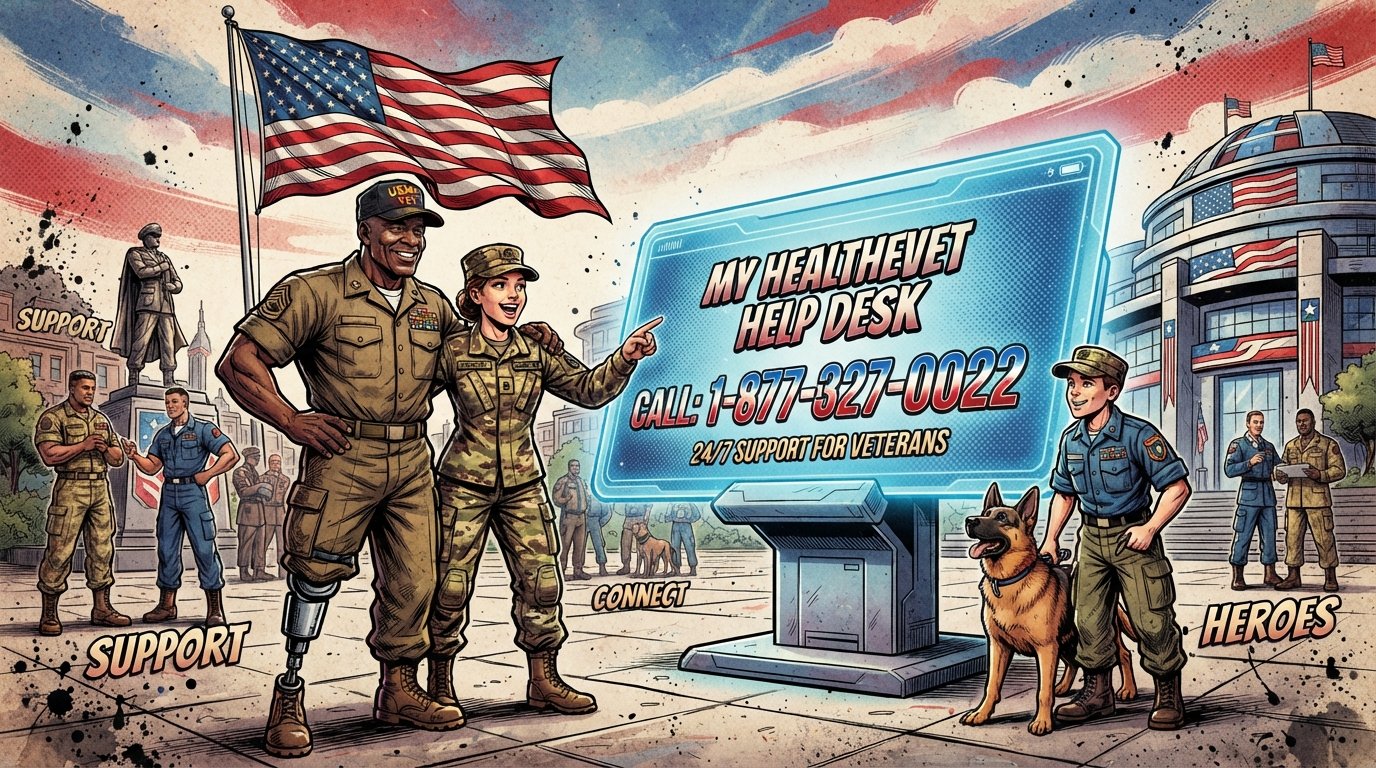
My HealtheVet Secure Messaging in Illinois: Complete 2026 Guide
My HealtheVet Secure Messaging is a free online tool that lets Illinois veterans send private, non-urgent messages to their VA care team. To use it, you must have a My HealtheVet Premium account and be enrolled in VA health care at an Illinois VA facility. Your care team responds within three business days.
Quick Facts
| Item | Details |
|---|---|
| Service | My HealtheVet Secure Messaging |
| Eligibility | Enrolled in VA health care + Premium My HealtheVet account |
| Application | myhealth.va.gov (online) or in-person at any Illinois VA facility |
| Processing Time | VA care team responds within 3 business days |
| Official Agency | U.S. Department of Veterans Affairs (VA) |
| Required Forms | VA Form 10-5345a-MHV (Release of Information) |
| Help Desk | 877-327-0022 (Mon-Fri, 7 a.m. – 7 p.m. CT) |
| Illinois Facilities | Jesse Brown VAMC, Edward Hines Jr. VA Hospital, VA Illiana, Lovell FHCC, Marion VAMC |
| Updated For | 2026 |
What Is My HealtheVet Secure Messaging?
My HealtheVet Secure Messaging is a web-based communication tool that allows VA patients to exchange secure messages with their VA health care team. It is part of the My HealtheVet online patient portal operated by the U.S. Department of Veterans Affairs.

The service is designed for non-urgent, non-emergency health questions and routine administrative matters. It is not a replacement for emergency care or urgent medical attention. Veterans who need immediate help should call 911 or the Veterans Crisis Line at 988 (press 1).

Secure Messaging lets you:
Ask non-urgent health questions
Update your care team on your condition
Request VA referrals and test results
Request prescription renewals
Schedule, reschedule, or cancel VA appointments
Ask administrative questions about your care
All messages are encrypted and stored in your VA medical record. You can access the service 24 hours a day, 7 days a week from any device with internet access.
Who Qualifies for Secure Messaging in Illinois?
To use My HealtheVet Secure Messaging in Illinois, you must meet all three of the following requirements:
You are enrolled in VA health care. You must be enrolled in the VA health care system, not just registered for My HealtheVet.
You are registered as a patient at a VA health facility. This means you have been seen at an Illinois VA medical center, clinic, or CBOC.
Your VA health care provider has agreed to communicate through secure messaging. Most providers participate, but participation is not universal.
Illinois VA Facilities Where Secure Messaging Is Available
| Facility | Location | Type |
|---|---|---|
| Jesse Brown VA Medical Center | 820 S. Damen Ave., Chicago, IL 60612 | Medical Center |
| Edward Hines, Jr. VA Hospital | 5000 S. 5th Ave., Hines, IL 60141 | Hospital |
| VA Illiana Health Care System | 1900 E. Main St., Danville, IL 61832 | Health Care System |
| Captain James A. Lovell FHCC | 3001 Green Bay Rd., North Chicago, IL 60064 | Federal Health Care Center |
| Marion VA Medical Center | 2401 W. Main St., Marion, IL 62959 | Medical Center |
| Evanston VA Clinic | 1942 Dempster St., Evanston, IL 60202 | CBOC |
| McHenry VA Clinic | 3715 Municipal Dr., McHenry, IL 60050 | CBOC |
| Aurora VA Clinic | 1700 N. Landmark Rd., Aurora, IL 60506 | CBOC |
| Bourbonnais VA Clinic | 581 William Latham Dr., Bourbonnais, IL 60914 | CBOC |
| Peru VA Clinic | 4461 Progress Blvd., Peru, IL 61354 | CBOC |
Veterans enrolled at any of these facilities can use Secure Messaging through My HealtheVet, with one important exception explained below.
Important Exception: Lovell FHCC Uses My VA Health
Veterans May Qualify for Extra Benefits
Check available financial assistance, healthcare programs and other opportunities that may apply to you.
Check EligibilityThe Captain James A. Lovell Federal Health Care Center in North Chicago transitioned to the Federal Electronic Health Record on March 9, 2024. Veterans who manage their Lovell FHCC health care online now use the My VA Health patient portal instead of My HealtheVet.
If you receive care at Lovell FHCC, you will use My VA Health for secure messaging. If you have not had an appointment at Lovell FHCC since March 9, you may not be able to directly message your primary care provider until after your next appointment. Until then, you can message your primary care team through the My VA Health portal.
For questions about the My VA Health patient portal, call 888-444-6982 (available 24/7).
How to Register for My HealtheVet in Illinois
Registration for My HealtheVet is free and available to all veterans, active duty service members, their dependents, and caregivers. You do not need to be enrolled in VA health care to register for a Basic account—but you do need VA health care enrollment to use Secure Messaging.
Step-by-Step Registration
Go to myhealth.va.gov. Select “Register” to create a Basic account.
Complete the registration form. You will need your name, date of birth, Social Security number, and email address.
Verify your identity. You can verify online through Login.gov or ID.me, or in person at an Illinois VA facility.
Upgrade to a Premium account. Secure Messaging requires a Premium account. You can upgrade online through Login.gov or ID.me, or in person at your local VA facility.
Opt in to Secure Messaging. Once your Premium account is active, you will be able to access the Secure Messaging feature after your VA facility activates it for you.
How to Upgrade to a Premium Account
There are two ways to upgrade:
Online:
Sign in with a Login.gov or ID.me account that has been identity-verified.
Follow the prompts to upgrade your My HealtheVet account to Premium status.
In Person:
Visit the My HealtheVet Coordinator at your Illinois VA facility.
Complete VA Form 10-5345a-MHV (Release of Information).
Show a valid government-issued photo ID.
The process takes about 10 minutes.
Illinois My HealtheVet Coordinators
Each Illinois VA facility has a My HealtheVet Coordinator who can assist with registration, upgrading, and troubleshooting. Contact information for coordinators is available at your local VA facility or through the My HealtheVet Help Desk at 877-327-0022.
How to Use Secure Messaging: Step-by-Step
Once your Premium account is active and your facility has opted you in, here is how to use Secure Messaging.
Step 1: Sign In
Go to myhealth.va.gov and select “Sign in.” You will be redirected to the VA sign-in page. Choose Login.gov or ID.me and enter your credentials.
Important: After January 31, 2025, you can no longer use your old My HealtheVet username and password. You must use Login.gov or ID.me to sign in.
Step 2: Access Secure Messaging
On your My HealtheVet home page, select “Messages” from the dashboard. Then select “Open Secure Messaging.”
Step 3: Compose a Message
Select “Compose Message.”
Choose a recipient from your care team.
Select a subject category: appointments, medications, tests, or general.
Type your message.
Attach any supporting documents (optional).
Select “Send.”
Step 4: Check Your Inbox
Your care team’s response will appear in your Inbox. You can also view Sent, Drafts, and Deleted folders. Messages are saved for up to one year from the original date.
Step 5: Set Your Preferences
Set notification preferences the first time you log in. Select “Preferences” in the upper right corner from any Secure Messaging screen. You can choose to receive email notifications when new messages arrive.
What You Can and Cannot Do with Secure Messaging
| Allowed | Not Allowed |
|---|---|
| Ask non-urgent health questions | Emergency medical questions |
| Request prescription renewals | Urgent medical issues |
| Ask about test results | Reporting a medical emergency |
| Request appointments | Communicating with non-VA providers |
| Update your care team | Sending messages on behalf of another veteran |
| Ask administrative questions | Requesting controlled substance refills |
Secure Messaging should only be used for non-emergency and non-urgent matters. If you are experiencing a medical emergency, call 911 or go to the nearest emergency room.
Response Times and Availability
Your VA care team should respond to Secure Messages within three business days (Monday to Friday, 8 a.m. – 5 p.m. local time, excluding federal holidays).
Messages sent after hours, on weekends, or on federal holidays will be addressed on the next business day. If your message requires a prescription refill or appointment change, it may take longer.
Secure Messaging is available 24 hours a day, 7 days a week for sending messages. You can access the system at any time, but responses follow business-day schedules.
Illinois-Specific VA Health Care Resources
Illinois has five VA medical centers and more than a dozen community-based outpatient clinics. These facilities serve veterans across the state, from Chicago to the Quad Cities to southern Illinois.
VA Medical Centers in Illinois
Jesse Brown VA Medical Center (Chicago)
Located at 820 S. Damen Ave., Chicago, IL 60612. Provides primary care, mental health care, vision care, pharmacy services, rehabilitation, oncology, and more. Chicago-area veterans may be eligible for a Military Service Pass for free rides on Chicago public transit.
Edward Hines, Jr. VA Hospital (Hines)
Located at 5000 S. 5th Ave., Hines, IL 60141. A major referral center for veterans in the Chicago metropolitan area. Offers a full range of medical and surgical services.
VA Illiana Health Care System (Danville)
Located at 1900 E. Main St., Danville, IL 61832. Serves veterans in central and eastern Illinois. The My HealtheVet Coordinator can be reached at 618-997-5311 ext. 54381.
Marion VA Medical Center (Marion)
Located at 2401 W. Main St., Marion, IL 62959. Serves veterans in southern Illinois.
Captain James A. Lovell Federal Health Care Center (North Chicago)
Located at 3001 Green Bay Rd., North Chicago, IL 60064. The nation’s only fully integrated VA/DoD medical facility. Uses the My VA Health patient portal instead of My HealtheVet.
Illinois VA Clinics (CBOCs)
| Clinic | Address | City |
|---|---|---|
| Aurora Clinic | 1700 N. Landmark Rd. | Aurora, IL 60506 |
| Bourbonnais Clinic | 581 William Latham Dr. | Bourbonnais, IL 60914 |
| Evanston Clinic | 1942 Dempster St. | Evanston, IL 60202 |
| McHenry Clinic | 3715 Municipal Dr. | McHenry, IL 60050 |
| Peru Clinic | 4461 Progress Blvd. | Peru, IL 61354 |
Additional CBOCs serve veterans in Auburn Gresham, Chicago Heights, Oak Park, Orland Park, and other communities.
Benefits of Using Secure Messaging in Illinois
Secure Messaging offers several advantages for Illinois veterans managing their VA health care.
No phone trees. You can send a message at any time without waiting on hold.
Written record. All messages are saved in your VA medical record and can be viewed in VA Blue Button.
Faster communication. Messages are often answered faster than phone calls to busy VA facilities.
Convenience. Communicate with your care team from home, work, or anywhere with internet access.
Attachment capability. Send documents, photos, or forms directly to your care team.
Prescription management. Request refills and ask medication questions without calling the pharmacy.
Appointment management. Request, reschedule, or cancel appointments through secure message.
Common Mistakes to Avoid
Using Secure Messaging for emergencies. Secure Messaging is not monitored 24/7 for urgent medical issues. Call 911 for emergencies.
Not upgrading to a Premium account. A Basic account does not include Secure Messaging access.
Not completing in-person authentication. Some Illinois facilities require in-person verification before activating Secure Messaging.
Sending messages to the wrong care team. Choose the correct recipient from your care team list.
Expecting immediate responses. Allow three business days for a reply.
Attaching files that are too large. Check file size and type requirements before attaching.
Not setting notification preferences. Set email alerts so you know when your care team replies.
Forgetting your login credentials. Keep your Login.gov or ID.me credentials secure and up to date.
Troubleshooting Secure Messaging Issues
If you have trouble with Secure Messaging, try these steps:
Cannot attach a file: Check that JavaScript is enabled in your browser. Use a recommended browser such as Chrome or Firefox. Confirm the file meets size and type requirements.
Cannot sign in: Make sure you are using Login.gov or ID.me, not your old My HealtheVet username and password. Old credentials stopped working on January 31, 2025.
Cannot access Secure Messaging: Verify that you have a Premium account and that your VA facility has activated the feature for you. Contact your My HealtheVet Coordinator.
No response from care team: Allow three business days. If you still have no response, send a follow-up message or call your VA facility.
Page not loading: Clear your browser cache, try a different browser, or refresh the page.
For help, contact the My HealtheVet Help Desk at 877-327-0022 or 800-877-8339 (TTY), Monday through Friday, 7 a.m. – 7 p.m. Central Time.
Key Takeaways
My HealtheVet Secure Messaging lets Illinois veterans send private messages to their VA care team online.
Eligibility requires enrollment in VA health care, registration as a VA patient, and a Premium My HealtheVet account.
You must sign in with Login.gov or ID.me after January 31, 2025. Old My HealtheVet usernames and passwords no longer work.
Illinois VA facilities with Secure Messaging include Jesse Brown VAMC, Hines VA Hospital, VA Illiana, Marion VAMC, and multiple CBOCs.
Lovell FHCC uses My VA Health instead of My HealtheVet for secure messaging.
Response time is three business days for non-urgent messages.
Use Secure Messaging for: prescription refills, appointment requests, test results, and non-urgent health questions.
Do not use Secure Messaging for emergencies. Call 911 or the Veterans Crisis Line at 988 (press 1).
Upgrade to Premium online through Login.gov or ID.me, or in person at your Illinois VA facility.
Contact the My HealtheVet Help Desk at 877-327-0022 for assistance.
Common Questions
What is My HealtheVet Secure Messaging?
My HealtheVet Secure Messaging is a free online tool that lets VA patients send private, non-urgent messages to their VA health care team. It is part of the My HealtheVet patient portal operated by the U.S. Department of Veterans Affairs. Messages are encrypted and saved in your VA medical record.
Who can use Secure Messaging in Illinois?
To use Secure Messaging in Illinois, you must be enrolled in VA health care, registered as a patient at an Illinois VA facility, and have a Premium My HealtheVet account. Your VA provider must also participate in Secure Messaging. Most Illinois VA facilities support the feature.
How do I sign up for Secure Messaging?
Register for a My HealtheVet account at myhealth.va.gov. Upgrade to a Premium account online through Login.gov or ID.me, or in person at your Illinois VA facility. Once your facility activates Secure Messaging, you can access it from the Messages section of your home page.
What happened to my old My HealtheVet username and password?
After January 31, 2025, VA stopped supporting old My HealtheVet usernames and passwords. You must now sign in with a Login.gov or ID.me account. If you have not created one, visit Login.gov or ID.me to set up an account.
How long does it take to get a response?
Your VA care team should respond to Secure Messages within three business days (Monday to Friday, 8 a.m. – 5 p.m. local time, excluding federal holidays). Messages sent after hours or on weekends will be addressed on the next business day.
Can I use Secure Messaging for emergencies?
No. Secure Messaging is not monitored 24/7 and should not be used for emergencies. If you are experiencing a medical emergency, call 911 or go to the nearest emergency room. For mental health crisis support, call 988 (press 1).
What can I do with Secure Messaging?
You can ask non-urgent health questions, request prescription renewals, ask about test results, request appointments, update your care team on your condition, and ask routine administrative questions. You can also attach documents and photos to your messages.
Which Illinois VA facilities use My HealtheVet Secure Messaging?
Jesse Brown VAMC (Chicago), Edward Hines Jr. VA Hospital, VA Illiana Health Care System (Danville), Marion VA Medical Center, and most Illinois CBOCs use My HealtheVet Secure Messaging. Lovell FHCC in North Chicago uses the My VA Health patient portal instead.
How do I upgrade to a Premium My HealtheVet account?
You can upgrade online through Login.gov or ID.me, or in person at your Illinois VA facility. In-person upgrades require a valid government-issued photo ID and completion of VA Form 10-5345a-MHV. The process takes about 10 minutes.
What if I have trouble attaching a file to a Secure Message?
Check that JavaScript is enabled in your browser. Use a recommended browser such as Chrome or Firefox. Confirm that your document meets the size and type requirements. If problems persist, contact the My HealtheVet Help Desk at 877-327-0022.
Can my family member use Secure Messaging on my behalf?
No. Secure Messaging is for the veteran or authorized caregiver. If you need assistance managing your health care, consider designating a caregiver or using VA’s Caregiver Support Program. Family members cannot send messages on behalf of a veteran.
Is Secure Messaging available 24/7?
Yes. You can access Secure Messaging 24 hours a day, 7 days a week to send messages. However, responses from your care team follow business-day schedules. Messages sent on weekends or holidays will be addressed on the next business day.
Official Resources
My HealtheVet — myhealth.va.gov — Register, upgrade, and access Secure Messaging
VA Secure Messaging Information — va.gov/health-care/send-receive-messages — Official VA secure messaging page
My HealtheVet Help Desk — 877-327-0022 — Monday–Friday, 7 a.m.–7 p.m. CT
VA Health Benefits — 1-877-222-8387 — Healthcare enrollment and eligibility
Veterans Crisis Line — 988 (press 1) — 24/7 crisis support
U.S. Department of Veterans Affairs — va.gov

🇺🇸 IMPORTANT DISCLAIMER – Veterans Benefits Information
This site provides general information about U.S. Department of Veterans Affairs (VA) benefits for educational and informational purposes only.
- Not Official: We are NOT affiliated with, endorsed by, or connected to the U.S. Department of Veterans Affairs (VA), the Veterans Benefits Administration (VBA), the Veterans Health Administration (VHA), or any other government agency.
- No Legal/Financial Advice: The content on this website is for informational purposes only and does not constitute legal, financial, or medical advice. VA benefits rules change frequently – always consult with an accredited Veterans Service Officer (VSO) or a qualified professional for your specific situation.
- Official Sources: For official, binding information and to apply for benefits, always visit official .gov websites: VA.gov, Benefits.VA.gov, or SSA.gov.
- No Data Collection: This site does not collect, store, or process any personal information. It does not have login forms, contact forms, or any system to capture user data. We never ask for your Social Security Number, bank details, or any personal information.
- 🚨 Scam Alert: The VA and other government agencies never charge fees for benefit applications. If anyone asks for money to "process" your VA claim, it is a scam. Report it to the VA Office of Inspector General at VA.gov/OIG.
- Advertising: This site uses third-party advertising (Adsterra) to cover operational costs. We do not endorse or guarantee any products or services advertised.
📌 Information provided as of June 2026. Always verify current eligibility and rules with official .gov sources.
This site is not affiliated with the U.S. Department of Veterans Affairs or any government agency. All information is for educational purposes only. Please visit VA.gov for official information.
