

Humana Military Login: Complete Guide to TRICARE East Access
The Humana Military login portal is the secure online gateway for TRICARE East Region beneficiaries to manage their healthcare benefits. You can log in by visiting HumanaMilitary.com and selecting “Log In” in the top right corner. For the most streamlined access, beneficiaries are encouraged to use the new myAuth system, which offers secure, multi-factor authentication. If you are a TRICARE beneficiary in the East Region, this portal is where you go to check claims, view referrals, and find network providers .
Quick Facts
| Item | Details |
|---|---|
| Portal Name | Humana Military Secure Portal |
| Beneficiary Type | TRICARE East Region |
| Primary Login | myAuth (replacing DS Logon) |
| Eligibility | Active duty, veterans, retirees, spouses, and eligible family members |
| Key Functions | View claims, check referrals, find providers, manage PCM |
| Official URL | Humanamilitary.com |
| Help Desk | 1-800-444-5445 |
| Updated For | 2026 (Transition to myAuth) |
What Is the Humana Military Login?
Portal Overview
The Humana Military login provides access to the TRICARE East Region beneficiary portal . Humana Military is the TRICARE contractor for the East Region, which includes most states east of the Mississippi River and the District of Columbia. This secure, self-service tool allows beneficiaries to manage nearly every aspect of their healthcare coverage online .

Through the portal, you can:
View and print claims history and Explanation of Benefits (EOBs)
Check the status of referrals and authorizations
Find TRICARE network providers and pharmacies
Manage your Primary Care Manager (PCM) and update personal contact information
Change benefit elections and access plan documents
Who It’s For

Eligibility to access the Humana Military login portal extends to anyone who is a TRICARE beneficiary in the East Region. This includes service members, veterans (who are TRICARE-eligible), retirees, their spouses, and eligible family members . The portal supports Department of Defense (DoD) beneficiaries who need to interact with their healthcare benefits.
How to Access the Portal: The 2026 Transition to myAuth
The Shift from DS Logon to myAuth
The login process for TRICARE portals is undergoing a significant change. The legacy system, DS Logon, is being replaced by a new, modern authentication system called myAuth. This transition is set to be completed by the end of Fiscal Year 2026 .
Why myAuth?
The new system offers a more streamlined and secure experience. It provides:
Enhanced Security: Options for multi-factor authentication (MFA) to protect your data .
Simpler Interface: A more user-friendly experience with a modernized authentication platform.
More Login Options: Users can log in using a Common Access Card (CAC), a username/password with MFA, or an authenticator app like Okta Verify .
What This Means for You
You will likely see a new login page when you visit the Humana Military portal . You can create a myAuth account using your CAC or follow the step-by-step prompts on the page. If you have an existing DS Logon account, you can use it to help create your new myAuth account . The transition is happening across all TRICARE platforms, including the East and West region portals and the MHS GENESIS Patient Portal .
Access Options for Different Users
| User Type | Login Method | Notes |
|---|---|---|
| TRICARE Beneficiary | myAuth (preferred) or DS Logon (legacy) | Use HumanaMilitary.com |
| Provider | Provider Self-Service Account | Must have a registered TIN/EIN |
| Government Staff (MTF) | Government Self-Service Portal | Access granted by installation authority |
How to Create Your Account
For Beneficiaries
Veterans May Qualify for Extra Benefits
Check available financial assistance, healthcare programs and other opportunities that may apply to you.
Check EligibilityIf you are a TRICARE East beneficiary, you need to create an account to access secure services. When you reach the portal, you will be guided through the new myAuth setup. The process involves creating a unique User ID and password, verifying your identity, and setting up your security preferences. Each person should create their own account for security purposes .
Provider Self-Service Registration
If you are a healthcare provider, you will use a different portal but start from the same login page .
Navigate to
HumanaMilitary.com/log-in.Select “Provider log in” and then “Provider self-service” .
Choose “Create your account” .
Review the consent notification and user agreement .
You will be prompted to verify your email address and add a Tax ID/Employer ID Number (TIN/EIN). The TIN/EIN must be TRICARE certified .
Finally, add a provider to your account using a Provider ID or NPI.
Government Self-Service
Eligible government partners (e.g., staff at military hospitals or clinics) are granted access through their installation’s designated approval authority . Humana Military does not grant access directly, but users can reset their passwords via the “Forgot user ID” or “Forgot password” links on the government portal login page .
Step-by-Step Login Instructions
Logging In with myAuth
Go to
Humanamilitary.com.Click on the “Log In” button at the top of the page.
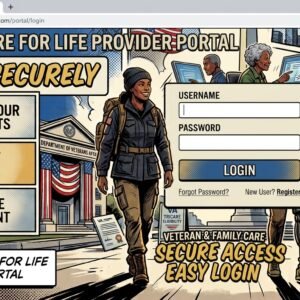
On the portal page, you will be directed to the myAuth login screen .
Enter your User ID and Password.
If prompted, complete the multi-factor authentication step (e.g., enter a code sent to your phone or authenticator app).
Click “Log in” to access your dashboard .
Provider Login
Go to
Humanamilitary.com.Click “Log In” and select “Provider self-service”.
Enter your unique User ID and Password .
Managing Your TRICARE East Benefits
Once logged in, you can manage your healthcare efficiently. Key features of the portal allow you to:
Check Claims: View a history of your medical and pharmacy claims.
Verify Referrals: Check the status of any referrals or authorizations .
Change PCM: Select or change your Primary Care Manager if you are in a TRICARE Prime plan .
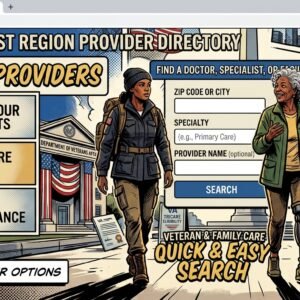
Find a Provider: Use the “Find a Doctor” tool to locate network providers near you.
Update Information: Ensure your contact information is current to receive important communications.
Related Mobile Apps
The Humana Military portal is accessible via mobile browsers, but you may also find third-party tools like iBlueButton useful. This app is designed to allow beneficiaries to retrieve their medical history from their Humana and TRICARE claims data, though it is not the primary portal app .
Common Questions
How do I log in to my Humana Military account?
Go to HumanaMilitary.com and click the “Log In” button in the top right corner . You will be prompted to log in with your User ID and Password. The system is transitioning to the new myAuth login system .
What is myAuth, and how is it different from DS Logon?
myAuth is the new, more secure login system replacing DS Logon for all Department of Defense websites. It offers better security features like multi-factor authentication and a streamlined user experience .
What is my username and password for the portal?
Your username and password are the credentials you created when you registered for the portal or set up your myAuth account. If you have not created an account, you will need to register .
I forgot my password for Humana Military. How do I reset it?
If you are a beneficiary, use the “Forgot password” link on the login page to reset it using your registered email. If you are a government user who is locked out, call the Government Help Desk at 1-800-334-4817 .
Is the Humana Military login and portal available to veterans?
Yes, TRICARE beneficiaries who are veterans are eligible for access . However, most veterans transition to VA healthcare after service; the Humana Military portal is specifically for those using the TRICARE benefit.
Who do I contact if I need help with the Humana Military portal?
For beneficiary support, you can call the Humana Military TRICARE East contractor at 1-800-444-5445 . For Government Self-Service portal issues, call the Government Help Desk at 1-800-334-4817 .
Where can I check the status of my referrals?
After logging in, navigate to the referrals section of your portal dashboard. You can also check status by calling the contractor number at 1-800-444-5445 .
Will I need to create a new account for myAuth?
If you are an existing user, you can often use your DS Logon to help create your myAuth account. If you are a new user, you can follow the prompts on the login page to create a new myAuth account .
What are the login options for providers?
Providers use the “Provider self-service” login, which requires a registered TIN/EIN and a user ID/password . They can also request access via their practice site administrator .
Can I use the Humana Military login to access my VA health records?
No. The Humana Military portal is for TRICARE benefits. For VA health records, you should use the VA’s official portals like My HealtheVet. However, apps like iBlueButton can help access both, but they are not the official login portal .
Key Takeaways
The portal is for TRICARE East: Humana Military is the contractor for the TRICARE East Region, covering all claims and referrals for beneficiaries in this area .
myAuth is the new system: The military is transitioning from DS Logon to myAuth by 2026. This modernizes and secures how you log in to manage your health benefits .
Manage everything online: Once logged in, you can view claims, check referrals, find providers, and update your personal information .
Help is available: Technical support for beneficiaries is available at 1-800-444-5445 , while government users can call the Government Help Desk at 1-800-334-4817 .
Official Resources
Humana Military Official Website:
HumanaMilitary.comTRICARE All Logins Page:
tricare.mil/loginsTRICARE Beneficiary Help Desk (East): 1-800-444-5445
Government Help Desk: 1-800-334-4817
myAuth Help: Contact Defense Manpower Data Center at 800-368-3665
🇺🇸 IMPORTANT DISCLAIMER – Veterans Benefits Information
This site provides general information about U.S. Department of Veterans Affairs (VA) benefits for educational and informational purposes only.
- Not Official: We are NOT affiliated with, endorsed by, or connected to the U.S. Department of Veterans Affairs (VA), the Veterans Benefits Administration (VBA), the Veterans Health Administration (VHA), or any other government agency.
- No Legal/Financial Advice: The content on this website is for informational purposes only and does not constitute legal, financial, or medical advice. VA benefits rules change frequently – always consult with an accredited Veterans Service Officer (VSO) or a qualified professional for your specific situation.
- Official Sources: For official, binding information and to apply for benefits, always visit official .gov websites: VA.gov, Benefits.VA.gov, or SSA.gov.
- No Data Collection: This site does not collect, store, or process any personal information. It does not have login forms, contact forms, or any system to capture user data. We never ask for your Social Security Number, bank details, or any personal information.
- 🚨 Scam Alert: The VA and other government agencies never charge fees for benefit applications. If anyone asks for money to "process" your VA claim, it is a scam. Report it to the VA Office of Inspector General at VA.gov/OIG.
- Advertising: This site uses third-party advertising (Adsterra) to cover operational costs. We do not endorse or guarantee any products or services advertised.
📌 Information provided as of June 2026. Always verify current eligibility and rules with official .gov sources.
This site is not affiliated with the U.S. Department of Veterans Affairs or any government agency. All information is for educational purposes only. Please visit VA.gov for official information.
