
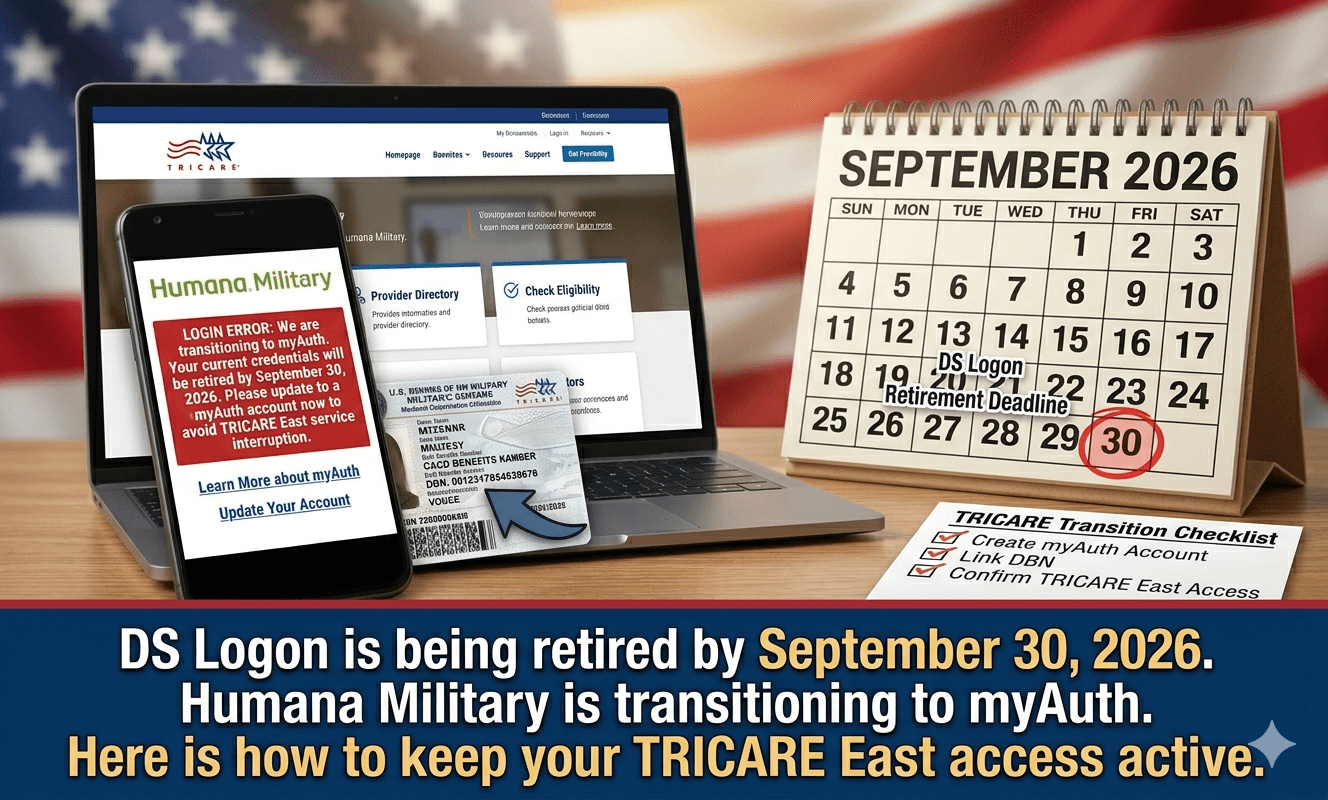
Introduction to Humana Military and DS Logon Transition
Humana Military plays a pivotal role in delivering healthcare services to beneficiaries of the Tricare East program. As a key contractor for the Department of Defense, Humana Military ensures that active-duty service members, retirees, and their families have access to high-quality medical care. The organization offers a variety of programs aimed at enhancing the overall health and well-being of its members, which range from routine medical care to specialized services.
Central to accessing these healthcare services is the DS Logon, a secure online account that enables Tricare beneficiaries to manage their medical information and access various military health system resources. The DS Logon simplifies the process of obtaining essential information, such as appointments, prescriptions, and health records, all under a single digital platform. This ease of access is especially important for service members and their families, as it facilitates timely healthcare management.

However, as the military health system transitions towards a more advanced digital framework, the DS Logon is being phased out in favor of MyAuth. By the end of fiscal year 2026, beneficiaries will need to adapt to this new authentication system, which is aimed at improving security and user experience. The transition to MyAuth signifies a significant shift in how military healthcare services will be accessed in the future. This change is expected to enhance the interface and provide a more streamlined approach, ultimately resulting in better service delivery for members of the armed forces and their dependents.

If you are a TRICARE East beneficiary trying to log in to Humana Military today, do not panic if your DS Logon suddenly stopped working. The Military Health System is officially retiring DS Logon by the end of fiscal year 2026, and Humana Military is transitioning to a new authentication system called myAuth.
Here is what changed effective May 2026: milConnect and ID Card Office Online have already switched to myAuth. Humana Military is next. If you cannot access your beneficiary portal, your account may be caught in this transition. The good news? You are not locked out forever. The bad news? You cannot fix it with a simple password reset.
What this means in real life: A military spouse in North Carolina tried to refill her child’s asthma medication last week. Her DS Logon failed. She called Humana and waited 90 minutes. The representative told her, “You need to wait for the myAuth email.” That email had gone to her spam folder. She lost three days of medication.
What TRICARE East Beneficiaries Need to Know Right Now
Humana Military is the contractor that runs TRICARE East – covering 21 states including Texas, Florida, New York, and North Carolina . If you live in the East Region, your healthcare portal is about to look very different.
Veterans May Qualify for Extra Benefits
Check available financial assistance, healthcare programs and other opportunities that may apply to you.
Check EligibilityThe #1 rule today: Do not create a new Humana Military account if your old one stops working. That will create a duplicate record and delay your claims by 6-8 weeks. Instead, follow the recovery steps below.
Your action step right now: Check your email inbox (and spam folder) for a message from “Humana Military” or “TRICARE” with the subject line “Action Required: Your Login is Changing.” If you see it, click the link immediately. That link is your ticket to myAuth.
Latest Updates Today (June 3, 2026)
- DS Logon Sunset Confirmed: The Department of Defense is sunsetting DS Logon by the end of FY2026 (September 30, 2026). All TRICARE contractors – Humana Military, TriWest, Express Scripts, and United Concordia – must switch to myAuth by then .
- Humana Military Transition In Progress: As of May 2026, Humana Military is actively migrating beneficiary accounts. If you have not received a migration email, your account is still on the old system. You can continue using your existing login until you get the notification.
- MHS GENESIS Integration: The MHS GENESIS Patient Portal has already transitioned. If you use that portal to access your military hospital records, you are already using myAuth for that system. Humana Military is the next domino to fall .
- Provider Alert: TRICARE providers in the East Region are reporting authentication errors when trying to submit claims. If you are a provider, the Humana Military Provider Self-Service portal requires a separate login – do not use your beneficiary credentials .
- Mobile App Issues: The Humana Military mobile app does not currently support myAuth biometric authentication. If you rely on the app, you may need to use the web browser version until an update is released .
Who Needs a Humana Military Login
You need a Humana Military beneficiary account if you are:
- An active duty service member stationed in the TRICARE East Region
- A military retiree living in the East Region
- A family member (spouse or child) of an active duty or retired service member in the East Region
- A National Guard or Reserve member who has activated TRICARE coverage
You do NOT need a Humana Military account if: You live in the West Region (TriWest handles that), you are overseas (International SOS), or you only use TRICARE For Life (WPS Government Services handles that) .
Eligibility verification: Before you can even create an account, Humana Military must verify your TRICARE eligibility. This requires your sponsor’s 11-digit DBN (Defense Benefits Number) from the back of your military ID card, or your sponsor’s Social Security number .
How to Log In or Fix Your Humana Military Account
Follow this exact sequence depending on your situation.
Situation 1: You Have a DS Logon and It Still Works
Do this now before it stops working:
- Go to
https://www.humanamilitary.com - Click “Beneficiary Self-Service” or “Log In”
- Select “DS Logon” as your login method
- Enter your DS Logon username and password
- Once logged in, update your contact information – especially your email address and phone number. This is how Humana will send you the myAuth migration link.
Situation 2: Your DS Logon Stopped Working
- Do NOT try to reset your DS Logon password. That system is being retired. A password reset will not fix it.
- Go to
https://infocenter.humana-military.com/bene/service/Account/ForgotUserID/IndexT5 - Enter your 11-digit DBN (from the back of your military ID) or your sponsor’s SSN
- Follow the prompts to recover your Humana Military account – not your DS Logon
- If that fails, call Humana Military at 1-800-444-5445
Situation 3: You Have Never Created a Humana Military Account
- Go to the beneficiary registration page:
https://infocenter.humana-military.com/beneficiary/service/Registration/Registration - You will need:
- Sponsor’s last name
- Sponsor’s DBN or SSN
- Date of birth
- ZIP code on file with DEERS
- Average registration time is 2 minutes
- Create a username and password (different from DS Logon)
- Important warning: If you are a government employee or military hospital personnel, you are on the wrong registration page. Government employees must use the TITAN system at the “Government Self-Service” portal – not the beneficiary portal .
Situation 4: You Forgot Your Humana Military Username
Your username follows a specific format: First initial, middle initial, last initial, last 4 digits of your SSN .
Example: John D. Doe with SSN 111-22-3333 → username is jdd3333
If that does not work, use the “Forgot User ID” tool at the login page .
Situation 5: You Forgot Your Password
- Go to the reset account page:
https://infocenter.humana-military.com/govt/service/account/reset-account/step-1 - This wizard works if you have forgotten your password OR exceeded maximum login attempts
- You will need to verify your identity using your DBN or sponsor’s SSN
- A reset link will be sent to your registered email address
- Note: If you use DS Logon, you cannot reset your password on HumanaMilitary.com. You must manage your DS Logon through the official DS Logon website .
Common Mistakes Military Families Make
Mistake #1: Using the wrong portal. There are three different Humana Military login portals:
- Beneficiary Self-Service – for patients (you)
- Provider Self-Service – for doctors and clinics
- Government Self-Service (TITAN) – for MTF personnel only
Logging into the wrong one gives you a “credentials missing” error every time .
Mistake #2: Ignoring the DS Logon sunset emails. The emails from TRICARE about myAuth look like spam. They are not. Open them. Click the links. If you ignore them until October 1, 2026, you will be completely locked out with no fast recovery path.
Mistake #3: Sharing your login with a spouse. Each adult beneficiary needs their own account. Sharing credentials violates Humana Military’s terms of service. Worse, if you share and your spouse accidentally changes something, you are responsible for the error.
Mistake #4: Using a work email address. If you register with your .mil email address and then leave the service, you lose access to that email. You cannot reset your password. Always use a personal email address (Gmail, Yahoo, Outlook) that you will have for life.
Mistake #5: Trying to register as a beneficiary when you are actually a government employee. The government self-service portal (TITAN) is for official use by TRICARE Health Plan, eMSM, military hospital or clinic (MTF), and other Military Health System personnel only. If you work at a military hospital, you need TITAN, not the beneficiary portal .
What This Means Financially for Your Family
Let us talk about what happens if you cannot log in.
Claims processing delays: If you cannot access your Humana Military account, you cannot check the status of pending claims. A delayed claim means you get a bill from the provider. That bill goes to collections if unpaid. One Army wife in Georgia had a $12,000 hospital bill go to collections because she could not log in to see that TRICARE had denied the claim due to a clerical error .
Pharmacy access: The Humana Military portal is how you manage mail-order prescriptions. If you are locked out, you cannot refill maintenance medications like blood pressure pills or insulin. You have to go to a retail pharmacy, pay full price, and then file a paper claim for reimbursement. That reimbursement takes 30-45 days.
Referral tracking: TRICARE requires referrals for most specialist visits. If you cannot log in, you cannot see if your referral was approved. You show up to the specialist’s office. They say, “No referral on file.” You reschedule. Your condition gets worse. All because of a login screen.
The myAuth transition is free – but if you pay anyone to “help” you migrate your account, that is a scam. No legitimate service charges for login assistance.
Political & Government Context Behind This Change
Why is the Military Health System doing this?
DS Logon is old. Really old. The Defense Manpower Data Center (DMDC) launched DS Logon in the early 2000s. It was not designed for modern security threats. Data breaches, phishing attacks, and credential stuffing have made DS Logon a liability.
Congress demanded change. The FY2024 National Defense Authorization Act (NDAA) included language requiring the DoD to modernize identity management. DS Logon sunset was the result.
myAuth is the replacement. It is a simpler, more streamlined authentication application across MHS online platforms. It supports multi-factor authentication (MFA) out of the box, which DS Logon never did well .
The timeline: Fiscal year 2026 ends September 30, 2026. That is the hard deadline. After that date, DS Logon will not work for any TRICARE platform .
What about Humana Military’s own login system? Humana Military has always offered its own standalone username/password as an alternative to DS Logon. That system is NOT going away. If you have a Humana Military account (not a DS Logon), you can keep using it. The transition only affects DS Logon users.
However: Even if you have a Humana Military account, you still need to update your contact information. The myAuth transition will eventually affect how Humana Military authenticates all users. Keep your email current.
FAQ Section (People Also Ask)
Q: Is Humana Military the same as TRICARE?
A: Yes and no. Humana Military is the contractor that administers TRICARE in the East Region. TRICARE is the federal program. Humana Military runs it for 21 states . If you live in the West Region, TriWest is your contractor.
Q: How do I create a Humana Military account for the first time?
A: Go to the beneficiary registration page at https://infocenter.humana-military.com/beneficiary/service/Registration/Registration. You will need your sponsor’s DBN (11-digit number on the back of your military ID) or SSN, date of birth, and ZIP code .
Q: Why is Humana Military telling me “Credentials Missing”?
A: You are likely on the wrong login portal. Government employees need the TITAN system. Beneficiaries need the “Beneficiary Self-Service” portal. Providers need the “Provider Self-Service” portal .
Q: Can I use my CAC (Common Access Card) to log into Humana Military?
A: Yes, CAC is accepted as a login method for TRICARE portals . However, if you are a veteran (not active duty), you may not have an active CAC. Use your DS Logon or create a Humana Military account instead.
Q: What if I am a National Guard or Reserve member?
A: You are eligible for TRICARE Reserve Select if you are not on active duty orders. Your Humana Military login works the same way as active duty families. If you have questions, call 1-800-444-5445.
Q: Is there a Humana Military mobile app?
A: Yes, but it has limitations. The mobile app does not support biometric authentication if you use DS Logon. You may need to log in through your phone’s web browser instead .
Q: How long does Humana Military customer service take?
A: As of June 2026, wait times average 45-90 minutes. The best times to call are Tuesday-Thursday, 9-11 AM Eastern. Avoid Mondays and the first week of the month (when disability payments hit and everyone calls at once).
Q: What happens if I cannot recover my account before September 30, 2026?
A: After DS Logon sunsets, you will still be able to create a new Humana Military account from scratch. However, any claims or referrals tied to your old account may experience delays. Do not wait. Recover your account now.
Final Takeaway (Read This Last)
The DS Logon system is dying. myAuth is taking over. This is not a rumor. This is official DoD policy with a hard deadline of September 30, 2026.
Your three tasks today:
- Log into your Humana Military account using whatever method still works (DS Logon, CAC, or standalone account).
- Update your email address and phone number in your profile settings. This is how Humana will send you the myAuth migration link.
- Check your email spam folder for messages from “Humana Military” or “TRICARE.” Click every link that mentions myAuth.
If you cannot log in today:
- Call 1-800-444-5445
- Have your sponsor’s DBN (from the back of the military ID) or SSN ready
- Ask specifically: “Is my account being transitioned to myAuth?”
- Write down the representative’s name and any confirmation number
One last warning: Do not wait until October 1, 2026. When DS Logon dies, every TRICARE beneficiary in the East Region will try to call Humana Military at the same time. Wait times will go from 90 minutes to 6+ hours. The website will crash. People will panic.
You are smarter than that. You served your country. You can handle a login change. Do it now. Your healthcare depends on it.
Understanding MyAuth: The New Authentication System
MyAuth is an advanced authentication system designed to enhance the security and accessibility of military health services, effectively replacing the existing DS Logon system. This transition is vital, as it addresses the evolving security threats and the need for a more streamlined process to improve user experience for beneficiaries.
One of the primary features of MyAuth is its implementation of multi-factor authentication (MFA). MFA significantly boosts security by requiring users to provide multiple forms of verification before accessing their accounts, thereby reducing the risk of unauthorized access. Users will typically combine something they know, such as a password, with something they possess, like a smartphone. This layered approach is essential in today’s digital environment, where cyber threats are increasingly sophisticated.
Moreover, MyAuth introduces a user-friendly interface that simplifies the login process for beneficiaries. The system is designed to offer a more seamless experience, minimizing the obstacles that often accompany traditional login systems. With improved access, beneficiaries can efficiently manage their healthcare needs, ensuring that they receive timely services and information regarding their military health benefits.
The necessity of transitioning to MyAuth stems from the military health system’s commitment to safeguarding sensitive information. DS Logon, while functional, has shown vulnerabilities that could endanger user data. By moving to MyAuth, the military health system not only enhances its security protocols but also aligns with current industry standards, ultimately providing beneficiaries with a more secure and efficient way to access their health information.
In summary, MyAuth stands as a robust solution tailored to meet the demands of modern authentication standards while providing beneficiaries with improved access to essential health services. Its enhanced security features and user-centric design are essential for safeguarding the data and privacy of military members and their families.
Key Dates and Changes You Should Know
The transition to MyAuth marks a significant evolution in the accessibility and security of services provided to beneficiaries under Humana Military. This section outlines the key dates associated with this transition and the pertinent changes that users should be aware of. The official switch to MyAuth will commence on January 1, 2026, facilitating a streamlined login process and fortified security protocols. With this change, beneficiaries will experience a notable overhaul in how they access their medical and service-related information.
In tandem with the MyAuth implementation, certain systems have already undergone transitions that set the stage for these changes. Notably, MilConnect and ID Card Office Online have already adapted to new login standards, enhancing user experience and data protection. For beneficiaries accustomed to previous platforms, it will be crucial to familiarize themselves with the MyAuth interface and its features, which are designed to simplify and secure their access to military health services.
Encouragingly, the MyAuth system is designed with user-friendliness in mind, featuring a straightforward design that minimizes confusion during the login process. However, with the introduction of new systems, beneficiaries may encounter temporary login issues as the transition period unfolds. It is imperative for users to remain updated with the timeline and understand that support will be available to aid them through potential challenges. Anticipating these changes will help manage expectations and foster a smoother transition for all users involved.
Common Issues During the Transition to MyAuth
The transition to MyAuth can present several challenges for users attempting to access their Humana Military accounts. One of the most prevalent issues encountered is the inability to log in, which often results from account discrepancies during the migration phase. Users may find themselves in situations where password resets do not resolve their access issues, leading to frustration and confusion.
Several symptoms can indicate an account issue beyond simple password complications. For instance, users may experience error messages stating that their credentials are not recognized, or they might be redirected to outdated versions of the login page. Such technical glitches frequently stem from the transition itself, as the system updates may not fully synchronize with all user accounts. This results in accounts being temporarily inaccessible, which is not unusual during system overhauls.
Moreover, some users might mistakenly believe that performing multiple password resets could eventually allow them to log in. However, this approach is unlikely to yield success if the fundamental problem lies within the account’s status or configuration on the new MyAuth system. It is essential for users to recognize that multiple resets may lead to further complications, such as lockouts or additional security alerts. Thus, understanding the nature of these issues is critical for navigating this transitional period effectively.
To assist users in mitigating these login issues, reaching out to customer support is highly recommended. They can provide insights into specific account problems and guide users through the necessary steps to regain access. By addressing these common transition-related problems head-on, users can improve their chances of successfully logging into the MyAuth system.
Real-Life Scenarios: The Impact of MyAuth Transition
The transition to the MyAuth system represents a significant change for many Humana Military beneficiaries. This shift has not only introduced new procedures but also brought about challenges that some individuals had not anticipated. For instance, consider the case of a military spouse based in North Carolina who faced considerable difficulties when attempting to refill her prescriptions. The login issues associated with the MyAuth system meant that she was unable to access her records or manage her medication needs promptly, causing a ripple effect of stress and concern.
The experience of this spouse illustrates a broader issue faced by many beneficiaries during the transition. When login errors occur, essential services such as medication refills, appointments, and access to health records can be severely impacted. In this case, the inability to log into the MyAuth system resulted in the spouse’s medication not being available on time, leading to health complications. This scenario highlights the real-world implications of digital transitions in healthcare, especially for those who rely on timely responses to their needs.
Furthermore, the stress associated with these login failures can exacerbate existing health issues, both physical and mental. Many beneficiaries, especially those dealing with chronic conditions or caregiver responsibilities, may find these added pressures overwhelming. The emotional toll of worrying about accessing essential health information cannot be understated. As individuals navigate through this software transition, they often find themselves dealing with both the practical implications of system failures and the emotional weight of uncertainty regarding their healthcare access.
This narrative underscores the importance of addressing login issues promptly and effectively. By understanding the personal experiences of beneficiaries, the significance of a smooth transition to the MyAuth system becomes clear. Their stories are a call to action for better support and solutions during this critical phase.
Steps to Take if You Can’t Log In
If you are experiencing difficulties logging into your Humana Military account, it is essential to approach the situation methodically. Here are some actionable steps to help you regain access to your account effectively.
Firstly, ensure that you are using the correct username and password. It is common for users to forget credentials, so it may be helpful to reset your password through the ‘Forgot Password’ link on the login page. Follow the instructions provided to receive a reset link via email.
Next, check your internet connection to confirm it is stable. A weak connection may disrupt the login process. If you are using a specific browser, consider clearing your browser’s cache and cookies, which can resolve many login issues. Additionally, try using a different browser or device to see if the problem persists.
Another critical step is to verify the website’s status. Occasionally, the Humana Military portal may undergo maintenance or face technical issues. Consider visiting their official social media accounts or status page for updates on any outages.
Moreover, don’t forget to check your spam or junk folder for any emails from MyAuth. These emails may contain important notifications regarding your account or the login process. If you find an email there, follow the instructions provided to resolve any outstanding issues.
Lastly, if you still cannot log in after trying the above measures, consider reaching out to Humana Military customer support for assistance. They can provide specific guidance tailored to your situation, ensuring that you can regain access to your account smoothly.
Customer Support: How to Get Help
If you encounter difficulties logging into your Humana Military account, seeking assistance from customer support is a prudent step. Humana Military provides various contact methods to ensure users can access the help they need efficiently. Users can reach support via telephone, email, or the secure messaging feature available on their MyHumana platform.
When opting for phone support, dialing the dedicated customer service line is recommended. Typically, such lines experience wait times that can vary significantly based on call volumes. During peak periods, it is not uncommon to wait up to 30 minutes. To optimize your experience, consider calling during non-peak hours, which often occur early in the morning or during midday. Make sure to have your member ID and relevant personal information at hand, as this will enable the representative to assist you more quickly.
Email communication offers a convenient alternative if you prefer detailed explanations. Prepare your query clearly and concisely, providing all pertinent information to expedite the response from customer service. Typically, an email receives a response within 1-3 business days, depending on the complexity of your issue.
Furthermore, using the secure messaging feature in your MyHumana account can also facilitate communication. This method allows you to maintain a record of your inquiries and responses, which can be helpful for future reference. Regardless of the contact method you choose, be sure to articulately describe the issues faced when attempting to log into your Humana Military account. Providing specific details will enable support representatives to address your concerns more effectively and help you regain access in a timely manner.
The Importance of Updating Your Contact Information
Maintaining accurate contact information is crucial for beneficiaries utilizing Humana Military’s MyAuth system. Updates to personal details such as phone numbers, email addresses, and mailing addresses ensure that you receive timely and relevant communications regarding your healthcare benefits and services. When contact information is outdated, beneficiaries risk missing essential updates, notifications, and guidance which could affect their access to medical assistance or enrollment processes.
To verify and update your contact information, start by logging into your MyAuth account. Navigate to the profile settings section where personal information is displayed. Here, you can confirm whether your details are current; if not, proceed to make the necessary edits. Once you have updated the information, ensure you save the changes to maintain accurate records. It is recommended to periodically review your contact information, especially after any significant life changes such as a relocation or a change in phone number. Regular updates are not only beneficial for personal convenience but also enhance the overall efficacy of communication from Humana Military.
Beneficiaries should also opt into preferred communication methods within their MyAuth profile. This option allows users to specify whether they wish to receive notifications via email, text messages, or traditional mail. By personalizing your communication preferences alongside keeping your contact information updated, you will have a more seamless experience accessing health services and receiving important announcements. Remember that your proactive management of contact information helps you stay informed and connected, ultimately leading to better healthcare outcomes.
Looking Ahead: Future Improvements with MyAuth
The transition to MyAuth marks a significant step forward in enhancing user experience for beneficiaries of the military health system. As the platform evolves, several improvements and features are anticipated, emphasizing usability, security, and accessibility.
One of the foremost expected enhancements is a more user-friendly interface. The design principles guiding the MyAuth platform are centered around the needs of users, ensuring that navigation is intuitive and straightforward. This focus on usability aims to minimize confusion and streamline the login process, a common hurdle for many beneficiaries. As users become accustomed to these improvements, they can look forward to quicker access to essential resources without the frustrations commonly associated with login issues.
Security measures will also be enhanced in MyAuth. Given the sensitive nature of health information, the platform will implement state-of-the-art security protocols to safeguard user data. These measures are crucial in building trust among users, reassuring them that their personal information is protected against unauthorized access and breaches.
Furthermore, the MyAuth framework will likely incorporate features that accommodate diverse user needs. This includes support for various devices and operating systems, as well as options tailored for users with disabilities. Improving accessibility is a priority, ensuring that all beneficiaries, regardless of their circumstances, have equal opportunities to utilize the platform effectively.
In conclusion, the migration to MyAuth is expected to yield significant improvements for military health system beneficiaries. By focusing on enhancing user experience, bolstering security, and ensuring accessibility, MyAuth aims to provide a seamless and beneficial service to its users as they navigate their healthcare options in the future.
🇺🇸 IMPORTANT DISCLAIMER – Veterans Benefits Information
This site provides general information about U.S. Department of Veterans Affairs (VA) benefits for educational and informational purposes only.
- Not Official: We are NOT affiliated with, endorsed by, or connected to the U.S. Department of Veterans Affairs (VA), the Veterans Benefits Administration (VBA), the Veterans Health Administration (VHA), or any other government agency.
- No Legal/Financial Advice: The content on this website is for informational purposes only and does not constitute legal, financial, or medical advice. VA benefits rules change frequently – always consult with an accredited Veterans Service Officer (VSO) or a qualified professional for your specific situation.
- Official Sources: For official, binding information and to apply for benefits, always visit official .gov websites: VA.gov, Benefits.VA.gov, or SSA.gov.
- No Data Collection: This site does not collect, store, or process any personal information. It does not have login forms, contact forms, or any system to capture user data. We never ask for your Social Security Number, bank details, or any personal information.
- 🚨 Scam Alert: The VA and other government agencies never charge fees for benefit applications. If anyone asks for money to "process" your VA claim, it is a scam. Report it to the VA Office of Inspector General at VA.gov/OIG.
- Advertising: This site uses third-party advertising (Adsterra) to cover operational costs. We do not endorse or guarantee any products or services advertised.
📌 Information provided as of June 2026. Always verify current eligibility and rules with official .gov sources.
This site is not affiliated with the U.S. Department of Veterans Affairs or any government agency. All information is for educational purposes only. Please visit VA.gov for official information.
