
How Do You Apply for Google Launchpad for Veterans?
Apply for Google Launchpad for Veterans by registering online through Google’s RSVP events portal. Registration typically opens in September for a November cohort. You must be a U.S. or Canadian military veteran or service member. There is no application fee, no income limit, and no GI Bill requirement. Complete the online form, verify your military affiliation if requested, and attend the two-day virtual training event.
Quick Facts
| Item | Details |
|---|---|
| Benefit | No-cost Google Cloud Generative AI Leader training and certification |
| Eligibility | U.S. and Canada military veterans and service members |
| Application | Online registration via Google RSVP events portal |
| Processing Time | Immediate confirmation; cohort start dates vary |
| Official Agency | Google Cloud (private program, not VA-administered) |
| Required Forms | None; military service verification may apply |
| Updated For | 2026 |
What Is Google Launchpad for Veterans?
Google Launchpad for Veterans is a no-cost, three-week virtual training and certification program created by Google Cloud for U.S. and Canadian military veterans and service members. The program equips participants with foundational cloud and generative AI skills and provides a complimentary certification exam voucher. It is sponsored by Google Cloud Learning Services and the Google Veterans Network (VetNet).

The program launched in 2024 and trained over 4,000 veterans in its first year. It is designed for veterans at all experience levels—from those with zero technical background to those already working in IT who want to formalize their cloud and AI skills.
Why It Matters

Veterans often face underemployment after military service despite possessing strong leadership and technical skills. Google Launchpad for Veterans provides a direct path to a recognized credential that employers value, without requiring veterans to use GI Bill benefits or pay out of pocket. The certification—currently the Google Cloud Generative AI Leader—validates foundational AI knowledge that applies to roles in cloud computing, data analytics, cybersecurity, and digital transformation.
What Veterans Should Do Next
Visit the official Google RSVP events portal and search for “Google Launchpad for Veterans.” If registration is not currently open, sign up for Google Cloud Skills Boost and begin self-paced study while you wait for the next cohort announcement.
Who Qualifies for Google Launchpad for Veterans?
You qualify if you are a U.S. or Canadian military veteran or an active-duty service member. The program is explicitly designed for “US and Canada military veterans and service members”. National Guard members and Reservists fall within the “service members” designation under U.S. military categorization.
Eligibility Checklist
U.S. or Canadian military veteran (any branch, any discharge status that qualifies as veteran)
Active-duty service member in any branch
National Guard or Reserve member
No prior cloud or AI experience required
No income limits apply
Do Military Spouses Qualify?
The core Google Launchpad for Veterans program is framed for veterans and service members. Google’s broader veteran programs, including Grow with Google and Google Career Certificates, have included military spouse access in some cohorts. Spouses should check the registration page directly for current eligibility, as Google has expanded spouse inclusion in recent cycles.
Income Limits
Veterans May Qualify for Extra Benefits
Check available financial assistance, healthcare programs and other opportunities that may apply to you.
Check EligibilityThere are no income limits for Google Launchpad for Veterans. This is a private corporate training program funded by Google—not a VA benefits program—so VA income thresholds and means-testing do not apply. The value of the training and certification exam voucher is not reported as taxable income.
Step-by-Step Application Process
The application process is straightforward. There is no competitive selection—if you are eligible and register before the cohort fills, you are accepted.
Step 1: Confirm Your Eligibility
Verify that you meet the basic criteria: you are a U.S. or Canadian military veteran or service member. No documentation is typically required at this stage, but be prepared to verify your status if requested.
Step 2: Visit the Official Registration Portal
Go to Google’s RSVP events portal at rsvp.withgoogle.com/events/google_cloud_launchpad_for_vets. The registration page is updated when each cohort opens. If you see a “registration closed” message, sign up for email notifications or check back during the typical enrollment window (September–October for a November cohort).
Step 3: Complete the Online Registration Form
Provide the following information:
Full name
Email address
Military affiliation (veteran, active duty, Guard, Reserve)
Branch of service
Current career or employment status
Country (U.S. or Canada)
Step 4: Verify Military Affiliation If Requested
Some cohorts may request proof of military service. Acceptable documentation may include:
DD-214 (Certificate of Release or Discharge from Active Duty)
Military ID card
Active-duty orders
NGB Form 22 (for National Guard)
Google does not always require verification, but veterans should have documentation ready.
Step 5: Receive Confirmation
After submitting your registration, you will receive a confirmation email with program details, the training schedule, and links to Google Cloud Skills Boost. Confirmation is typically immediate or within 24–48 hours.
Step 6: Attend the Two-Day Virtual Training Event
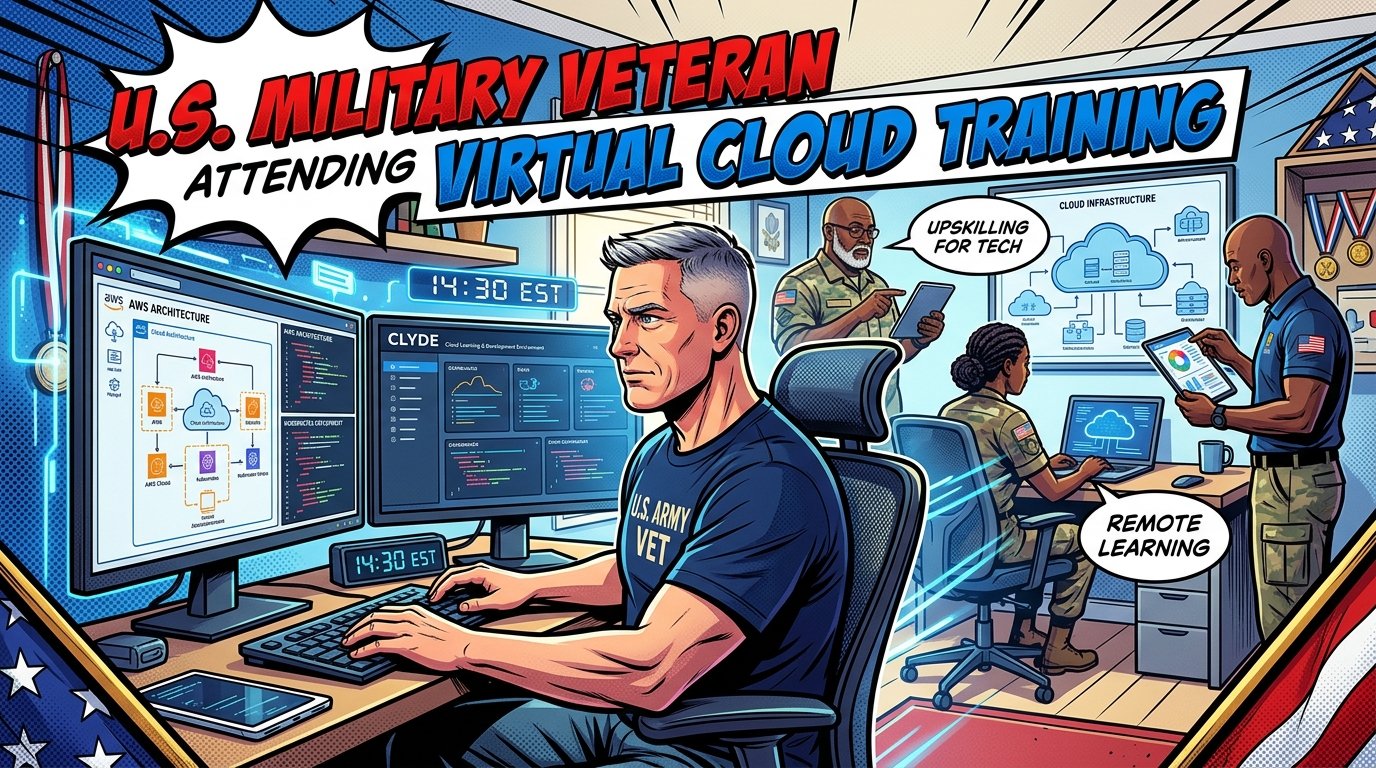
Log in to the virtual training session on the scheduled dates. The training is instructor-led and delivered by ROI Training, an authorized Google Cloud training partner. Participation is required to receive the certification exam voucher.
Step 7: Receive Your Certification Exam Voucher
After completing the two-day training event, you will receive a complimentary voucher for the Google Cloud Generative AI Leader certification exam.
Step 8: Attend Exam Prep Office Hours
Join the two follow-on certification exam prep office hours sessions. These optional sessions help you prepare and build confidence before exam day.
Step 9: Schedule and Take Your Certification Exam
Use your complimentary voucher to register for the exam through Google Cloud’s certification portal. You must take the exam within the validity window provided—typically 4–8 weeks after the training event.
Step 10: Get Certified and Add Your Credential
Upon passing, your certification can be verified through Credly and added to LinkedIn and your resume.
Required Documents and Verification
Google Launchpad for Veterans is not a government benefits program. It does not require VA forms, income documentation, or a Certificate of Eligibility. The documentation requirements are minimal.
What You May Need
| Document | When Required | Purpose |
|---|---|---|
| DD-214 | If military verification is requested | Proof of veteran status |
| Military ID | If military verification is requested | Proof of active-duty or reserve status |
| Active-duty orders | If verification is requested | Proof of current service |
| NGB Form 22 | If verification is requested (Guard) | Proof of National Guard service |
What You Do NOT Need
VA Form 22-1990 (GI Bill application)
VA Form 22-10297 (VET TEC application)
Certificate of Eligibility from VA
Income tax returns
Medical records
Google Launchpad vs. VET TEC 2.0: Application Comparison
Understanding the differences between Google Launchpad and VA’s VET TEC 2.0 program helps veterans choose the right path. Both provide free technology training, but they operate differently.
| Feature | Google Launchpad for Veterans | VET TEC 2.0 (VA) |
|---|---|---|
| Funding Source | Google (private) | VA (government) |
| Application | Google RSVP portal | VA.gov (VA Form 22-10297) |
| GI Bill Impact | None | Charges entitlement if available |
| Housing Allowance | No | Yes (Post-9/11 rate) |
| Books Stipend | No | Yes |
| Processing Time | Immediate | 2–4 weeks |
| Duration | 3 weeks | 6–28 weeks |
| Certification | Generative AI Leader | Provider-dependent |
| Eligibility | Veterans & service members | 36+ months active duty; under 62 |
| Annual Cap | None published | 4,000 participants per fiscal year |
When Google Launchpad Is the Right Choice
Choose Google Launchpad if you want:
A fast, structured introduction to AI and cloud
A recognized certification in under a month
No impact on your GI Bill entitlement
No application review or competitive selection
When VET TEC 2.0 Is the Right Choice
Choose VET TEC 2.0 if you want:
A longer, more intensive training program
A monthly housing allowance during training
Hands-on technical skills in AI, cloud, or software development
VA-funded training that does not require upfront payment
Common Application Mistakes to Avoid
Veterans applying for Google Launchpad for Veterans frequently make these errors.
Mistake 1: Assuming VA Benefits Are Required
Google Launchpad is a private program. You do not need to use GI Bill benefits, VET TEC, or any VA education entitlement. The program is free regardless of your VA benefit status.
Mistake 2: Waiting Until the Last Minute
Cohorts fill quickly. Registration typically opens 6–8 weeks before the cohort begins. Sign up as soon as the enrollment window opens.
Mistake 3: Skipping the Exam Prep Sessions
The two follow-on exam prep office hours are optional, but veterans who attend have significantly higher first-time pass rates. Do not skip them.
Mistake 4: Missing the Exam Window
The complimentary exam voucher expires. Put the exam date on your calendar the day you receive the voucher. Typical validity is 4–8 weeks after the training event.
Mistake 5: Not Creating a Google Cloud Skills Boost Account
The training uses Google Cloud Skills Boost. Create your account before the cohort begins so you can access labs and materials immediately.
Mistake 6: Assuming the Program Guarantees Employment
Google Launchpad provides training and a certification. It does not guarantee a job. Plan to network, apply actively, and consider stacking additional credentials.
What Happens After You Apply?
After you register, here is the typical timeline:
Immediate: Confirmation email with program details.
2–4 weeks before cohort: Reminder emails with training links and schedule.
Day 1–2 of cohort: Two-day virtual training event.
After training: Certification exam voucher delivered via email.
Weeks 3–4: Optional exam prep office hours.
Within 4–8 weeks: Schedule and take certification exam.
After passing: Digital badge issued through Credly; add to LinkedIn.
Latest Rule Changes and Program Updates
2025: Shift to Generative AI Leader Certification
Google shifted the Launchpad for Veterans curriculum from Cloud Digital Leader to Generative AI Leader, reflecting employer demand for AI-literate professionals. The 2024 cohort focused on Cloud Digital Leader; the 2025 cohort and beyond focus on Generative AI Leader.
2026: Anticipated Cohort
Google has not yet published 2026 cohort dates at the time of this writing. Based on the 2024 and 2025 patterns, registration is expected to open in September 2026 for a November 2026 cohort. Check the RSVP portal for updates.
VET TEC 2.0 Reauthorization
Separately, the VA’s VET TEC program was reauthorized as VET TEC 2.0. It resumed payments in July 2026 and is limited to 4,000 paid participants per fiscal year. This matters for veterans comparing Google Launchpad with VA-funded training options.
Common Questions
1. Is Google Launchpad for Veterans free?
Yes. The program is fully funded by Google Cloud and its training partner, ROI Training. There is no cost to participants for the training, the certification exam voucher, or the exam prep sessions. You do not need to use GI Bill benefits or pay out of pocket.
2. How do I register for Google Launchpad for Veterans?
Register online through Google’s RSVP events portal at rsvp.withgoogle.com/events/google_cloud_launchpad_for_vets. Registration typically opens in September for a November cohort. Complete the online form with your name, email, military affiliation, and branch of service.
3. Do I need prior AI or cloud experience?
No. The program is designed for veterans at all experience levels, including those with zero technical background. The Generative AI Leader certification is a foundational credential that assumes no prior cloud or AI knowledge.
4. Can active-duty service members apply?
Yes. Active-duty service members in the U.S. and Canadian armed forces are eligible, as are National Guard members and Reservists. The program is not limited to veterans who have already separated from service.
5. Does Google Launchpad use my GI Bill?
No. Google Launchpad for Veterans is a private corporate program. It does not charge any VA education entitlement. Your Post-9/11 GI Bill, Montgomery GI Bill, or DEA benefits remain untouched.
6. What certification do I earn?
The current certification track is the Google Cloud Generative AI Leader. Previous cohorts earned the Cloud Digital Leader certification. Both are official Google Cloud certifications verifiable through Credly.
7. How long does the program take?
The core program is three weeks. It begins with a two-day virtual training event, followed by optional exam prep office hours over the next two to three weeks. You then schedule and take your certification exam within the voucher validity window.
8. Can military spouses participate?
Spouses have been included in some program communications and scholarship opportunities, but the core Launchpad program is framed for veterans and service members. Check the registration page for current cohort eligibility. Grow with Google also offers veteran and military spouse scholarships for other certificate programs.
9. What happens if I fail the certification exam?
The complimentary voucher typically covers one exam attempt. If you fail, you may need to pay for a retake. This is why attending the exam prep office hours matters—they significantly improve first-time pass rates.
10. How many times can I participate?
There is no published limit on participation. However, the program is designed as a one-time foundational training. Veterans who want higher-tier certifications should look at Google Cloud’s Professional-level certifications or VET TEC 2.0 for funded advanced training.
11. Is the certification recognized by employers?
Yes. Google Cloud certifications are recognized across the tech industry, particularly for roles involving Google Cloud infrastructure, data analytics, and AI adoption. The certification is a signal of foundational competence, not a guarantee of employment, but it strengthens your candidacy for entry-level cloud and AI roles.
12. Can I participate if I live outside the U.S. or Canada?
The program is currently limited to U.S. and Canadian military veterans and service members. International veterans from other countries are not eligible at this time.
13. What technology do I need?
You need a computer with a stable internet connection and a web browser. The training is delivered virtually. Google Cloud Skills Boost runs in the browser—no special software installation is required for most labs.
14. Is the training live or self-paced?
The two-day training event is live and instructor-led. The follow-on exam prep office hours are also live. Hands-on labs and study materials are self-paced and available through Google Cloud Skills Boost.
15. How do I verify my military status?
Verification requirements vary by cohort. You may be asked to provide a DD-214, military ID, active-duty orders, or NGB Form 22. Google does not always require documentation, but having it ready speeds the process.
Key Takeaways
Google Launchpad for Veterans is a no-cost, three-week virtual training program for U.S. and Canadian veterans, active-duty service members, Guard, and Reserve members.
Apply online through Google’s RSVP events portal. Registration typically opens in September for a November cohort.
No GI Bill entitlement is required. The program is fully funded by Google and does not touch your VA education benefits.
The current certification focus is the Generative AI Leader credential, replacing the earlier Cloud Digital Leader track.
Required documentation is minimal. A DD-214 or military ID may be requested but is not always required.
Cohorts fill quickly. Register as soon as the enrollment window opens.
Exam prep office hours significantly improve pass rates. Attend them.
The certification exam voucher expires in 4–8 weeks. Schedule your exam promptly.
Google Launchpad is a fast on-ramp, not a full career transition program. It gives you a foundational credential and a network, but you are responsible for the job search.
VET TEC 2.0 is the VA-funded alternative for veterans who want longer, more intensive training with a housing allowance.
Official Resources
Google Launchpad for Veterans Registration: rsvp.withgoogle.com/events/google_cloud_launchpad_for_vets
Google Cloud Skills Boost: cloudskillsboost.google
Google Cloud Certification Verification: cloud.google.com/certification
VA VET TEC 2.0 Program: va.gov/education/other-va-education-benefits/vet-tec-2/
VA Education and Training Benefits: va.gov/education
USA.gov – Veterans Benefits: usa.gov/veterans-benefits




🇺🇸 IMPORTANT DISCLAIMER – Veterans Benefits Information
This site provides general information about U.S. Department of Veterans Affairs (VA) benefits for educational and informational purposes only.
- Not Official: We are NOT affiliated with, endorsed by, or connected to the U.S. Department of Veterans Affairs (VA), the Veterans Benefits Administration (VBA), the Veterans Health Administration (VHA), or any other government agency.
- No Legal/Financial Advice: The content on this website is for informational purposes only and does not constitute legal, financial, or medical advice. VA benefits rules change frequently – always consult with an accredited Veterans Service Officer (VSO) or a qualified professional for your specific situation.
- Official Sources: For official, binding information and to apply for benefits, always visit official .gov websites: VA.gov, Benefits.VA.gov, or SSA.gov.
- No Data Collection: This site does not collect, store, or process any personal information. It does not have login forms, contact forms, or any system to capture user data. We never ask for your Social Security Number, bank details, or any personal information.
- 🚨 Scam Alert: The VA and other government agencies never charge fees for benefit applications. If anyone asks for money to "process" your VA claim, it is a scam. Report it to the VA Office of Inspector General at VA.gov/OIG.
- Advertising: This site uses third-party advertising (Adsterra) to cover operational costs. We do not endorse or guarantee any products or services advertised.
📌 Information provided as of June 2026. Always verify current eligibility and rules with official .gov sources.
This site is not affiliated with the U.S. Department of Veterans Affairs or any government agency. All information is for educational purposes only. Please visit VA.gov for official information.
