
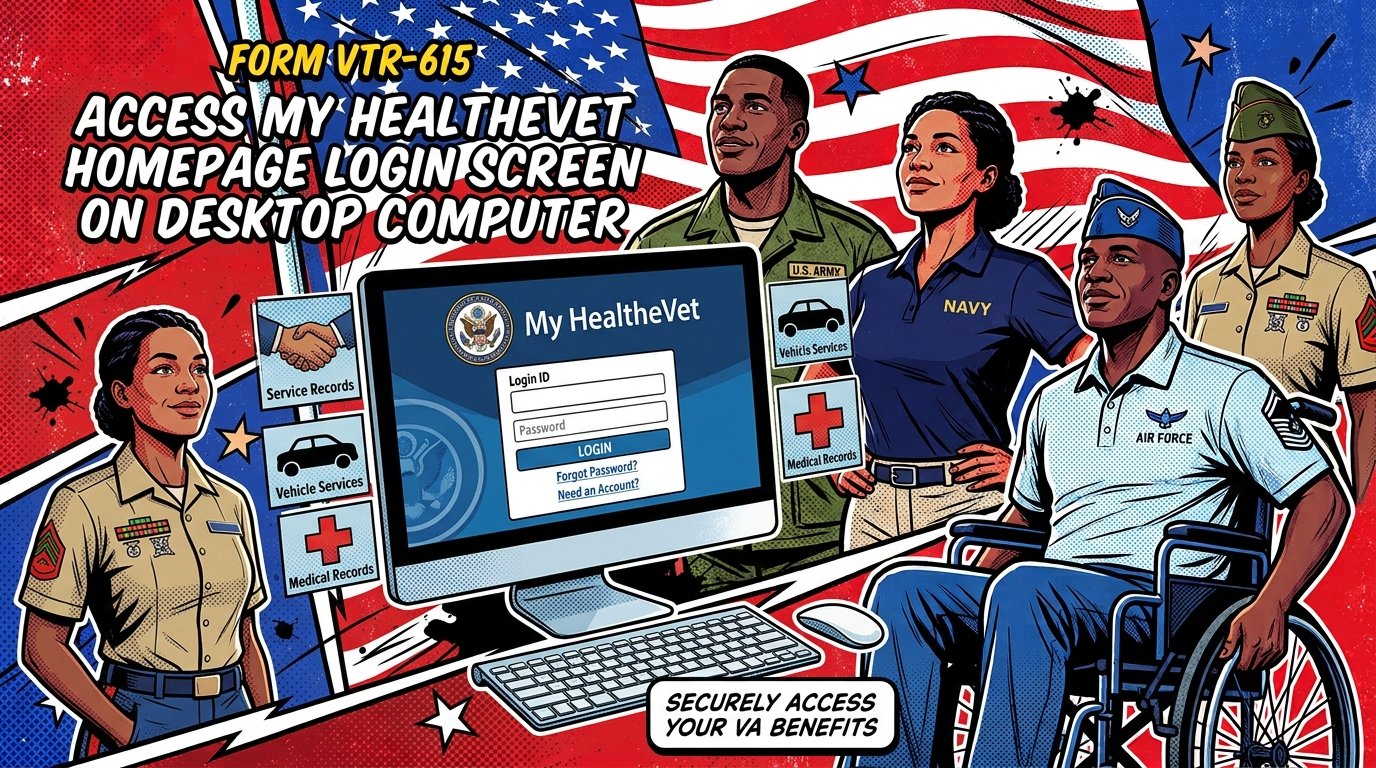
My HealtheVet: Complete Guide to VA’s Online Patient Portal
My HealtheVet is the U.S. Department of Veterans Affairs’ free online patient portal that lets veterans manage their VA health care from any computer or mobile device. Users can refill prescriptions, send secure messages to their care team, view lab results, schedule appointments, and download medical records. A free Premium account unlocks all features.
Quick Facts
| Item | Details |
|---|---|
| Benefit | VA online patient health portal and personal health record |
| Eligibility | Veterans, active duty service members, dependents, caregivers, and CHAMPVA beneficiaries |
| Application | Register online at myhealth.va.gov or VA.gov |
| Processing Time | Basic account: immediate. Premium upgrade: same day (online) or during VA visit (in person) |
| Official Agency | U.S. Department of Veterans Affairs (VA) |
| Required Forms | VA Form 10-5345a-MHV (Release of Information, for in-person upgrade) |
| Updated For | 2026 |
What Is My HealtheVet?
My HealtheVet is VA’s online patient portal and personal health record system. It is a secure, web-based platform developed by the U.S. Department of Veterans Affairs that provides veterans with convenient access to their health information and VA health care services.

The portal serves as a centralized location where veterans can manage multiple aspects of their VA health care, from prescription refills to secure communication with their health care team. It is available 24 hours a day, 7 days a week, from any computer, tablet, or smartphone with an internet connection.

Why it matters: My HealtheVet reduces the need for phone calls and in-person visits for routine tasks. Veterans can request prescription refills, ask non-urgent questions of their providers, view test results, and download their complete VA health record — all without leaving home.
Important context: The VA has been transitioning its online services to a unified sign-in experience. As of March 4, 2025, veterans can no longer sign in with a My HealtheVet username and password. A Login.gov or ID.me account is required. The My HealtheVet portal itself remains active and is not going away.
My HealtheVet Features
My HealtheVet offers a range of features that help veterans take an active role in their health care. The features available to you depend on whether you have a Basic or Premium account.
Pharmacy and Prescription Refills
Veterans registered as VA patients can request refills of their VA prescriptions through My HealtheVet. The pharmacy feature allows you to:
Refill VA prescriptions online
Track prescription delivery
Receive shipment email notifications
View a list of your VA medications with instructions
View your VA prescription history
Veterans May Qualify for Extra Benefits
Check available financial assistance, healthcare programs and other opportunities that may apply to you.
Check EligibilityPrescription refills are one of the most-used features of My HealtheVet. The system connects directly to VA pharmacy services, so refill requests are processed through the same system as phone or in-person requests.
Secure Messaging
Secure Messaging is a feature that allows veterans to communicate with their VA health care team through a secure, encrypted email-like system. It is designed for non-urgent matters, including:
Asking health questions
Requesting referrals
Requesting medication refills
Sending updates on your condition
Communicating with VA staff, including providers, administration, billing, and pharmacy
Secure Messaging requires a Premium My HealtheVet account and an opt-in to the feature. It is not intended for emergencies. For urgent medical issues, veterans should call 911 or contact their VA facility directly.
Appointments
My HealtheVet allows veterans to manage their VA medical appointments online. Features include:
Scheduling appointments with primary care providers
Scheduling appointments with specialty clinics
Viewing upcoming appointments
Viewing up to two years of past appointments
Receiving email reminders for upcoming appointments
Canceling appointments
Health Records and VA Blue Button
The VA Blue Button feature allows veterans to view, print, and download their VA health information. This includes:
VA laboratory results (available 36 hours after analysis is finalized)
Medical notes and progress notes
Immunization records, including COVID-19 vaccine records
Allergies and adverse reactions
Appointments and admissions/discharges
Medical images and reports
VA Health Summary
Both Basic and Premium account holders can access the VA Blue Button, but Premium account holders have access to information from their VA health record and Department of Defense (DoD) military service information. Basic account holders can only access self-entered information.
Health Tracking and Education
My HealtheVet includes tools for tracking personal health measurements, such as:
Blood pressure
Blood sugar levels
Weight
Activity and food journals
The platform also provides access to the Veterans Health Library, which contains approved educational materials on a wide range of health topics.
Patient Generated Health Data
The Shared Vitals feature allows veterans to record and share their vitals with their VA care team. This is the first Patient Generated Health Data (PGHD) feature offered in My HealtheVet. Shared Vitals information is saved to the patient’s record, allowing providers to monitor health data between appointments.
My HealtheVet Account Types
My HealtheVet offers two account types: Basic and Premium. Understanding the differences helps veterans determine what level of access they need.
Account Type Comparison
| Feature | Basic Account | Premium Account |
|---|---|---|
| Self-entered health information | Yes | Yes |
| Health tracking tools | Yes | Yes |
| Veterans Health Library | Yes | Yes |
| VA prescription refills | No | Yes |
| Secure Messaging | No | Yes |
| VA appointments | No | Yes |
| VA lab results | No | Yes |
| VA Blue Button (VA health record) | No | Yes |
| VA Health Summary | No | Yes |
| DoD military service information | No | Yes |
| Medical images and reports | No | Yes |
| VA mobile app sign-in | No | Yes |
A Basic account provides limited access to features that you self-enter. A Premium account gives you access to all Basic and Advanced features plus copies of key portions of your VA electronic health records, Secure Messaging, VA Appointments, VA Medical Imaging and Reports, Department of Defense (DoD) Military Service Information, and full access to VA Blue Button reports.
Who Qualifies for a Premium Account
Veterans and VA patients, CHAMPVA beneficiaries, and non-VA patients can obtain a Premium account. To upgrade to Premium, you must meet identity verification requirements.
How to Register for My HealtheVet
Registration for My HealtheVet is free and available online. The process differs depending on whether you want a Basic or Premium account.
Step-by-Step Registration for a Basic Account
Select “Register” to begin the registration process
Complete the registration form — You will need your Social Security number on hand
Choose “VA Patient” on the registration form if you receive VA health care
Create your account using an email address, or sign up with a Facebook, Google, or LinkedIn account through ID.me
Save your username and password
How to Upgrade to a Premium Account
There are two ways to upgrade a Basic account to Premium.
Option 1: Upgrade Online
Sign in to My HealtheVet using your ID.me or Login.gov account
Accept the My HealtheVet Terms and Conditions if prompted
Select the “Upgrade” button on the home page next to your name
Check the certification box to verify you are the owner of the account
Select “Continue” — your account will upgrade to Premium
Option 2: Upgrade in Person
Visit a VA health care facility where you are registered as a patient
Bring a government-issued photo ID (Veteran Health Identification Card or valid driver’s license)
Complete VA Release of Information Form 10-5345a-MHV
If your primary ID information does not match your official VA medical record, bring a secondary card such as your Social Security card
Required Documents for Premium Upgrade
Government-issued photo ID (Veteran Health Identification Card or driver’s license)
VA Release of Information Form 10-5345a-MHV
Secondary ID (Social Security card) if primary ID does not match VA medical records
My HealtheVet Sign-In Changes
The VA changed its sign-in requirements for all online services in 2025. Veterans can no longer use a My HealtheVet username and password to sign in.
What Changed and When
| Date | Change |
|---|---|
| January 31, 2025 | My HealtheVet username/password sign-in discontinued |
| March 4, 2025 | My HealtheVet sign-in option fully removed |
| September 30, 2025 | DS Logon sign-in discontinued |
| 2025–2026 | All VA online services require Login.gov or ID.me |
What You Need Now
To access My HealtheVet, VA.gov, VA mobile apps, and other VA online services, you must use one of two secure sign-in options:
Login.gov — A government-provided account for accessing VA and other government services. The U.S. government creates and maintains your account.
ID.me — A private account provider that partners with government and non-government organizations. ID.me creates and maintains your account.
Both options meet modern federal security standards and require multifactor authentication (MFA).
How to Create a Login.gov or ID.me Account
Go to va.gov/sign-in-changes
Create an account using a unique email address
Verify your identity by uploading a photo of your government-issued ID
Set up multifactor authentication using an authenticator app or text message
Troubleshooting Sign-In Issues
Common issues and solutions:
“Sign-in error” or “access denied” — Close the browser tab, open a new tab, and sign back in with your ID.me or Login.gov account
Phone number not accepted — With Login.gov, you can verify by mail. With ID.me, you can verify by video call
ID photo not accepted — Take photos of the front and back of your ID before starting the process. Use indirect lighting and a solid, dark background. Ensure the entire ID is visible with no glares or shadows
For technical help, call the My VA 4-1-1 information line at 800-698-2411.
My HealtheVet vs. My VA Health
My HealtheVet and My VA Health are two different VA patient portals. Understanding the difference helps veterans access the right system for their care.
Portal Comparison
| Feature | My HealtheVet | My VA Health |
|---|---|---|
| Purpose | General VA health portal for all VA patients | Patient portal for VA facilities using the new EHR system |
| Availability | All VA medical centers and clinics | Only VA facilities that have transitioned to the new EHR |
| Status | Active — the primary portal | Retired May 29, 2026 |
| Sign-in | Login.gov or ID.me | Login.gov or ID.me |
| Features | Prescriptions, Secure Messaging, records, appointments | Similar features within the new EHR system |
The My VA Health portal was retired on May 29, 2026. Veterans who received care at facilities using the My VA Health portal now manage their health care online through My HealtheVet on VA.gov or the VA: Health and Benefits mobile app.
How to Use VA Blue Button to Download Your Records
The VA Blue Button is a feature that allows veterans to view, print, and download their VA health information. It is accessible through My HealtheVet.
Step-by-Step Guide to VA Blue Button
Sign in to My HealtheVet with a Premium account
Select “Health Records” from the home page
Select “VA Blue Button Report”
Choose your date range — Select the dates for the information you want
Select types of information — Check the boxes for the information you need, such as:
VA Immunizations (including COVID-19 vaccine records)
Labs and Tests
Medications
Appointments
Allergies
Select “Submit”
View, download, or print your report as a PDF or TXT file
What Information Is Available
The VA Blue Button provides access to:
VA laboratory results
VA medical notes
Immunizations
Allergies
Appointments and admissions/discharges
Medications
Demographics
Military service information (DoD)
Note: VA laboratory results are available 36 hours after the laboratory analysis is finalized. COVID-19 test results are available immediately after they are finalized.
Common Mistakes with My HealtheVet
Avoiding these common errors helps veterans get the most out of My HealtheVet.
Mistake 1: Staying on a Basic Account
A Basic account limits access to self-entered information only. Veterans who need prescription refills, Secure Messaging, or access to VA health records must upgrade to Premium.
Mistake 2: Not Setting Up Multifactor Authentication
Multifactor authentication (MFA) is required for Login.gov and ID.me accounts. Failing to set up MFA prevents sign-in to My HealtheVet and other VA services.
Mistake 3: Using Secure Messaging for Emergencies
Secure Messaging is for non-urgent matters only. For emergencies, veterans should call 911 or contact their VA facility directly.
Mistake 4: Not Checking the Right Location for Lab Results
Lab results may appear in My HealtheVet before your provider has reviewed them. Veterans should discuss results with their provider before making health decisions.
Mistake 5: Forgetting to Update Contact Information
Keep your email address, phone number, and mailing address current in My HealtheVet to receive appointment reminders and prescription shipment notifications.
Mistake 6: Not Downloading Records Before a Move
If you are moving or changing VA facilities, download your VA health records through the VA Blue Button before transitioning care.
Common Questions
What is My HealtheVet?
My HealtheVet is VA’s online patient portal. It allows veterans to refill prescriptions, send secure messages, view lab results, schedule appointments, and download their VA medical records from any computer or mobile device. It is free and available 24/7.
How do I sign up for My HealtheVet?
Go to myhealth.va.gov and select “Register.” You will need your Social Security number and should choose “VA Patient” on the registration form. After creating a Basic account, you can upgrade to Premium for full features.
What is the difference between a Basic and Premium account?
A Basic account provides access to self-entered information only. A Premium account gives you access to your VA electronic health records, Secure Messaging, VA appointments, lab results, and prescription refills.
How do I upgrade to a Premium My HealtheVet account?
You can upgrade online by signing in with your ID.me or Login.gov account and selecting the “Upgrade” button. Or, visit a VA facility where you are a patient, bring a government-issued photo ID, and complete the upgrade in person.
Why can’t I sign in with my old My HealtheVet username?
The VA discontinued My HealtheVet username/password sign-in on March 4, 2025. You must now use a Login.gov or ID.me account to access My HealtheVet and all VA online services.
Can I refill my VA prescriptions through My HealtheVet?
Yes. Veterans registered as VA patients can refill prescriptions, track delivery, and view their prescription history through My HealtheVet. You must have a Premium account to use the prescription refill feature.
How do I get my COVID-19 vaccine record from My HealtheVet?
Sign in to your Premium account, select “Health Records,” then “VA Blue Button Report.” Select the date range covering your vaccination, check “VA Immunizations,” and download your record as a PDF or TXT file.
Is My HealtheVet available as a mobile app?
Yes. My HealtheVet is accessible through the VA: Health and Benefits mobile app for iOS and Android devices. You can also access the portal through a mobile web browser.
What is Secure Messaging?
Secure Messaging is a feature that lets veterans communicate with their VA health care team through a secure, encrypted system. It is for non-urgent matters, such as questions about medications, referrals, or health concerns.
Can caregivers or family members use My HealtheVet?
Caregivers and family members can create My HealtheVet accounts. Veterans can also authorize a caregiver to access their health information through VA’s caregiver programs. Contact your VA facility for specific authorization requirements.
What happened to the My VA Health portal?
The My VA Health portal was retired on May 29, 2026. Veterans who used that portal now manage their health care through My HealtheVet on VA.gov or the VA: Health and Benefits mobile app.
What should I do if I’m having trouble signing in?
Close the browser tab and try signing in again with your ID.me or Login.gov account. If you continue to have issues, call the My VA 4-1-1 information line at 800-698-2411 for technical assistance.
Can I download all my VA medical records from My HealtheVet?
Yes. With a Premium account, you can use the VA Blue Button feature to download your VA health information, including lab results, medical notes, immunizations, medications, and more. You can save, print, or share the records with non-VA providers.
How long does it take for lab results to appear in My HealtheVet?
VA laboratory results are typically available 36 hours after the laboratory analysis is finalized. COVID-19 test results are available immediately after they are finalized. Some results may take additional time if your provider needs to review them first.
Is My HealtheVet free?
Yes. My HealtheVet is completely free for all veterans, active duty service members, dependents, and caregivers. There are no fees to create an account or use any of the portal’s features.
Key Takeaways
My HealtheVet is VA’s free online patient portal for managing VA health care from any device.
A Premium account is required for prescription refills, Secure Messaging, lab results, appointments, and VA Blue Button records.
The VA discontinued My HealtheVet username/password sign-in on March 4, 2025; a Login.gov or ID.me account is now required.
Register at myhealth.va.gov; upgrade to Premium online or in person at a VA facility.
Secure Messaging is for non-urgent matters only; call 911 for emergencies.
The VA Blue Button allows you to download and share your complete VA health record, including COVID-19 vaccine records.
The My VA Health portal was retired on May 29, 2026; all health care management now goes through My HealtheVet on VA.gov.
Lab results typically appear 36 hours after analysis is finalized.
Keep your contact information current to receive appointment reminders and prescription notifications.
Call the My HealtheVet Help Desk at 877-327-0022 for technical support.
Official Resources
| Resource | Website |
|---|---|
| My HealtheVet | myhealth.va.gov |
| VA Health Care | VA.gov/health-care |
| VA Sign-In Changes | VA.gov/sign-in-changes |
| VA Blue Button Guide | myhealth.va.gov |
| VA Mobile Apps | mobile.va.gov |
| VA Facility Locator | VA.gov/find-locations |
| VA Benefits | VA.gov/benefits |
| USA.gov Veterans Benefits | USA.gov/veterans-benefits |



🇺🇸 IMPORTANT DISCLAIMER – Veterans Benefits Information
This site provides general information about U.S. Department of Veterans Affairs (VA) benefits for educational and informational purposes only.
- Not Official: We are NOT affiliated with, endorsed by, or connected to the U.S. Department of Veterans Affairs (VA), the Veterans Benefits Administration (VBA), the Veterans Health Administration (VHA), or any other government agency.
- No Legal/Financial Advice: The content on this website is for informational purposes only and does not constitute legal, financial, or medical advice. VA benefits rules change frequently – always consult with an accredited Veterans Service Officer (VSO) or a qualified professional for your specific situation.
- Official Sources: For official, binding information and to apply for benefits, always visit official .gov websites: VA.gov, Benefits.VA.gov, or SSA.gov.
- No Data Collection: This site does not collect, store, or process any personal information. It does not have login forms, contact forms, or any system to capture user data. We never ask for your Social Security Number, bank details, or any personal information.
- 🚨 Scam Alert: The VA and other government agencies never charge fees for benefit applications. If anyone asks for money to "process" your VA claim, it is a scam. Report it to the VA Office of Inspector General at VA.gov/OIG.
- Advertising: This site uses third-party advertising (Adsterra) to cover operational costs. We do not endorse or guarantee any products or services advertised.
📌 Information provided as of June 2026. Always verify current eligibility and rules with official .gov sources.
This site is not affiliated with the U.S. Department of Veterans Affairs or any government agency. All information is for educational purposes only. Please visit VA.gov for official information.
