
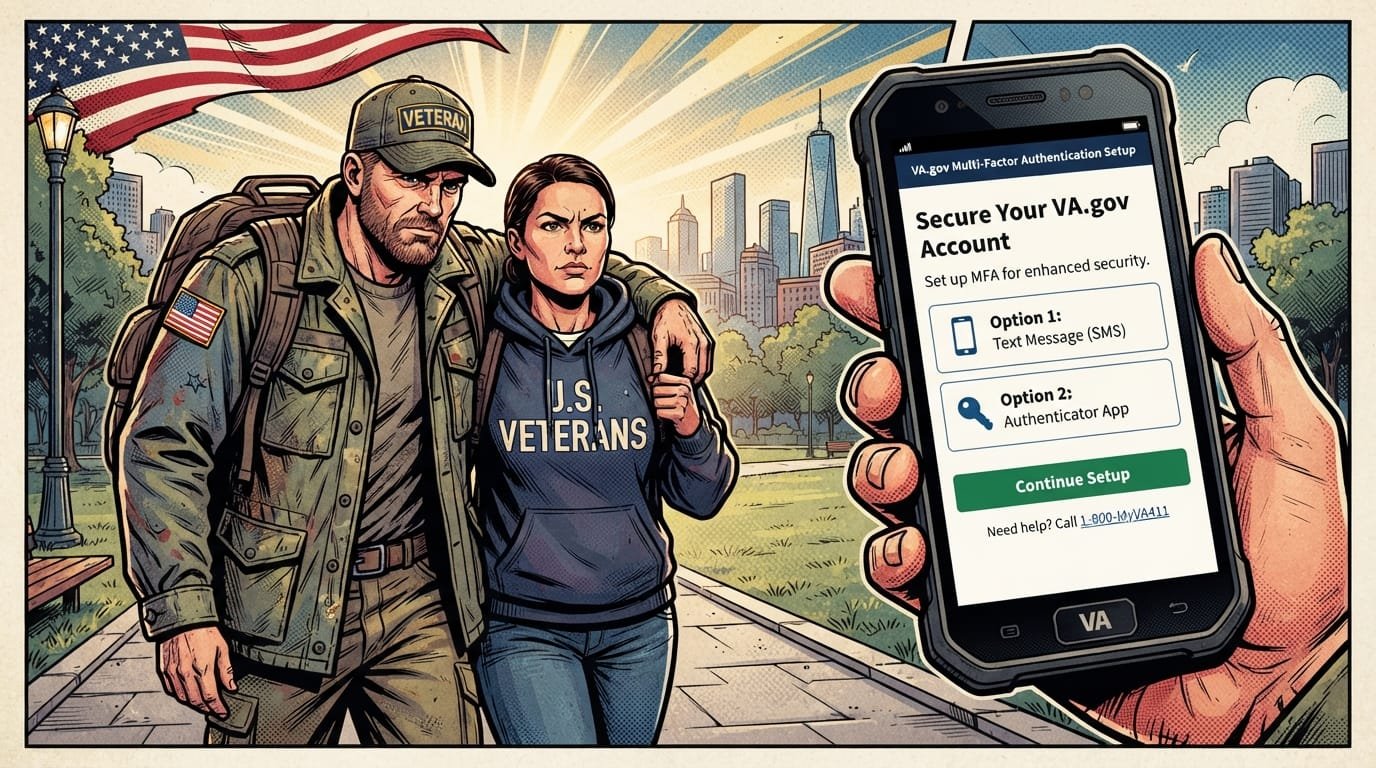
How to Sign In to VA.gov: Step-by-Step
🇺🇸 Resources for Veterans
Access exclusive support, benefits & services tailored for you.
👉 Check Opportunities Now Sponsored content — you may find this usefulTo sign in to VA.gov, you need an ID.me or Login.gov account. My HealtheVet and DS Logon sign-ins were retired in 2025. If you cannot sign in, clear your browser cookies and cache, reset your password with your account provider, or call VA at 800-698-2411 (TTY: 711).
Quick Facts
| Item | Details |
|---|---|
| Login Options | ID.me or Login.gov (only two options) |
| Retired Logins | My HealtheVet (March 5, 2025), DS Logon (November 18, 2025) |
| VA Support Phone | 800-698-2411 (TTY: 711) |
| Login.gov Help Desk | 1-844-875-6446 |
| ID.me Support | 1-877-327-0022 |
| Identity Verification | One-time process, takes about 10 minutes |
| Official Agency | U.S. Department of Veterans Affairs |
| Updated For | 2026 |
What Is VA.gov Login?
VA.gov login is the secure sign-in process that gives veterans, service members, family members, and caregivers access to VA benefits and health care services online. The login process uses a single account from ID.me or Login.gov to connect you to all VA websites, mobile apps, and online services. This matters because VA.gov is the primary portal for managing disability compensation claims, GI Bill benefits, health care appointments, prescriptions, and more.

The VA retired the older My HealtheVet and DS Logon sign-in options in 2025 to meet modern federal security standards and to simplify the sign-in experience. Veterans now use one account across all VA services instead of managing multiple credentials. The change protects personal data and reduces the risk of scammers stealing benefits.
What You Can Do With a VA.gov Account

With an identity-verified VA.gov account, you can:
Apply for VA disability compensation using VA Form 21-526EZ
File and track claims for compensation, pension, and education benefits
Check your VA rating and decision letters
Manage GI Bill benefits and verify enrollment
Refill prescriptions and send secure messages to your VA health care team
Schedule and manage VA medical appointments
Download VA benefit letters and your DD-214
Update direct deposit information
Apply for a printed Veteran ID card
VA.gov Login Options: ID.me vs Login.gov
VA.gov accepts two sign-in accounts: ID.me and Login.gov. Both are free, both meet federal security standards, and both give you access to the same VA services. You can use either one, or you can create both if you want flexibility. The choice depends on your personal situation.
Comparison Table
| Feature | Login.gov | ID.me |
|---|---|---|
| Run By | U.S. government | Private company (VA-authorized) |
| Best For | U.S. residents with SSN and state ID | Veterans overseas, no SSN, or no phone in their name |
| Identity Verification | Online, in person at U.S. post office | Online, video call, in person at UPS Store |
| MFA Required | Yes | Yes |
| Accepted by Other Agencies | Yes (SSA, USAJOBS) | Some private companies only accept ID.me |
Choose Login.gov If You:
Live in the United States
Have a Social Security number
Have a valid, unexpired state-issued driver’s license or ID
Already use government websites like USAJOBS or the Social Security Administration
Choose ID.me If You:
Live outside the United States
Do not have a Social Security number
Do not have a current, unexpired driver’s license or state ID
Have a phone plan that is not in your name and want to complete the process online
Need flexible verification options like video calls or in-person appointments
How to Create a VA.gov Login Account
Creating your VA.gov login account is a one-time process. You can do it online in about 10 to 15 minutes, or you can verify your identity in person at a participating U.S. post office (Login.gov) or UPS Store (ID.me). The steps below cover both Login.gov and ID.me.
How to Create a Login.gov Account for VA
Go to VA.gov/sign-in.
Select Create a Login.gov account for VA.
Select the Create an account tab.
Enter your personal email address and select your language preference.
Accept the rules of use and select Submit.
Check your email inbox for a message from Login.gov.
Select Confirm email address in the email.
Create a strong password. It must be at least 12 characters. Use a unique phrase, add numbers and special characters, and avoid using your birthdate.
Set up multifactor authentication (MFA). Choose at least two MFA methods. More secure options include an authentication application, security key, PIV or CAC card, or face or touch unlock. Less secure options include text message, phone call to a landline, or backup codes.
After creating your account, sign in to VA.gov and complete identity verification on your My VA dashboard.
How to Create an ID.me Account for VA
Go to VA.gov/sign-in.
Select ID.me.
Select Create an account.
Enter your personal email address and follow the prompts.
Confirm your email address.
Create a strong password.
Set up at least one MFA method.
Verify your identity using one of three methods: self-service online, video call with an ID.me representative, or in-person at a participating UPS Store.
What You Need Before You Start
A unique personal email address that only you use. If you share an email with a spouse, create a new one before you start.
A current, valid driver’s license, state-issued ID, or U.S. passport book
Your Social Security number
A U.S. phone number on a plan in your name (or you may need to wait for a mailed letter)
A smartphone or tablet with a camera for online identity verification
Access to your MFA method (mobile phone, authentication app, security key, or backup codes)
How to Verify Your Identity for VA.gov
Identity verification is a one-time process that confirms you are who you say you are. It takes about 10 minutes. The process protects you from scammers who might try to set up an account in your name to access your VA benefits. After you verify your identity, you will not have to do it again for that account unless you lose access to your MFA method or need to recreate your account.
Login.gov Identity Verification Steps
On your My VA dashboard, select Verify your identity.
Select Verify with Login.gov and sign in again.
Read the requirements and consent statement. Check the box and select Continue.
Choose Continue online to verify online, or choose in-person verification at a U.S. post office.
Enter your mobile phone number and select Send link.
Check your phone for a text from Login.gov. Select the link.
Upload photos of your ID (front and back).
Enter your Social Security number.
Complete the process by confirming your information.
ID.me Identity Verification Steps
On your My VA dashboard, select Verify your identity.
Select Verify with ID.me and sign in again.
Choose your verification method:
Self-service online — Upload a valid, unexpired driver’s license, state ID, or passport. Must have a U.S. phone number on a plan in your name.
Video call — Upload certain ID documents, then show your documents and answer questions on a video call with an ID.me representative.
In person — Book an appointment or start the walk-in process online. Bring an ID.me-provided QR code and your ID documents to a participating UPS Store. Wait 24 hours after in-person verification for confirmation.
What to Do If Verification Fails
Veterans May Qualify for Extra Benefits
Check available financial assistance, healthcare programs and other opportunities that may apply to you.
Check EligibilityIf online verification fails, you can still verify in person. Login.gov allows in-person verification at participating U.S. post offices. ID.me allows in-person verification at participating UPS Stores. Bring the QR code provided by the account provider and your ID documents. Call the post office or UPS Store ahead of time to confirm they are aware of the process.
Common VA.gov Login Problems and How to Fix Them
VA.gov login problems are usually caused by browser issues, password problems, MFA issues, or identity verification errors. Most problems can be fixed in a few minutes. The table below lists the most common errors and their solutions.
Quick Fixes for Common Login Errors
| Error | Likely Cause | Fix |
|---|---|---|
| “We’re sorry. Something went wrong on our end.” | Browser cookies or cache issue | Clear cookies and cache; enable cookies; try Chrome or Firefox |
| Password doesn’t work | Forgotten or expired password | Reset password with ID.me or Login.gov directly |
| MFA code not received | Phone signal or Wi-Fi issue | Check your connection; wait a few minutes; use backup codes |
| Email not confirmed | Confirmation email not opened | Check inbox and spam folder; contact your account provider |
| Identity verification failed | Mismatch in personal information | Try again; use in-person verification option |
| “Forbidden” error | IP address blocked by ID.me | Contact ID.me support |
| Session timed out | Took too long during verification | Close the tab, open a new one, and sign in again |
Step-by-Step Troubleshooting
Step 1: Clear your browser’s cookies and cache. This fixes most login errors. Depending on your browser, this may be called “Browsing Data,” “Browsing History,” or “Website Data.” Clear data for va.gov, id.me, and login.gov.
Step 2: Make sure cookies are enabled. Check your browser settings under “Tools,” “Settings,” or “Preferences.”
Step 3: Try a different browser. If you are using Internet Explorer or Microsoft Edge, switch to Google Chrome or Mozilla Firefox. Get the latest updates for your browser.
Step 4: Reset your password. If your password does not work, reset it directly with ID.me or Login.gov. VA contact center representatives cannot reset your ID.me or Login.gov password.
Step 5: Check your MFA method. If you are not receiving MFA codes, check your cell signal or Wi-Fi connection. If you lost access to your MFA method, you may need to create a new account.
Step 6: Call VA support. If you have tried all the steps above and still cannot sign in, call VA at 800-698-2411 and select 0 (TTY: 711). Representatives are available 24/7.
VA.gov Login Support Phone Numbers
If you need help with your VA.gov login, you have several support options. VA representatives can help with general login questions and guide you to the right resource. However, they cannot reset your ID.me or Login.gov password. Password resets must be done directly with the account provider.
Support Contacts
| Resource | Phone Number | Hours |
|---|---|---|
| VA Main Information Line (MyVA411) | 800-698-2411 | 24/7 |
| TTY | 711 | 24/7 |
| Login.gov Help Desk | 1-844-875-6446 | See login.gov/help |
| ID.me Support | 1-877-327-0022 | See help.id.me |
| My HealtheVet Help Desk | See va.gov for current number | Business hours |
When you call VA support, be ready to provide:
The specific error code on your screen
The email address associated with your account
A description of what you were trying to do when the problem occurred
VA.gov Login for Caregivers and Family Members
Family members, caregivers, and court-appointed guardians can access VA.gov on behalf of a veteran in certain circumstances. The process depends on your relationship to the veteran and your legal authority.
Family Caregivers
Family caregivers should use the veteran’s own login credentials, just as before. VA does not currently offer separate caregiver accounts for VA.gov login. If you are a family caregiver, the veteran should share their login credentials with you, or you should sign in together.
Court-Appointed Guardians
Court-appointed guardians can call 1-877-327-0022 to explore temporary access options while a long-term solution is being developed. VA is working on a permanent solution for guardian access to VA.gov accounts.
What Family Members Can Do Without a Login
Even without a VA.gov login, family members and caregivers can still help veterans manage their benefits by:
Calling VA at 800-698-2411 for information and support
Visiting a local VA regional office for in-person assistance
Using Ask VA at ask.va.gov for written questions
Latest VA.gov Login Changes for 2025–2026
My HealtheVet Sign-In Retired (March 5, 2025)
As of March 5, 2025, you can no longer sign in to VA.gov, VA mobile apps, or other VA online services with a My HealtheVet user ID and password. The My HealtheVet health portal is still available, but you must sign in to it with an ID.me or Login.gov account.
DS Logon Sign-In Retired (November 18, 2025)
As of November 18, 2025, you can no longer sign in with a DS Logon username and password. Veterans and beneficiaries must use ID.me or Login.gov for all VA online services.
Two Sign-In Options Remain
You now have two secure sign-in account options: Login.gov and ID.me. Both meet modern security standards and give you access to all VA benefits and health care services online. You will need a unique email address and multifactor authentication for your account.
What to Do If You Haven’t Switched
If you have not yet created an ID.me or Login.gov account, you can still manage your care and benefits by phone, mail, or in person. Call 800-698-2411 or visit your local VA regional office for support. But to use VA.gov, VA mobile apps, and other online services, you must create an ID.me or Login.gov account.
Common Mistakes with VA.gov Login
Using a Shared Email Address
Both Login.gov and ID.me require a unique personal email address that only you use. If you share an email with a spouse or family member, create a new email account before you start. The email must be one you will continue to have access to in the future.
Not Setting Up MFA
Multifactor authentication is required for both Login.gov and ID.me. If you do not set up MFA, you cannot complete the account creation process. Set up at least two MFA methods in case you lose access to one. If you lose your MFA methods, you will have to create a new account.
Calling VA to Reset Your Password
VA contact center representatives cannot reset your ID.me or Login.gov password. This includes representatives at the My HealtheVet help desk. You must reset your password directly with the account provider.
Ignoring the Confirmation Email
After you create your account, you will receive a confirmation email from ID.me or Login.gov. Check your inbox and spam folder. If you do not confirm your email address, you cannot access your personal information on VA.gov.
Trying to Verify Identity with a Temporary ID
Identity verification requires a current, valid driver’s license, state-issued ID, or U.S. passport book. Temporary or expired IDs are not accepted. If your ID is expired, renew it before you start the verification process.
Common Questions
What are the VA.gov login options in 2026?
You have two sign-in options: ID.me and Login.gov. The older My HealtheVet and DS Logon options were retired in 2025. Both ID.me and Login.gov meet federal security standards and give you access to all VA online services.
How do I sign in to VA.gov?
Go to va.gov and select the sign-in button. Choose either ID.me or Login.gov. Enter your email address and password, then complete multifactor authentication. If you do not have an account, select “Create an account” and follow the prompts.
What happened to My HealtheVet and DS Logon logins?
My HealtheVet sign-in was retired on March 5, 2025. DS Logon sign-in was retired on November 18, 2025. The My HealtheVet health portal is still available, but you must sign in to it with an ID.me or Login.gov account.
How do I fix “Something went wrong on our end” on VA.gov?
Clear your browser’s cookies and cache. Make sure cookies are enabled. If you are using Internet Explorer or Edge, try Chrome or Firefox instead. If the problem continues, call VA at 800-698-2411 (TTY: 711).
Can VA reset my ID.me or Login.gov password?
No. VA contact center representatives cannot reset your ID.me or Login.gov password. You must reset your password directly with ID.me or Login.gov. VA can guide you to the right resource but cannot perform the reset.
What is the VA.gov login help phone number?
Call VA at 800-698-2411 and select 0 (TTY: 711). Representatives are available 24/7. For account-specific help, contact Login.gov at 1-844-875-6446 or ID.me at 1-877-327-0022.
How do I verify my identity for VA.gov?
Sign in to VA.gov with your ID.me or Login.gov account. On your My VA dashboard, select “Verify your identity.” Follow the prompts to upload your ID and enter your Social Security number. The process takes about 10 minutes.
What if I don’t have a U.S. phone number?
If you do not have a U.S. phone number, Login.gov may be able to send a letter to your mailing address instead. ID.me offers video call and in-person verification options that may work for you. Contact the account provider for specific guidance.
Can I use my spouse’s email address for VA.gov?
No. Both Login.gov and ID.me require a unique personal email address that only you use. If you currently share an email address with someone else, create a new email account that is just yours before you start.
What happens if I lose access to my MFA method?
If you lose access to your MFA methods, you may need to create a new account. This is why VA recommends setting up at least two MFA methods. Choose the most secure methods you know you will be able to use.
How long does identity verification take?
Identity verification takes about 10 minutes. You need your ID, Social Security number, a phone number, and access to your MFA method. After you verify, you will not need to verify again unless you lose account access.
Can caregivers sign in to VA.gov for a veteran?
Family caregivers should use the veteran’s own login credentials. Court-appointed guardians can call 1-877-327-0022 to explore temporary access options while a long-term solution is being developed.
Key Takeaways
VA.gov login requires an ID.me or Login.gov account as of 2025.
My HealtheVet and DS Logon sign-ins were retired in 2025.
The VA login support phone number is 800-698-2411 (TTY: 711).
Login.gov Help Desk: 1-844-875-6446. ID.me Support: 1-877-327-0022.
Clear cookies and cache to fix most login errors.
Identity verification is a one-time process that takes about 10 minutes.
You must have a unique email address and MFA to use VA.gov.
VA representatives cannot reset your ID.me or Login.gov password.
Caregivers should use the veteran’s own login credentials.
If you lose access to your MFA methods, you may need to create a new account.
Official Resources
VA.gov Sign-In: va.gov/sign-in
Prepare for Sign-In Changes: va.gov/initiatives/prepare-for-vas-secure-sign-in-changes
Signing In to VA.gov (Help): va.gov/resources/signing-in-to-vagov
Login.gov Help: login.gov/help
ID.me Help: help.id.me
VA Main Information Line: 800-698-2411 (MyVA411)
Ask VA: ask.va.gov


🇺🇸 IMPORTANT DISCLAIMER – Veterans Benefits Information
This site provides general information about U.S. Department of Veterans Affairs (VA) benefits for educational and informational purposes only.
- Not Official: We are NOT affiliated with, endorsed by, or connected to the U.S. Department of Veterans Affairs (VA), the Veterans Benefits Administration (VBA), the Veterans Health Administration (VHA), or any other government agency.
- No Legal/Financial Advice: The content on this website is for informational purposes only and does not constitute legal, financial, or medical advice. VA benefits rules change frequently – always consult with an accredited Veterans Service Officer (VSO) or a qualified professional for your specific situation.
- Official Sources: For official, binding information and to apply for benefits, always visit official .gov websites: VA.gov, Benefits.VA.gov, or SSA.gov.
- No Data Collection: This site does not collect, store, or process any personal information. It does not have login forms, contact forms, or any system to capture user data. We never ask for your Social Security Number, bank details, or any personal information.
- 🚨 Scam Alert: The VA and other government agencies never charge fees for benefit applications. If anyone asks for money to "process" your VA claim, it is a scam. Report it to the VA Office of Inspector General at VA.gov/OIG.
- Advertising: This site uses third-party advertising (Adsterra) to cover operational costs. We do not endorse or guarantee any products or services advertised.
📌 Information provided as of June 2026. Always verify current eligibility and rules with official .gov sources.
This site is not affiliated with the U.S. Department of Veterans Affairs or any government agency. All information is for educational purposes only. Please visit VA.gov for official information.
