
Indeed for Veterans: How to Use the Platform to Find Civilian Work in 2026
Featured Snippet Answer: Indeed is a free job search platform used by millions of veterans and transitioning service members. It offers a veteran-friendly employer filter, resume visibility settings, salary tools, and free military transition resources. However, the veteran filter is self-reported, and military-to-civilian title translation requires manual effort.
Quick Facts
| Item | Details |
|---|---|
| Platform | Indeed.com — free job search and resume posting |
| Veteran Features | Veteran job filter, resume visibility settings, salary tools, military career resources |
| Best For | Private-sector jobs, contract roles, remote work, military spouse employment |
| Not Ideal For | Federal jobs requiring veterans preference (use USAJOBS), deep military skills translation |
| Cost | Free for job seekers |
| Key Limitation | Veteran filter is employer self-reported and unverified |
| Official Resource | indeed.com/job-search-services/military |
What Is Indeed?
Indeed is the largest job search platform in the world. It aggregates job listings from company career pages, staffing agencies, and direct employer postings. For veterans, transitioning service members, National Guard and Reserve members, military spouses, and caregivers, Indeed is one of the most widely used starting points for a civilian job search.

Unlike USAJOBS, which is the federal government’s hiring platform, Indeed is a private-sector job aggregator. Federal jobs sometimes appear on Indeed, but they are often scraped from USAJOBS and may lack complete application instructions. Indeed’s strength is volume: millions of private-sector and contract roles across every industry and location.

For military job seekers, Indeed is not a specialized veteran hiring platform. There is no separate veteran portal. Instead, Indeed layers veteran-specific features—filters, visibility settings, and resources—on top of its general job search engine.
Does Indeed Have a Veteran Job Filter?
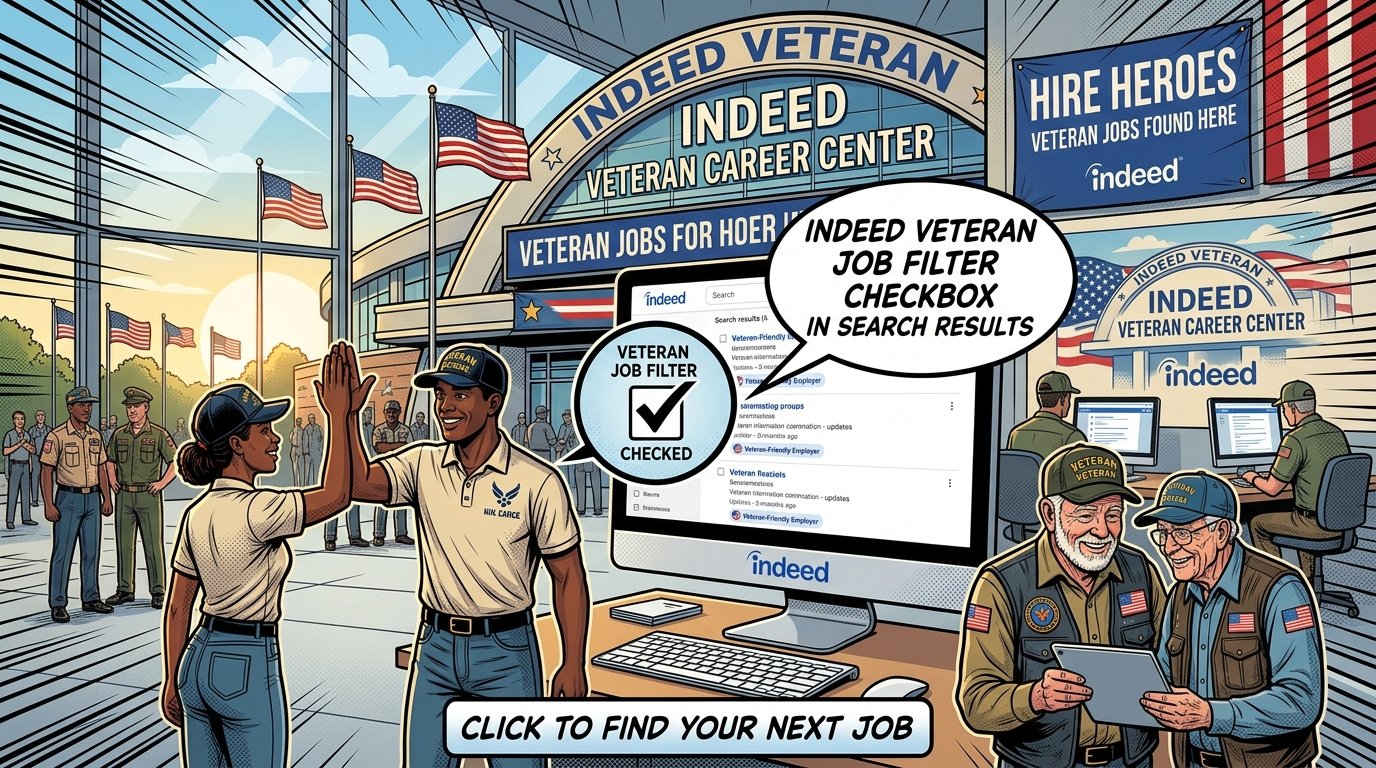
Yes, Indeed has a veteran job filter, but it works differently than most veterans expect. The filter appears in the left-hand rail of search results and narrows listings to jobs where the employer has self-tagged the posting as veteran-friendly or military-friendly.
How the Filter Works
When an employer posts a job on Indeed, it can opt into a “veteran commitment” badge or tag. The filter surfaces those listings. It can reduce a search from tens of thousands of results to a few hundred.
The Catch: Self-Reported and Unverified
The veteran tag is entirely employer-initiated. Any employer can check the box. There is no audit, no third-party verification, and no requirement to demonstrate actual veteran hiring outcomes. A defense contractor that hires thousands of veterans per year and a small staffing agency that checked a box once look identical in search results.
What the Filter Misses
Veterans May Qualify for Extra Benefits
Check available financial assistance, healthcare programs and other opportunities that may apply to you.
Check EligibilityMany employers that actively hire veterans do not use the tag because they are unaware of it or do not bother. Searching only inside the veteran filter excludes thousands of roles that would hire veterans without the label. Use the filter as a discovery tool, not as your only search strategy.
How to Use the Filter Effectively
Run a search for your target job title and location.
Check the “Veteran” or “Military Friendly” option in the left-hand filter rail.
Review results, but cross-reference employers independently.
Run the same search without the filter to catch untagged postings.
How to Search for Veteran-Friendly Jobs on Indeed
Effective veteran job searching on Indeed requires search operators, company targeting, and alerts—not just the veteran filter. Indeed supports Boolean logic in its search bar, which is the single most useful feature for cutting through noise.
Use Boolean Search Operators
Indeed’s search bar accepts Boolean operators: AND, OR, NOT, and quotation marks for exact phrases. This allows you to combine job titles with veteran-hiring language and exclude irrelevant results.
Examples:
"supply chain manager" AND ("veteran hiring" OR "military experience preferred")"project manager" AND "military friendly""operations manager" AND ("veteran" OR "military") NOT "security guard""logistics" AND "veteran hiring program""IT specialist" AND ("transitioning military" OR "military spouse")
The NOT operator is especially useful for removing recurring irrelevant categories. NOT "security" NOT "warehouse" NOT "CDL" cleans up results quickly.
Search by Employer Name
If you already know which companies have strong veteran hiring programs, search the company name directly in Indeed’s “Company” field. Documented veteran-heavy employers include Amazon, USAA, Lockheed Martin, Booz Allen Hamilton, Boeing, Deloitte, and JPMorgan Chase. This bypasses keyword matching entirely.
Set Up Job Alerts with Multiple Strategies
Create separate alerts for different search approaches:
| Alert Type | Example | Purpose |
|---|---|---|
| Target role + veteran keyword | "project manager" AND "veteran hiring" in target city | Captures postings that explicitly mention veterans |
| Specific veteran-friendly company | Company name + target job title | Tracks openings at known veteran employers |
| Civilian job title only (no veteran keyword) | "project manager" without veteran terms | Catches veteran-friendly employers who did not tag the listing |
| Remote or hybrid with your skillset | "operations manager" remote | Broadens geographic options |
This multi-alert strategy prevents you from missing postings simply because an employer did not use the word “veteran” in the listing.
Translating Military Experience to Civilian Job Titles
Indeed’s built-in military skills translator is limited. It accepts an MOS, rating, or AFSC and returns suggested civilian titles, but the suggestions are often broad and miss the depth of military experience.
The Translation Gap
Indeed’s tool may map an infantryman (11B) to “security guard” or “law enforcement.” Those are valid paths, but they undersell an 11B who ran a platoon, managed a multi-million-dollar equipment account, and coordinated complex operations. The same experience translates to operations management, project management, logistics coordination, risk analysis, and emergency management.
Why Translation Matters
If Indeed tells you your rating maps to two job titles, you may spend weeks applying only to those roles and miss entire career fields where you are competitive. The translation gap directly limits the jobs you search for and the searches you save.
How to Translate Effectively
Identify the core skills, not the title. A logistics NCO manages inventory, schedules, personnel, and compliance. Those are supply chain management skills.
Search civilian titles, not military codes. Indeed rewards civilian titles. Use the Bureau of Labor Statistics Occupational Outlook Handbook or O*NET to identify comparable roles.
Validate titles against live postings. Before committing to a title, search it on Indeed and read the requirements. If the postings describe work you have done, the title is a match.
Rewrite your resume in civilian language. Replace MOS codes, unit names, and acronyms with plain-language descriptions of responsibilities and outcomes. Recruiters search by keyword; a resume that only says “92Y” will not surface for “logistics manager.”
Indeed for Military Spouses and Caregivers
Indeed is a practical platform for military spouses, caregivers, and surviving spouses seeking portable, remote, or flexible work. It does not have a dedicated military spouse portal, but its volume and remote-work filters make it useful for spouses who need jobs that survive permanent change of station (PCS) moves.
Remote and Flexible Work
Military spouses can use Indeed’s “Remote” filter alongside skill-based searches to find telework-compatible roles. Companies with documented military spouse hiring include USAA, which frequently lists remote and hybrid roles open to active-duty military spouses. Other employers in insurance, customer service, healthcare support, and financial services regularly post remote roles that suit portable careers.
Military Spouse Employment Partnership (MSEP)
The Department of Defense’s Military Spouse Employment Partnership (MSEP) connects spouses with employers committed to military spouse hiring. Indeed is not part of MSEP, but spouses can use Indeed to search for companies that are MSEP partners by name. Searching a known MSEP partner company directly on Indeed is a reliable way to find spouse-friendly openings.
Caregivers and Surviving Spouses
Caregivers and surviving spouses can use Indeed like any other job seeker. There is no separate caregiver filter, but the platform’s search operators and remote filters apply equally. For caregiving roles themselves—such as respite care, home health, or veteran caregiver support positions—Indeed carries listings from healthcare agencies, nonprofits, and government contractors.
What Indeed Does Not Do for Spouses
Indeed does not verify military spouse status, provide spouse preference, or offer dedicated spouse career coaching. For those services, spouses should use MSEP, Hiring Our Heroes, or the Department of Defense’s Spouse Education and Career Opportunities (SECO) program.
Security Clearance Jobs on Indeed
Indeed is a major source of security-cleared job listings, particularly in defense contracting, intelligence support, cybersecurity, and federal consulting. Veterans with active clearances are highly competitive for these roles.
How to Search for Cleared Jobs
Use clearance-specific keywords in Boolean searches:
"Top Secret" OR "TS/SCI" AND "systems engineer""active Secret clearance" AND "logistics""clearance required" AND "cybersecurity""ability to obtain" AND "program analyst"
Indeed’s search bar also allows exclusion of clearance-required roles: add no security clearance to a search to filter them out when you do not hold one.
The Clearance Salary Premium
Indeed’s salary data does not account for security clearances. Cleared roles often pay 20–40% more than the platform’s average for the same title. If you hold a Secret or higher clearance, treat Indeed’s salary range as the floor, not the ceiling.
Where Cleared Jobs Are Concentrated
Cleared roles cluster around government and military hubs: Washington, D.C.; Northern Virginia; San Antonio; Colorado Springs; Huntsville; San Diego; and Hampton Roads. Searching by location alongside clearance keywords produces better results than national searches.
Using Indeed’s Salary Tools as a Veteran
Indeed’s salary tool provides estimated pay ranges by job title and location. For veterans leaving military pay structures, it is a fast way to establish a civilian salary baseline.
How to Use Salary Data
Enter your target civilian job title.
Add your city or region.
Review the estimated range and compare it to other locations.
Cross-check listings that disclose pay against the estimate.
Limitations for Veterans
Clearance premium: The tool does not know whether a role requires a clearance. Cleared roles pay more than the average.
Thin data in small markets: Salary estimates are most reliable in major metro areas. Rural and small-town data may be based on few samples. Cross-check with BLS Occupational Employment and Wage Statistics for rural areas.
Title mismatch: If you search a military title, the data will be irrelevant. Search civilian titles only.
Example: Veteran Service Officer Salary
Indeed reports an average salary of $61,560 per year for a veteran service officer in the United States, based on 383 salaries from job postings over 36 months. Updated October 2026. Individual salaries vary by state, employer, and experience.
Indeed’s Free Military Career Resources
Indeed offers several free resources specifically for the military community. These are legitimate tools, not marketing gimmicks, and they address real gaps in the transition process.
Indeed for Military
Indeed’s military hub provides job search guidance, resume tools, and interview preparation tailored to veterans, transitioning service members, and military spouses. It includes webinars, a transitioning service member checklist, and a free resume review service.
Job Search Academy with VETS
Indeed partners with the Veterans’ Employment and Training Service (VETS) to offer a free, virtual Job Search Academy. The program covers five areas: job search strategy, resume writing, interview preparation, offer evaluation and salary negotiation, and career direction. It is free and open to veterans and transitioning service members.
Free Resume Review for Military
Indeed offers a complimentary resume review for military members, veterans, and spouses. The review includes a curated video with personalized recommendations, typically around 10 minutes long. This is a free service, not a paid upsell.
Hiring Our Heroes Webinars
Indeed partners with Hiring Our Heroes to deliver webinars on using Indeed’s tools, applying to the right roles, and interview preparation. These are free and recorded.
What These Resources Do Not Replace
Indeed’s resources do not replace one-on-one career coaching, federal resume writing for USAJOBS applications, or deep military skills translation. They are useful supplements, not complete transition programs.
Indeed vs. USAJOBS for Veterans
Indeed and USAJOBS serve different purposes. Using only one shortchanges your search.
| Feature | Indeed | USAJOBS |
|---|---|---|
| Focus | Private-sector, contract, and some federal jobs | Federal competitive service jobs |
| Veterans preference | None | Yes — 5 or 10 points added to scores |
| Volume | Millions of listings | Thousands of federal listings |
| Resume format | Standard civilian resume | Federal-style resume with detailed experience |
| Best for | Private-sector careers, contract roles, remote work | Federal careers, veterans preference eligibility |
Indeed does not offer veterans preference. A veteran applying to a federal job through an Indeed listing does not receive the 5- or 10-point preference available on USAJOBS. For federal careers, USAJOBS is the primary platform.
The practical approach is to use both: Indeed for private-sector and contract roles, USAJOBS for federal roles where veterans preference applies.
Common Mistakes Veterans Make on Indeed
Most veteran job search frustrations on Indeed come from a handful of avoidable errors.
Relying only on the veteran filter. The filter is self-reported and incomplete. Use Boolean search and company targeting alongside it.
Searching military titles and codes. Indeed’s search engine matches civilian titles. “92Y” will not surface “supply chain manager” roles. Translate first.
Leaving military acronyms on the resume. Recruiters search by keyword. A resume full of MOS codes, unit names, and acronyms will not appear in civilian title searches.
Treating the veteran badge as proof of veteran hiring. The badge is unverified. Cross-reference with VETS 4212 reports, company career pages, and Hiring Our Heroes partnerships.
Using Indeed salary data as the ceiling for cleared roles. Cleared roles pay a premium that Indeed’s averages do not capture.
Applying only through Indeed for federal jobs. Federal roles require USAJOBS applications and veterans preference documentation. Indeed listings for federal jobs may be outdated or incomplete.
Not setting up alerts. Manual searching misses new postings. Multiple targeted alerts catch roles as they appear.
Common Questions
1. Does Indeed have a veteran job filter?
Yes, but it is employer self-reported. The filter shows jobs where the employer opted into a veteran-friendly tag. There is no verification, and many veteran-friendly employers do not use the tag. Use it as a starting point, not a definitive list.
2. Is Indeed free for veterans?
Yes. Indeed is free for all job seekers, including veterans, transitioning service members, military spouses, and caregivers. There is no paid tier required to search jobs, upload a resume, or apply.
3. Does Indeed offer veterans preference?
No. Indeed is a private-sector job platform and does not administer veterans preference. Veterans preference applies to federal hiring through USAJOBS, where eligible veterans receive 5 or 10 points added to their scores.
4. Can Indeed translate my MOS to a civilian job title?
Indeed has a basic military skills translator, but it is limited and often returns broad suggestions. It may map an infantryman to security guard roles while missing project management and operations management pathways. Manual translation using O*NET and live job postings is more accurate.
5. How do I find military-friendly employers on Indeed?
Use the veteran filter, search for known veteran-heavy employers by company name, and use Boolean searches with terms like “veteran hiring” or “military friendly.” Cross-reference with VETS 4212 reports and company career pages to verify genuine commitment.
6. Does Indeed help military spouses find remote work?
Yes. Indeed’s remote filter combined with skill-based searches surfaces telework-compatible roles. Companies like USAA frequently post remote and hybrid roles open to military spouses. However, Indeed does not verify spouse status or offer spouse preference.
7. Can I find security clearance jobs on Indeed?
Yes. Indeed carries many cleared roles in defense contracting, intelligence, cybersecurity, and federal consulting. Use clearance keywords like “Top Secret,” “TS/SCI,” and “active Secret clearance” in Boolean searches. Note that Indeed’s salary data does not reflect the clearance pay premium.
8. What is Indeed’s free resume review for military?
Indeed offers a complimentary resume review for military members, veterans, and spouses. It includes a short video with personalized recommendations, typically around 10 minutes. It is free and does not require a paid subscription.
9. Is Indeed better than USAJOBS for veterans?
They serve different purposes. Indeed is better for private-sector, contract, and remote roles. USAJOBS is essential for federal careers because it administers veterans preference. Most veterans should use both.
10. How do I make my military resume visible to recruiters on Indeed?
Set your resume to “public” in Indeed’s resume visibility settings so recruiters who pay for Indeed Resume Search can find you. Flag yourself as a veteran in your profile. Most importantly, rewrite your resume in civilian language so keyword searches surface your profile for target roles.
11. Does Indeed have a military discount?
Indeed is free for job seekers, so there is no paid service to discount. The platform’s military resources, resume review, and Job Search Academy are offered at no cost to veterans and transitioning service members.
12. What is the Job Search Academy by Indeed and VETS?
It is a free, virtual career development program created by Indeed and the Veterans’ Employment and Training Service. It covers job search strategy, resume writing, interview preparation, salary negotiation, and career management. It is open to veterans and transitioning service members at no cost.
Key Takeaways
Indeed is free and widely used by veterans, but it is a general job aggregator, not a dedicated veteran hiring platform.
The veteran job filter is self-reported and unverified. It is useful for discovery but incomplete. Many veteran-friendly employers do not use the tag.
Boolean search is the most powerful veteran tool on Indeed. Combine job titles with “veteran hiring” or “military friendly” phrases and exclude irrelevant categories.
Military title translation is a manual task. Indeed’s built-in translator is limited. Use O*NET, BLS, and live postings to identify accurate civilian titles.
Cleared roles pay more than Indeed’s salary averages. Treat Indeed salary data as a floor if you hold a security clearance.
Indeed does not offer veterans preference. Federal careers require USAJOBS.
Military spouses can use Indeed for remote and portable work, but should also use MSEP, Hiring Our Heroes, and SECO for spouse-specific support.
Free resources exist: Indeed for Military, the Job Search Academy with VETS, free resume review, and Hiring Our Heroes webinars.
The most common mistake is searching military codes instead of civilian titles. Translate first, then search.
Use Indeed alongside other platforms, including USAJOBS, company career pages, and veteran-focused job boards.
Official Resources
Indeed for Military: indeed.com/job-search-services/military
Job Search Academy by Indeed + VETS: indeed.com/job-search-services/job-search-academy-enpp
U.S. Department of Veterans Affairs — Careers and Employment: va.gov
USAJOBS — Federal Employment: usajobs.gov
Veterans’ Employment and Training Service (VETS): dol.gov/agencies/vets
Military Spouse Employment Partnership (MSEP): msepjobs.militaryonesource.mil
Hiring Our Heroes: hiringourheroes.org
Bureau of Labor Statistics — Occupational Outlook Handbook: bls.gov/ooh
O*NET OnLine — Military Crosswalk: onetonline.org/crosswalk
USA.gov — Veterans Benefits: usa.gov/veterans-benefits
🇺🇸 IMPORTANT DISCLAIMER – Veterans Benefits Information
This site provides general information about U.S. Department of Veterans Affairs (VA) benefits for educational and informational purposes only.
- Not Official: We are NOT affiliated with, endorsed by, or connected to the U.S. Department of Veterans Affairs (VA), the Veterans Benefits Administration (VBA), the Veterans Health Administration (VHA), or any other government agency.
- No Legal/Financial Advice: The content on this website is for informational purposes only and does not constitute legal, financial, or medical advice. VA benefits rules change frequently – always consult with an accredited Veterans Service Officer (VSO) or a qualified professional for your specific situation.
- Official Sources: For official, binding information and to apply for benefits, always visit official .gov websites: VA.gov, Benefits.VA.gov, or SSA.gov.
- No Data Collection: This site does not collect, store, or process any personal information. It does not have login forms, contact forms, or any system to capture user data. We never ask for your Social Security Number, bank details, or any personal information.
- 🚨 Scam Alert: The VA and other government agencies never charge fees for benefit applications. If anyone asks for money to "process" your VA claim, it is a scam. Report it to the VA Office of Inspector General at VA.gov/OIG.
- Advertising: This site uses third-party advertising (Adsterra) to cover operational costs. We do not endorse or guarantee any products or services advertised.
📌 Information provided as of June 2026. Always verify current eligibility and rules with official .gov sources.
This site is not affiliated with the U.S. Department of Veterans Affairs or any government agency. All information is for educational purposes only. Please visit VA.gov for official information.
